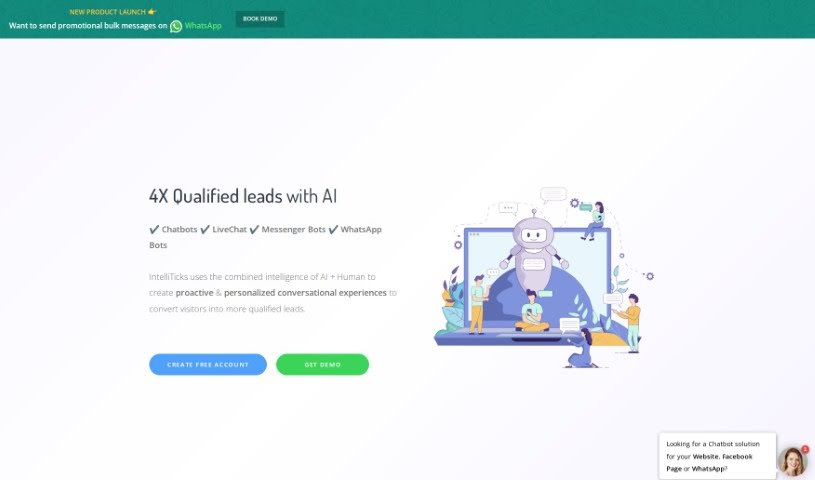
Screenshot of IntelliTicks

IntelliTicks

Discover what IntelliTicks is and how to use it effectively in 2025. We'll dive into its features and see how it stacks up against other customer service tools.

Screenshot

What Exactly is IntelliTicks?

IntelliTicks is a smart tool that uses artificial intelligence to help you find great new leads. It does this by starting conversations with people who visit your website or interact with your business. It is a digital assistant that’s always on, ready to chat. It blends AI with human insights to talk to users in real-time, figure out who’s really interested (your ‘hot leads’), and even connect them directly to your sales team. What’s really neat is that it keeps working even when your business is closed. It plays well with popular chatbot platforms like LiveChat, Messenger Bots, and WhatsApp Bots. Thanks to its natural language processing, it actually understands what people are saying and can answer common questions automatically. Plus, it connects with your CRM tools, gives you detailed reports on how users are converting, and offers handy features like sending out bulk promotional messages on WhatsApp or creating special ‘Conversational Landing Pages.’ You can use IntelliTicks on your website and Facebook, and they have different pricing plans to fit what you need.

Who’s Behind IntelliTicks?

Intelliticks first came onto the scene on February 10, 2018. The company was started by a group of people who wanted to combine the power of artificial intelligence with human understanding. Their goal? To create conversations that feel personal and proactive, all with the aim of finding high-quality leads for businesses. Intelliticks works with a variety of chatbots, including LiveChat, Messenger Bots, and WhatsApp Bots. It’s designed to be available 24/7, and it integrates smoothly with CRM tools, making lead generation and customer interactions much simpler. Key features include automatically answering questions, sending instant alerts for new leads, providing in-depth reports on how users are converting, and generally offering those personalized conversational experiences.

What Can You Do with IntelliTicks?

IntelliTicks is designed to help you in a bunch of ways:

  • Create personalized conversations: Make every interaction feel unique and tailored to the user.
  • Engage proactively: Reach out to visitors before they even have to ask.
  • Gather information step-by-step: Collect details gradually and naturally during conversations.
  • Answer common questions: Help users out by providing instant answers to FAQs.
  • Connect you with HOT leads live: Get immediate notifications when a promising lead is ready to talk to sales.
  • Boost your ad spend: Aim to get four times more leads by optimizing your advertising efforts.
  • Capture business lost after hours: Don’t miss out on potential customers just because your office is closed.
  • Get real-time lead alerts: Stay on top of new leads as they come in.
  • Automate user engagement: Keep conversations going and users interested automatically.
  • Build Conversational Landing Pages: Create interactive pages that engage visitors.
  • Automate WhatsApp messages: Streamline communication on WhatsApp.
  • Generate high-quality leads: Focus on bringing in the most promising prospects.
  • Offer proactive conversations: Engage users in a helpful, forward-thinking way.
  • Talk to users in real-time: Be there for your customers when they need you.
  • Sort leads into hot categories: Easily identify your most valuable prospects.
  • Facilitate direct sales contact: Connect interested leads straight to your sales team.
  • Operate outside business hours: Keep generating leads around the clock.
  • Collect data incrementally: Gather information bit by bit through conversations.
  • Automate FAQ responses: Free up your team by handling common questions automatically.

Who Should Use IntelliTicks?

IntelliTicks is a great tool for:

  • Sales Representatives
  • Marketing professionals
  • Customer service representatives
  • Business owners
  • Lead generators
  • CRM Managers
  • Customer Relationship Managers

How Do I Start Using IntelliTicks?

Getting started with IntelliTicks is pretty straightforward. Just follow these steps:

  1. Sign Up: First off, head over to the IntelliTicks website and create your account. The good news is, it’s free, and you won’t even need a credit card to get started.
  2. Explore the Features: Once you’re in, take some time to look around. You’ll find it’s packed with features designed to help you generate high-quality leads, create proactive conversations, integrate with chatbots, engage users in real-time, sort your leads, automatically answer FAQs, and get detailed reports on how users are converting.
  3. Generating Leads: IntelliTicks works by actively talking to users when they visit your site. It helps classify them, identifying those ‘hot leads’ who are most interested. It can even connect them directly to your sales team, making sure you don’t miss opportunities, even if it’s after business hours.
  4. Chatbot Support: The tool plays nicely with a variety of chatbots, including LiveChat, Messenger Bots, and WhatsApp Bots. This means you can use it for real-time engagement and interaction across different platforms.
  5. Collecting Data: IntelliTicks gathers information from users through interactive conversations. It uses advanced natural language processing, which is like giving the AI a brain to understand and respond to what people are asking.
  6. CRM Integration: You can easily connect IntelliTicks with your existing CRM tools. This makes managing your leads and customer interactions much smoother and more organized.
  7. Reports & Notifications: You’ll get detailed reports showing how users are converting, and you’ll receive real-time alerts for new leads on various devices, so you can follow up quickly.
  8. Personalized Experiences: The platform uses a smart mix of AI and human intelligence to create conversations that feel personal and really engage your visitors.
  9. Pricing & Quota: When you’re ready, you can pick from different pricing plans, including that free option we mentioned. It’s also good to be aware of the chat usage limits and any related policies.
  10. Continuous Support: Even if you happen to go over your chat quota, the platform keeps working. You’ll still have access to features like automated responses, detailed reports, and customer support to help you out.

Related AI Tools

Discover more tools in similar categories that might interest you

Stay Updated with AI Tools

Get weekly updates on the latest AI tools, trends, and insights delivered to your inbox

Join 25,000+ AI enthusiasts. No spam, unsubscribe anytime.