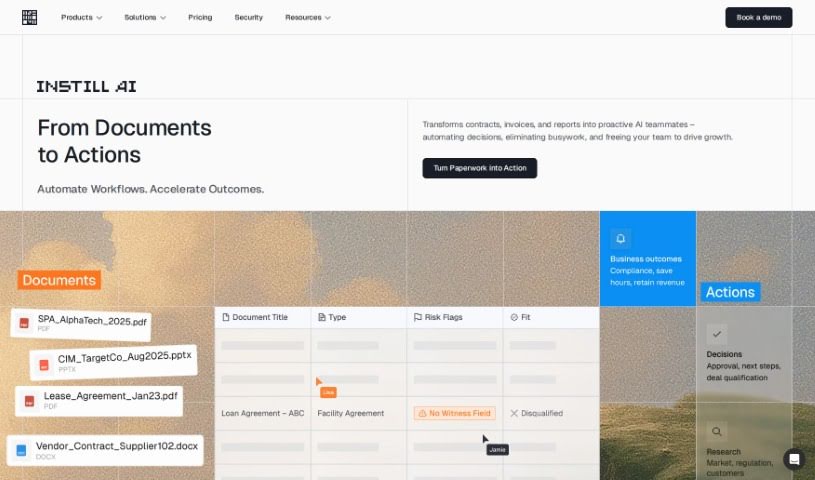
Screenshot of Instill AI

Instill AI

Discover what Instill AI is and how to use it effectively in 2025. We'll explore its features and see how it stacks up against other Customer Service Tools.

Screenshot

What is Instill AI?

Instill AI is a company focused on making artificial intelligence accessible to everyone. They do this by simplifying the AI development process, which really empowers users to harness the incredible power of AI without all the usual hassle. Their core mission is to build a future where AI is a practical tool for absolutely anyone, no matter how complex the technology might seem. They want to make sure everyone can benefit from AI easily. Instill AI tackles the tough challenges of handling unstructured data, which is often overlooked. By focusing on unstructured data ETL (Extract, Transform, Load), they aim to speed up AI product development and really unlock the potential hidden within this type of data, all thanks to their full-stack AI solution called Instill Core.

Who created Instill AI?

Instill AI was founded by Ping-Lin Chang, who is currently the Founder and CEO. The company’s main goal is to make AI product development simpler. They achieve this by zeroing in on the difficulties associated with unstructured data ETL, issues that tend to get missed in our increasingly data-driven world.

What is Instill AI used for?

  • An AI Assistant specifically for Customer Support
  • An AI Assistant for analyzing documents
  • An AI Image Analyzer for Agricultural Biotechnology
  • An AI Assistant for diagnosing infections
  • An AI Assistant for market analysis
  • Automating workflows using AI
  • Automating office workflows

Who is Instill AI for?

  • Data Scientists
  • Software Developers
  • Business Analysts
  • Product Managers
  • Marketing Specialists
  • Healthcare Professionals
  • Financial Analysts
  • Educators
  • Research Scientists
  • Entrepreneurs

How to use Instill AI?

To get the most out of Instill AI, here’s a straightforward way to approach it:

  1. Upload Your Documents: Start by uploading the documents you need analyzed. This is where you’ll get your initial insights.
  2. Chat with the AI: Once your documents are in, you can use the AI Document Analysis Assistant to have conversations about them. It’s like having a knowledgeable assistant who’s read everything.
  3. Pull Out Key Insights: Use the AI Assistant to pull out the really valuable information from your documents. This completely changes how you get value from your data.
  4. Get Personalized Answers: You’ll get immediate, tailored responses from the AI, directly based on what’s in your documents.
  5. Customize Your AI Models: You can adjust the AI models to fit your specific data and the tasks you need done, making sure it performs at its best for you.
  6. Keep Your Data Secure: You have full control over your data’s security. You can deploy Instill Core either on your own servers (on-premises) or within your Virtual Private Cloud (VPC).
  7. Get Expert Help: Our expert AI support team is here to offer dedicated help and custom solutions for all your AI projects.
  8. Use All the AI Features: Take advantage of features like automating image sorting, identifying object details, asking visual questions (visual question answering), and deploying AI models in flexible ways to boost performance.
  9. Automate Your Workflows: Make your workflows smoother, from getting data ready to deploying your AI. You can connect modular AI components to work together efficiently.
  10. Cut Down on Manual Work: Automate the analysis of visual data. This means less manual effort, more efficiency, and your team can focus on more important, strategic tasks.

By following these steps, you can really make the most of Instill AI. You’ll be able to analyze documents, pull out key insights, and make your data processing workflows much more efficient.

Related AI Tools

Discover more tools in similar categories that might interest you

Stay Updated with AI Tools

Get weekly updates on the latest AI tools, trends, and insights delivered to your inbox

Join 25,000+ AI enthusiasts. No spam, unsubscribe anytime.