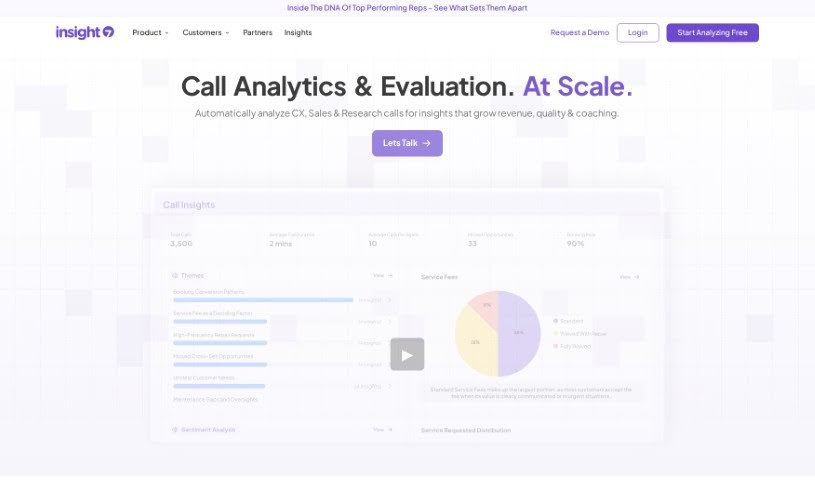
What is Insight7?
Insight7 is an AI-powered tool built specifically for B2B product teams. Its main goal is to help you understand your customers better, speed up how you develop products, and ultimately make your users happier. It does this by collecting and analyzing customer feedback, giving you practical insights that can boost revenue and keep customers around. Some of its standout features include automatically analyzing customer interviews, pulling together insights from all sorts of channels to give you a complete picture, letting you segment customers in flexible ways, figuring out what specific accounts or groups need, and using all this feedback to help your business grow. Insight7 offers different pricing plans, whether you’re an individual professional or a large enterprise organization.
Who created Insight7?
Insight7 was actually started by a team with experience from big names like Shopify and Microsoft, along with other well-known tech companies. These folks bring together their expertise in product development, big data, and AI, combined with a deep understanding of various industries such as software, healthcare, ecommerce, and more. The Insight7 team is spread out globally, with members working from seven different countries.
What is Insight7 used for?
Insight7 is a versatile tool that helps with a variety of tasks:
- Templates: Use pre-made templates to get started quickly.
- Report generation: Easily create reports from your findings.
- Automated Analysis: This is a big one. It speeds up how you analyze customer interviews significantly. You can record, transcribe, and then efficiently pull out the key product themes.
- Critical Insight Connection: It’s designed to link up with other tools you likely already use, like Gong, Hubspot, Gmail, and Slack. This way, you can gather all your customer insights in one place, making your product decisions much more informed.
- Dynamic Segmentation: You can create customer segments based on things like revenue, industry, or company size. This helps you really understand what different groups of customers need and how to meet those needs effectively.
- Account & Segment Needs Identification: You can actually see patterns across your customer accounts and segments. This helps you spot new opportunities and potential risks.
- Growth Through Customer Signals: By paying attention to customer feedback, you can get a handle on market trends, like why you win or lose deals, why customers might leave, or opportunities for upsells. It’s all about using that feedback to drive business growth.
- Team collaboration: It’s built to help teams work together more smoothly.
- Transcribing and analyzing interviews, calls, and transcripts: It handles the heavy lifting of turning spoken words into text and then analyzing it.
- Identifying themes, sentiments, and key insights: It helps you spot the main ideas, how customers feel, and the most important takeaways.
- Creating summaries, reports, and visualizations: Get clear summaries, reports, and visual aids to help you make better decisions.
- Thematic analysis, sentiment analysis, and data summarization: It offers specialized analysis types to dig deep into your data.
- Visual representation of customer journeys: See how customers interact with your product over time.
- Analyzing multiple documents within a project: Work with and analyze many files at once for a project.
- Integration with tools like Google Drive, YouTube, OneDrive, SharePoint, Gong, etc.: It connects with popular platforms you might already use.
- Exporting insights, summaries, and visualizations: You can easily share your findings by exporting them in PDF and slide formats.
- Supporting analysis and transcription in over 60 languages: It’s equipped to handle a wide range of languages.
- Ensuring secure and private data handling: Your data is kept safe and private.
- Unlimited Project Analysis: Analyze as many projects as you need.
- Unlimited Questions: Ask as many questions of your data as you like.
- Unlimited Transcription: Transcribe as much audio as you need.
- Multi-Project Search: Search across all your projects easily.
- Unlimited Journey Maps: Create as many customer journey visualizations as you want.
- Live Recording: Record interviews directly within the tool.
- PII Redaction: Automatically removes personally identifiable information to protect privacy.
- Delivering actionable insights through summaries, visualizations, dashboards, research matrices, and more: It provides insights in various formats to be useful.
- Analyzing text documents, audio files, and videos for interviews, team experiences, and feedback: It can process different types of media.
- Secure data storage following industry-standard security measures such as GDPR and SOC2 compliance: Your data is protected with robust security protocols.
- Offering a free plan with basic features and subscription for more advanced features: There are options for different needs and budgets.
- Providing in-app tutorials and guides to maximize Insight7: You can get help and learn how to use the tool effectively right within the application.
- Supporting B2B product teams in product development and user satisfaction enhancement: It’s specifically designed to help these teams succeed.
- Automated Analysis, Critical Insight Connection, Dynamic Segmentation, Account & Segment Needs Identification, Growth Through Customer Signals: These are some of the core functionalities it offers.
Who is Insight7 for?
Insight7 is designed for a range of users, from individuals to large organizations:
- Individuals exploring automated insights: If you’re curious about using AI to get insights from data, this is a good starting point.
- Professionals generating actionable insights: If your job involves finding and using insights to make decisions, Insight7 can help.
- Professionals analyzing more data volumes: For those who deal with a lot of customer data, it streamlines the process.
- Teams leveraging insights across departments: It helps different teams within a company share and use insights effectively.
- Enterprise organizations leveraging insights at scale: Large companies can use it to manage and analyze insights across the entire organization.
- Market Researcher: Helps market researchers understand customer needs and trends.
- Research Manager: Supports managers in overseeing research projects and findings.
- Product Designer: Provides feedback to inform design decisions.
- Development Director: Offers insights for product development strategies.
- Sports Performance Researcher: Can be used to analyze feedback and data in sports contexts.
- Senior Consumer Insights Manager: Ideal for senior roles focused on understanding consumers.
- Enterprise orgs leveraging insights at scale: Specifically beneficial for large businesses that need to manage insights broadly.
How to use Insight7?
To get the most out of Insight7, here’s a simple step-by-step guide:
- Data Upload: Start by uploading your content. This can be text documents, audio files (like MP3s), or even videos (MP4s). Just a heads-up, text documents should be under 10MB, and media files under 1GB.
- Project Analysis: Use the Project Analysis feature to look at multiple files together. This is great for getting a broader understanding across different documents and media.
- Templates: To make things quicker, you can pick from pre-built questions. These are tailored for different industries and common use cases, helping you structure your analysis right away.
- Journey Maps: You can create visual maps that show how customers move through their experience with your product. These are based on the insights you get from your qualitative data.
- Integration: Insight7 plays well with others! It connects with tools you might already use, like Google Drive, YouTube, and others, making your analysis workflow smoother.
- Insight Generation: Once you have your insights, you can easily copy them, share them, or export them. They come in formats like PDF and slides, so sharing your findings is a breeze.
- Language Support: No matter where your customers are, Insight7 can help. It can transcribe and analyze content in over 60 languages, which is really helpful for a diverse user base.
- Security Measures: You can feel confident about your data. Insight7 follows strict industry standards for security, including GDPR and SOC2 compliance, to keep your information safe and private.
- Subscription Options: There’s a free plan available with basic features, and you can always upgrade to a subscription for more advanced capabilities. These subscriptions are billed monthly.
- Cancellation Policy: If you need to cancel, you can do so at any time. Just keep in mind that refunds aren’t provided for the current billing period you’re already in.
- In-App Support: Need a hand? Insight7 offers tutorials and guides right within the app. These are there to help you use the tool efficiently and get the most out of it.
By following these steps, you’ll be able to effectively use Insight7 for thorough text and media analysis. It really helps in making well-informed decisions.