What is Inkflow?
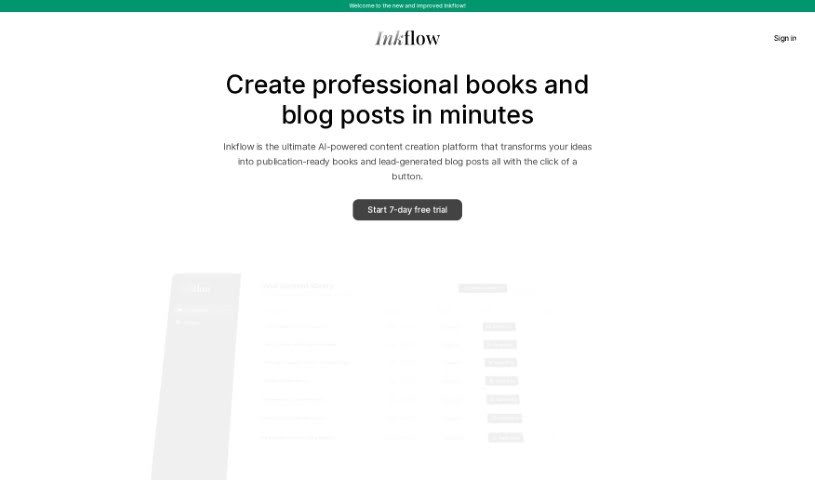
Inkflow is an AI-powered tool designed to help you create non-fiction books and courses. It is your AI assistant for generating knowledge-based content. It uses smart algorithms to build book and course outlines based on the title, chapters, and language you choose. The content it produces is original, drawing from OpenAI’s language models. Since Inkflow is web-based, you can access it from pretty much any device, making it super convenient and easy to use. It really takes the heavy lifting out of writing a book by letting you simply input your book’s title, decide how many chapters you want, and pick your preferred language. Once it’s done generating, you get an editable .docx file, which is perfect for reviewing and editing before you self-publish – you could have your book ready in just a few days!
Who created Inkflow?
Inkflow Overview:
Inkflow, an AI Book and AI Course generator, first launched on March 19, 2024. This innovative tool comes from Inkflow.io, and its main goal is to make generating non-fiction content much smoother using advanced algorithms. Users can easily create book outlines by setting parameters like titles, chapters, and language preferences. The company really focuses on creating original content, powered by OpenAI’s language models. Because Inkflow is a web-based solution, it makes producing book-length content fast, helping you get ready for self-publishing in just a few days after the content is generated.
What is Inkflow used for?
Inkflow is designed to make your book creation process much easier and faster. Here’s a breakdown of what it can do for you:
- Access it anywhere: You can use Inkflow from multiple devices because it’s a web-based solution.
- Custom book outlines: Generate books with chapters and subchapters tailored to your specific ideas.
- Generate substantial content: Produce books of 20,000+ words with automatically generated outlines.
- Create long-form books: Build custom AI books of over 100,000 words, ready for your editing and self-publishing.
- Automatic cloud saving: Your completed books are saved automatically to cloud storage.
- Streamlined long books: Create books up to 200,000 words with a tool that simplifies the whole process.
- Automated book generation: Speed up your workflow with quick content production.
- Tailored content: Customize your content using two different language models to fit your exact needs.
- Easy self-publishing: Streamline your path to publishing, and it’s compatible with platforms like Kindle Direct Publishing.
- Affordable access: Get an affordable yearly subscription for all your book generation needs.
- Language support: Tailor your content and choose from various book languages.
- Automates book generation: Takes care of the heavy lifting in creating your book.
- Quick content production: Get book-length content ready in no time.
- Tailors content to needs: Customize the output to match what you’re looking for.
- Streamlines self-publishing: Makes the publishing process much smoother.
- Kindle Direct Publishing compatible: Ready to go for Amazon’s platform.
- Fast and secure generation: Create your content quickly and safely.
- Specific content tailoring: Focus on the exact kind of content you want.
- Various book languages: Support for different languages in your books.
- Prepares for review: Content is ready for you to look over and edit.
- Designed for non-fiction: Specifically built for knowledge-based books.
- User selects chapter quantity: You decide how many chapters your book will have.
- Prepares for immediate review: Get your draft ready for editing right away.
- Affordable yearly subscription: A cost-effective way to generate books.
- Produces 20,000+ words easily: Create substantial content without much effort.
- Generates content in days: Significantly speeds up your writing timeline.
Who is Inkflow for?
Inkflow is a great tool for anyone looking to create non-fiction books or courses. Specifically, it’s ideal for:
- Authors
- Writers
- Self-publishers
- Content creators
How to use Inkflow?
Using Inkflow to generate book-length content is a straightforward process. Just follow these simple steps:
- Title Entry: Start by typing in the title for your book.
- Chapter Details: Next, input your chapter details. You can either use the auto-outline feature to get suggestions or enter your own custom chapter titles and structures.
- Language Selection: Choose the language you want your book’s content to be in.
- Content Generation: Inkflow will then create your book based on the custom chapters and subchapters you’ve provided. You can import your outline and just click ‘generate’ to start the process.
- Save to Cloud Storage: Once your book is generated, it’s automatically saved to your cloud storage, usually via a webhook connection.
- Review and Editing: After generation, you’ll receive an editable .docx file. This is your chance to review and make any edits you need.
- Self-Publishing: You can then use Inkflow to help with self-publishing, for example, on platforms like Kindle Direct Publishing (KDP). This whole process means you could have your book published in just a matter of days.
Inkflow really simplifies things by automating content creation based on what you input. It gives you flexibility to tailor your content using different language models, and it ensures your content is created and stored quickly and securely, thanks to its infrastructure built on Amazon Web Services (AWS).