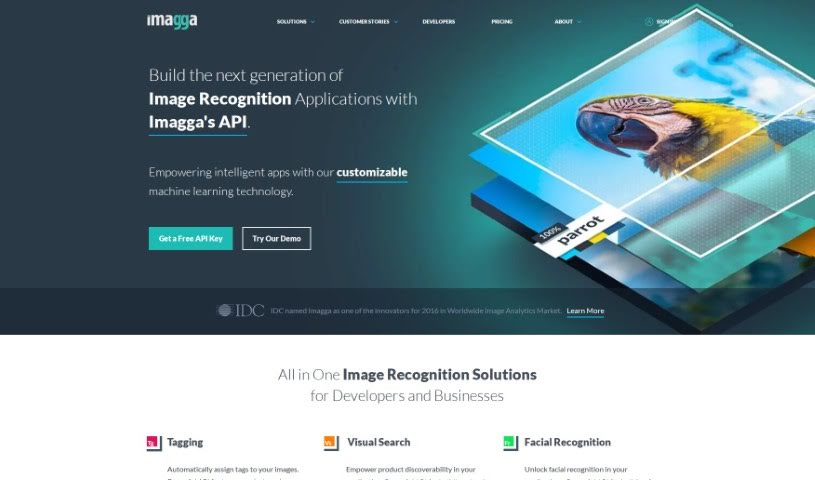
Screenshot of Imagga

Imagga

Discover what Imagga is and how to make the most of its features in 2025. We'll explore its capabilities and see how it stacks up against other Productivity Tools.

Screenshot

What is Imagga?

Imagga is a platform that uses Computer Vision AI to completely change how businesses and developers work with visual content. It offers a range of features, like automatically tagging images, sorting them into categories, smart cropping, and pulling out dominant colors. It’s designed to help out in many different areas, including media, entertainment, e-commerce, retail, real estate, and technology. Essentially, Imagga makes complex AI technologies much simpler to use, giving you precise tools for things like recognizing faces, pinpointing objects within images, and reading text. Plus, you can even train custom models tailored to your specific needs. They also focus on content moderation to help keep online spaces safe. By using its Image Recognition API, Imagga helps boost applications and services with valuable insights from visual data, making it a go-to choice for anyone looking to improve how they handle image-related tasks.

Who created Imagga?

Chris Georgiev is the person behind Imagga. The company itself provides really innovative Image Recognition API solutions. This includes things like automatically tagging images, advanced ways to categorize them, smart cropping, extracting colors, and even facial recognition. Their platform makes complex AI technologies easy to use across different industries, and you can choose between Cloud or On-Premise options. Imagga really shines when it comes to content moderation, blending both artificial intelligence and human oversight. With an API that’s designed to be user-friendly, Imagga helps make applications smarter with advanced visual AI capabilities.

What is Imagga used for?

Imagga is incredibly versatile and can be used for a wide array of tasks:

  • Content moderation: Keeping online content safe and appropriate.
  • Facial recognition: Identifying and analyzing faces.
  • Automated Image Tagging: Automatically adding descriptive tags to images so they’re easier to find.
  • Advanced Categorization: Sorting images into specific groups for better organization.
  • Intelligent Cropping: Smartly cropping images to create the most appealing thumbnails.
  • Color Extraction: Identifying the main colors in an image, which is super useful for design work and product development.
  • Cloud-based and On-Premise Solutions: Offering flexibility in how you deploy their technology.
  • Facial Detection and Recognition: Providing strong tools for understanding and identifying faces, useful for user engagement and security.
  • Custom Training for Image Recognition Models: Allowing you to build models that understand your specific image needs.
  • Object Localization and Text Recognition: Pinpointing objects within images and reading any text present.
  • Visual Search: Enabling users to search for images using other images.
  • Custom Categorization: Creating your own specific ways to sort and organize images.
  • Adult Content Moderation: Specifically designed to help manage and filter adult content.
  • Building a custom hotel classifier: An example of creating a specialized model for a particular industry.
  • Providing powerful image search capabilities: Making it easier to find exactly the images you need.

Who is Imagga for?

Imagga’s tools are beneficial for a broad range of users and organizations:

  • Developers: Who need to integrate powerful visual AI into their applications.
  • Businesses: Looking to automate image management and gain insights from visual data.
  • Media and entertainment sector: For organizing large media libraries and content analysis.
  • E-commerce and retail sector: To improve product discovery and visual merchandising.
  • Real estate sector: For categorizing and searching property images.
  • Technology sector: To enhance software with visual intelligence.
  • Startups: Needing scalable AI solutions without extensive in-house development.
  • Students: Learning about and experimenting with computer vision and AI.

How to use Imagga?

To get the most out of Imagga, here’s a straightforward guide:

  1. Getting Started with Imagga: First, head over to Imagga’s website. You’ll find a variety of solutions and services there, like their auto-tagging tools, visual search capabilities, face recognition features, custom categorization options, color extraction, and much more.

  2. Understanding the Features: Let’s break down what Imagga offers:

    • Automated Image Tagging: This feature automatically adds descriptive tags to your images. It’s a great way to make your image library much more searchable.
    • Advanced Categorization: Imagga helps you sort your image content into different categories efficiently, which really improves organization.
    • Intelligent Cropping: Need thumbnails? This feature smartly crops your images to create the most visually appealing results.
    • Color Extraction: Imagga can pull out the main colors from any image. This is really handy for design projects and when developing new products.
    • Facial Recognition: The platform provides strong tools for detecting and recognizing faces, which can be used for everything from user engagement to security purposes.
  3. Checking the FAQs: It’s always a good idea to look at the frequently asked questions. You’ll find helpful details there about Imagga’s Image Recognition API, including specifics on features like facial recognition and how custom model training works.

  4. Looking at Pricing and Deployment: You’ll want to understand how Imagga prices its services, especially for features like Image Recognition, Computer Vision AI, Content Moderation, Visual AI Solutions, and the Facial Recognition API. Good to know, Imagga offers both Cloud-based and On-Premise deployment options, so you can pick what best suits your security and infrastructure needs.

  5. Seeing Imagga in Action: Check out some success stories to see how others are using Imagga. For instance, Tavisca used it for image categorization, and Unsplash implemented the Auto-tagging API to tag their vast collection of photos.

  6. Key Features to Note: Remember the main strengths of Imagga: automated image tagging, categorization, smart cropping, color extraction, and facial recognition are all top-notch.

  7. Custom Training Your Models: Don’t forget that Imagga lets you custom train its image AI. This is perfect for organizing photos in a way that makes sense for your specific categories.

By following these steps, you can really make the most of Imagga’s powerful Image Recognition API. It’s a fantastic tool for automating image analysis, organizing your visuals better, and unlocking all sorts of capabilities for your applications and services.

Related AI Tools

Discover more tools in similar categories that might interest you

Stay Updated with AI Tools

Get weekly updates on the latest AI tools, trends, and insights delivered to your inbox

Join 25,000+ AI enthusiasts. No spam, unsubscribe anytime.