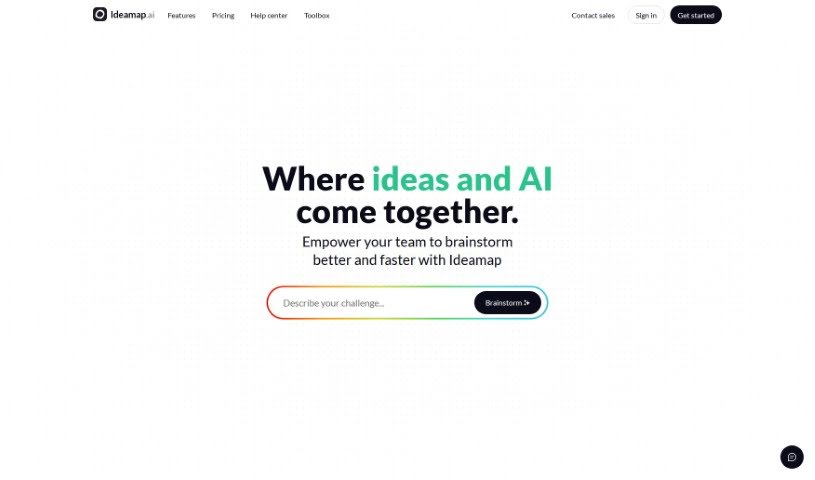
Screenshot of Ideamap

Ideamap

Discover what Ideamap is and how to use its powerful AI features for brainstorming and collaboration in 2025. We'll explore its key functions and how it stacks up against other project management tools.

Screenshot

What is Ideamap?

Ideamap is a supercharged version of traditional brainstorming, but with a big boost from AI. It’s designed to help you generate ideas incredibly fast and in a really visual way. What makes it stand out are features like AI-powered idea suggestions, the ability for everyone to collaborate in real-time, smart ways to group your ideas, AI assistants to help you along, ready-made templates, modules to spark inspiration, a voting system to pick the best ideas, a ‘magic summary’ feature, custom workspaces you can set up just how you like, and even integration with Microsoft Teams. Ideamap’s interactive platform means your team can brainstorm together, no matter where you are. The AI tools can suggest new ideas, help you spot connections you might have missed, and really inspire those breakthrough solutions. It’s all about making your creative process better, improving how your team brainstorms, and encouraging innovation across any industry. Plus, it’s super easy to use, really intuitive, and visually engaging, making it a great choice for professionals who want to come up with strong ideas and create solid plans. You can also create new workspaces, leave ones you’re done with, add more detailed ideas, and manage who submitted what. If you’re curious about the pricing, have questions, or want to know the tech behind it, all that information is available. It’s perfect for anyone looking to harness the power of artificial intelligence, boost collaboration, improve productivity, and manage innovation more effectively.

Who created Ideamap?

Ideamap was brought to life by a team passionate about transforming how we brainstorm, using AI to make it better. Their platform really boosts creativity by letting you categorize ideas dynamically, collaborate in real-time, and get AI-generated ideas. The company’s main goal is to offer a workspace that’s not only visually stimulating but also interactive, helping professionals in all sorts of industries work together to innovate.

What is Ideamap used for?

  • Brainstorming together in real-time
  • Getting AI to suggest new ideas
  • Organizing ideas in smart, dynamic ways
  • Using AI assistants to help out
  • Using pre-built Framework Templates
  • Finding Inspiration Modules to spark creativity
  • A Voting System to pick the best ideas
  • A Magic Summary to quickly condense information
  • Setting up your own Custom Workspaces
  • Connecting with Microsoft Teams Integration

Who is Ideamap for?

  • Anyone working professionally, no matter the industry

How to use Ideamap?

Here’s a simple guide to get the most out of Ideamap:

  1. Creating a New Workspace: When you want to start brainstorming, just click “Create new workspace” from the workspace selector. Then, you can choose whether it’s a “Team workspace” for group projects or a “Personal workspace” just for you.
  2. Leaving a Workspace: If you need to exit a workspace, it’s pretty straightforward. Look for “Settings & members” or “My account” in the sidebar. Once you’re there, go to the “Settings” tab under the “Workspace” section. Scroll down until you see the “Danger zone,” and then just click “Leave workspace.”
  3. Adding Longer Ideas: Want to add more detail to an idea? Just edit the idea, hit enter twice to create two new lines, and anything you type after that will be neatly tucked away on the idea card. You can even format the text, add links, titles, and more. To see the full idea, just hover over the description icon on the card.
  4. Anonymous Idea Authors: Right now, Ideamap doesn’t let you submit ideas anonymously. However, you can have anonymous authors when you’re voting! Just select the “Anonymous idea authors” option when you kick off a new voting session.

Following these steps will help you easily use Ideamap’s cool features for brainstorming and managing ideas together. Give Ideamap a try to boost your team’s creativity and make your workflow more productive!

Related AI Tools

Discover more tools in similar categories that might interest you

Stay Updated with AI Tools

Get weekly updates on the latest AI tools, trends, and insights delivered to your inbox

Join 25,000+ AI enthusiasts. No spam, unsubscribe anytime.