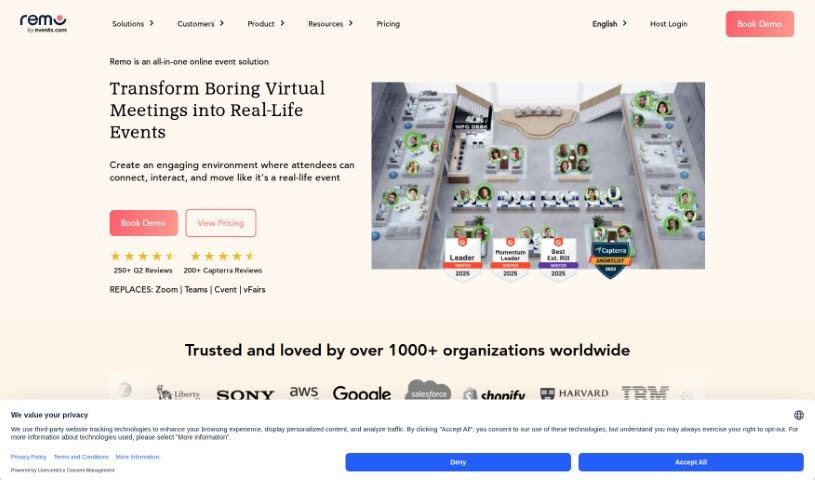
Screenshot of Icebreaker Question Generator

Icebreaker Question Generator

Discover what an Icebreaker Question Generator is and how to use it effectively in 2025. We'll explore its features and compare it to other AI Assistants.

Screenshot

What is an Icebreaker Question Generator?

An Icebreaker Question Generator is a handy tool designed to give you engaging and thought-provoking questions. Its main goal is to help kickstart conversations and make it easier for people to connect in different situations. Think team-building activities, networking events, or training sessions. These generators offer a wide variety of questions meant to get interesting discussions going, encourage people to interact, and help create a relaxed vibe among everyone involved. By using one, you can easily start conversations, get to know people better, and build communication in a fun, light-hearted way. It’s a really useful resource if you want to liven up social gatherings or professional events with conversation starters that are both meaningful and stimulating.

Who created the Icebreaker Question Generator?

Remo created the Icebreaker Question Generator, launching it on August 3, 2023. Remo is the company behind this innovative tool, and they offer a range of solutions for virtual events, along with other interactive features.

What is the Icebreaker Question Generator used for?

This tool is great for a variety of purposes:

  • It generates personalized questions tailored to your needs.
  • It helps make events more interactive.
  • Questions can be matched to specific event themes.
  • It boosts attendee engagement.
  • It’s perfect for events across many different industries.
  • It acts as a tool for building community.
  • It can analyze event themes to suggest relevant questions.
  • It provides prompts that really make people think.
  • It generally enhances the overall event experience.
  • You can get questions generated quickly.
  • It supports virtual networking tables for more meaningful conversations.
  • It helps create immersive environments for engaging experiences.
  • It allows for a smooth transition from webinars to networking events.
  • You gain control over event organization with various engagement options.
  • It includes data analytics capabilities to track how effective your event is.
  • It’s useful for organizing online summits.
  • It helps in creating immersive online experiences.
  • It’s designed to enhance engagement at virtual events.
  • It facilitates the building of authentic relationships at scale.
  • It offers participants a natural networking feel.

Who is the Icebreaker Question Generator for?

This tool is particularly useful for:

  • Law firms
  • Human Resources departments
  • Higher Education institutions
  • Professional Associations
  • Law professionals
  • Human Resources professionals
  • Higher education professionals
  • Representatives from professional associations
  • Lawyers
  • Professionals in various associations

How do you use the Icebreaker Question Generator?

Using an Icebreaker Question Generator is pretty straightforward. First, you’ll want to find a reliable tool online. Once you’re on the website, you’ll usually see a user-friendly interface with options to generate random icebreaker questions. Here’s a simple step-by-step guide:

  1. Access the Tool: Head over to the website or platform that hosts the Icebreaker Question Generator.
  2. Find the Generator: Look for the specific section or button meant for generating icebreaker questions. It might say something like “Generate Icebreaker Questions.”
  3. Generate Questions: Click the button to get a random icebreaker question. Depending on the tool, you might be able to pick specific categories or types of questions.
  4. Read the Question: Once a question pops up, read it carefully to make sure it fits what you need.
  5. Discuss the Question: Use the question to start conversations in settings like team meetings, training sessions, or social gatherings.
  6. Generate More: If you need more questions, just click the button again.
  7. Customize Options: Some tools let you customize things, like choosing how many questions you want or filtering by categories such as “funny,” “serious,” or “team-building.”
  8. Save or Share: If there’s an option to save or share questions, consider doing so. It’s handy for keeping track of good questions or sharing them with others.
  9. Engage Participants: Encourage everyone to share their answers or thoughts on the questions to really get the interaction going.
  10. Enjoy the Icebreaker: Use these questions to break the ice, spark discussions, and create a lively atmosphere in your social or professional interactions.

By following these steps, you can effectively use an Icebreaker Question Generator to help facilitate engaging conversations and activities in all sorts of settings.

Related AI Tools

Discover more tools in similar categories that might interest you

Stay Updated with AI Tools

Get weekly updates on the latest AI tools, trends, and insights delivered to your inbox

Join 25,000+ AI enthusiasts. No spam, unsubscribe anytime.