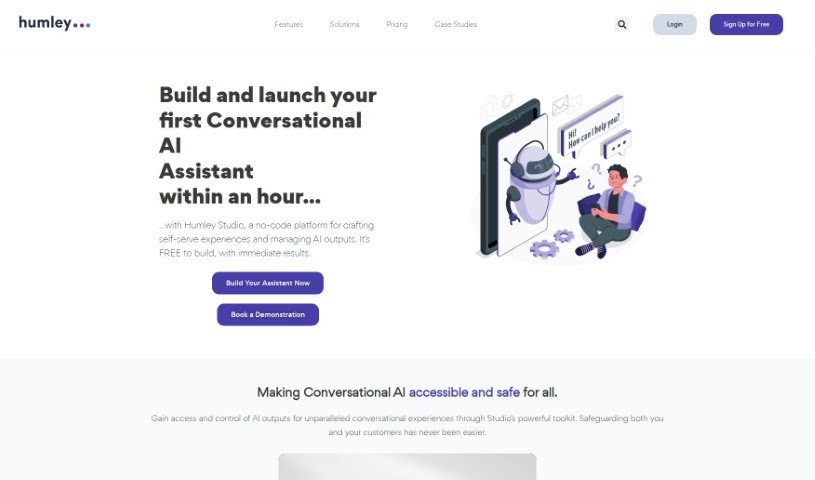
What is Humley?
Humley is a UK-based company that’s really shaking things up in the world of Conversational AI. They started in 2017 and have built a platform that makes it super easy for big businesses to quickly set up AI-powered chat assistants. It is a way to create smart conversational tools for all sorts of departments – whether it’s sales, customer service, HR, finance, or IT.
What Humley does is help companies run more smoothly and make things better for both their employees and their customers. Their AI assistant is available 24/7, so help is always there. They also team up with major global consultancies, which means they can bring these interactional improvements to customers in all sorts of industries, like telecommunications, pharmaceuticals, retail, and financial services.
Some of the best things about Humley are that you don’t need to be a coder to use it – it’s a no-code platform. This means you can create self-serve experiences easily. Plus, it’s ready to integrate with your existing systems, works across different channels (like web chat, messaging apps, etc.), and even lets you gather feedback from users. You can get projects up and running fast, deploy securely, get really useful analytics, design customer conversations intuitively, set things up automatically, and use tools that are easy to get the hang of. They also help you fine-tune how your AI is performing in real-time.
Who created Humley?
Humley was founded back in 2017, and it’s currently led by CEO Adam Harrold. The company’s main focus is on Conversational AI technology. They’ve developed a platform that lets enterprise businesses quickly get conversational interfaces up and running for various departments. Humley works with big consultancies and serves clients in industries like telecommunications, pharmaceuticals, retail, and financial services. Their goal is to help these businesses operate more efficiently and improve how they interact with customers, all thanks to AI-powered conversational assistants.
What is Humley used for?
Humley is incredibly versatile. Here’s a breakdown of what you can do with it:
- Gathering User Feedback: Easily collect opinions and suggestions from your users.
- Creating Self-Serve Experiences: Empower customers and employees to find answers and complete tasks on their own.
- Refining AI Control: Get better control over how your AI responds and what it says.
- Getting Insightful Analytics: Understand how your AI is performing and where improvements can be made.
- Simplifying AI Service Access: Make it easier for people to use AI services.
- Providing Multi-Channel Support: Offer consistent help across various platforms and communication methods.
- Managing Data Retention: Set rules for how long data is stored, which is great for compliance and analytics.
- Automating Routine Tasks: Let the AI handle common customer inquiries so your human team can focus on more complex issues.
- Handling Everyday Queries: Answer frequently asked questions quickly and efficiently.
- Driving Self-Serve Experiences: Encourage users to help themselves, improving efficiency.
- Securing AI Deployments: Safely roll out advanced AI models, like those from OpenAI.
- Boosting Customer Experiences: Use AI to manage common questions, fulfill customer requests, and connect people to systems and information using ready-made integrations.
- Improving Operational Efficiency: Automate routine customer interactions and make self-service a breeze.
Who is Humley for?
Humley is a great fit for businesses in these sectors:
- Telecommunications
- Pharmaceuticals
- Retail
- Financial Services
How to use Humley?
Ready to get the most out of Humley? Here’s a simple guide:
- Get Started: First, sign up for Humley’s Studio platform. You’ll find it’s packed with no-code features that make building your own AI conversational assistants straightforward.
- Build Your Assistant: Use the platform to create those helpful self-serve experiences. You can manage common questions, design customer service flows, and even connect to your existing systems and knowledge bases with pre-built integrations.
- No Coding Needed: The best part? It’s a user-friendly “no-code” platform. This means you don’t need any programming skills to craft AI solutions quickly.
- Enhance Customer Experience: Put AI to work handling routine inquiries, meeting customer needs across their preferred channels, and offering seamless service with integrations that are ready to go.
- Key Benefits: Take control of your AI’s responses, dive into insightful analytics to see how things are going, offer support on multiple channels, and securely deploy advanced AI models like OpenAI’s LLM.
- Operational Efficiency: Automate those repetitive tasks, save valuable time by letting the AI handle common queries, and get your assistants up and running in as little as an hour.
- Data Retention: Make sure you’re using data retention settings correctly. This helps manage storage, improves your analytics, and lets you fine-tune your AI conversations.
- User Feedback: Don’t forget to capture user feedback through Humley. It’s a crucial step for continuously improving your conversational AI interactions.
- Multichannel Support: Ensure customers have a consistent experience by serving them smoothly across all the different ways they might want to communicate.
- Secure Deployment: Keep your data safe and access advanced AI models like OpenAI’s LLM securely. This helps you stay ahead of the curve while protecting sensitive information.
- Analytics Tool: Make the most of Humley’s platform for insightful analytics. You can monitor, analyze, and improve your AI assistant’s performance efficiently.
By following these steps, you can really tap into Humley’s power to create impressive AI-driven conversations and deliver top-notch customer service, all while being efficient and secure.