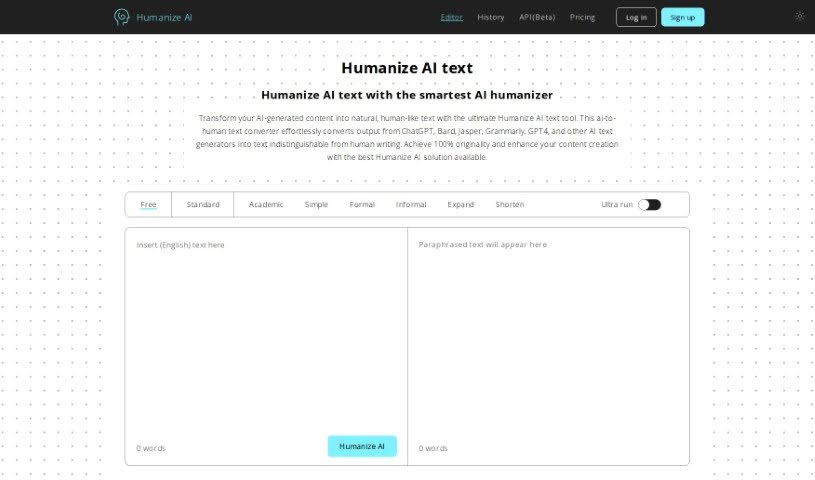
What is Humanize Ai?
Humanize Ai is a bridge, making it easier for us to connect with artificial intelligence. It’s all about making AI feel more natural and understandable, really emphasizing how important empathy and emotional smarts are in AI systems. The goal here is to close the gap between technology and our feelings, using things like advanced language processing and ways to understand sentiment. This platform aims to create more personal and engaging experiences when you interact with AI, which should lead to better communication and happier users. By putting the human element front and center in how AI is built, Humanize Ai is working towards AI solutions that aren’t just smart, but also caring and aware of the world around them.
Who created Humanize Ai?
Rishit Patel, the founder, is the person behind Humanize Ai. His company is focused on taking AI-generated text and making it sound like a real person wrote it. They use their own special algorithms to do this, making sure the original meaning and SEO value stay intact. Humanize Ai is designed to be easy to use, works in lots of different languages, and promises content that’s completely original.
What is Humanize Ai used for?
- Podcasters & YouTubers: Make sure your scripts have that natural, conversational feel and the right emotional tone for your audience.
- Legal Professionals: Take complex legal language and turn it into something clients can actually understand easily.
- HR Professionals: Give your internal messages, job ads, emails, and presentations a more human touch to better reflect your organization.
- Creative Writers: Add a layer of realism to your poetry, fiction, or plays to connect with a broader audience.
- Anyone with a Story to Tell: It’s a really versatile tool for anyone who wants to get their message across effectively.
- Content Creators & Writers: Speed up your writing by using AI to generate initial drafts, then polish them up with the AI Humanizer.
- Marketing Professionals & Ad Experts: Make your marketing messages more emotionally resonant, so your campaigns really hit home.
- Business Executives: Add a human touch to your business emails to ensure your communication is clear and effective.
- Students: It’s perfect for school assignments and research papers, helping your work sound more like your own.
- Web Developers & Designers: Tweak your website content and error messages so they sound more human and engaging.
- Anyone with a Story to Tell: This tool is great for anyone looking to share their message in a more impactful way.
- Content Creators & Writers: Streamline your writing process. You can generate drafts with an AI tool and then refine them using the AI Humanizer.
- Marketing Professionals & Ad Experts: Boost your marketing messages emotionally to make campaigns more impactful.
- Business Executives: Improve your business emails to communicate more effectively.
- Students: It’s ideal for educational assignments and research, ensuring your work has that human touch.
- Web Developers & Designers: Refine website content to make it more engaging and human-sounding.
Who is Humanize Ai for?
- UX/UI Designers
- Customer service representatives
- Healthcare professionals
- Educators
- Psychologists
- Marketing specialists
- Human Resources managers
- Software developers
- Content creators
- Social workers
How to use Humanize Ai?
Here’s a straightforward guide to using Humanize AI:
- First, make sure you’re using a browser that works well with the tool.
- Next, paste the AI-generated text into the provided box.
- You’ll need to complete a Captcha to prove you’re human.
- Then, just click the “Humanize AI” button to start the conversion. It might take a little bit, so hang tight!
- Once it’s done, take a look at the output. It should sound human-like, be plagiarism-free, and feel authentic.
- If you’re not quite there yet, don’t worry. You can repeat steps 3 through 5 until you get the result you want.
- After that, copy the human-like text, make any final edits you think are needed, and use it however you like.
- If you want to start over with something new, just hit the “Clear” button.
By following these simple steps, you can really make the most of the Humanize AI tool. It’s a great way to turn AI text into content that sounds genuinely human, avoids that robotic feel, and is perfect for whatever you need it for.