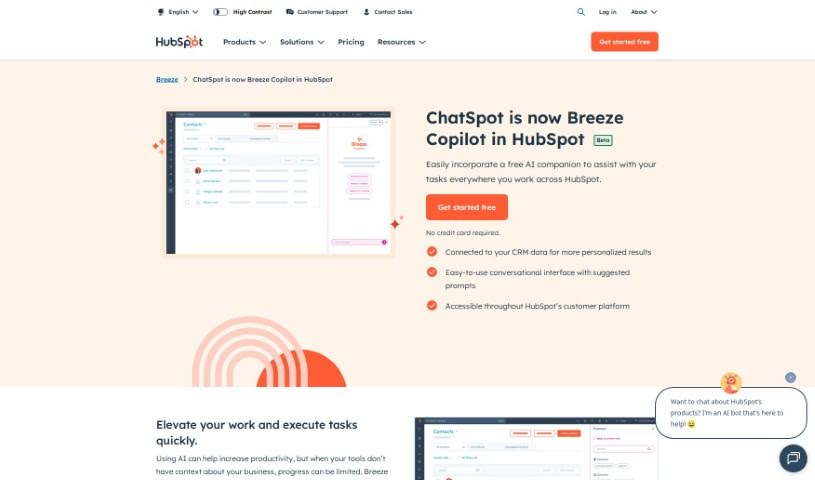
What is HubSpot Chatspot?
ChatSpot is your AI-powered sidekick for marketing and sales. It dives into your data in real-time, giving you personalized insights to really boost your strategies. It fits right into your HubSpot CRM, letting you work with your business data through simple conversations and analytics. ChatSpot, which uses ChatGPT, is designed to give you smart prompts and insights that make research much faster and help you tailor your communication to build stronger customer relationships. It’s more than just automation; it acts like a CRM command line, letting you handle tasks using everyday language. Plus, it can whip up instant summaries and analytical graphs to help you make smarter decisions and improve your strategies. Here’s a quick look at what it can do:
- Chat Smarter: Improve your communication and data analysis with ChatSpot.
- Speed Up Sales Prospecting: Get prospecting templates that help you find leads faster, so you can spend more time closing deals.
- Create Content Easily: You can quickly generate blog posts, social media updates, and even AI-generated images.
- Get Deep Insights: Understand your company’s data thoroughly, including things like funding, where you operate, and what technologies you use.
- Boost Your SEO: Use ChatSpot for keyword analysis and to figure out what your competitors are doing, all to help you get noticed more online.
Basically, ChatSpot helps with sales prospecting, creating content, understanding your business better, and improving your SEO to get you more visibility online. It’s not limited to one specific industry, but it’s especially helpful for anyone in marketing, sales, or working with CRM data.
Who created HubSpot Chatspot?
HubSpot developed ChatSpot as a groundbreaking AI assistant aimed at improving today’s marketing and sales efforts. It connects smoothly with HubSpot CRM and is built on ChatGPT technology. This tool provides intelligent prompts, tailored responses, and up-to-the-minute analytics. ChatSpot’s capabilities include speeding up sales prospecting, generating content, offering deep business insights, and providing SEO expertise. While it’s versatile across industries, its main focus is on marketing, sales, and CRM data analysis, making it a really valuable asset for optimizing these areas.
What is HubSpot Chatspot used for?
- Analyzing your data
- Automating tasks
- Getting personalized insights
- Speeding up sales prospecting
- Generating content all in one place
- Digging into deep business insights
- Improving your SEO
- Acting as a CRM command line
- Making your CRM work better
- Having real-time conversations and getting analytics
- Gaining deep business insights
- Creating CRM summaries
- Serving as your CRM analyst
- Optimizing your CRM
Who is HubSpot Chatspot for?
- Marketing pros
- Sales teams
- People who analyze CRM data
- Marketers
- Business owners
How to use HubSpot Chatspot?
To get the most out of ChatSpot, here’s a simple guide:
- Sign Up: First, head over to the ChatSpot website and create your account.
- Connect with HubSpot CRM: ChatSpot links up seamlessly with your HubSpot CRM. This connection lets you tap into your business data for live conversations and analysis.
- Use the AI Virtual Assistant: Make the most of ChatSpot’s AI assistant to improve how you communicate and analyze data for your marketing and sales plans.
- Speed Up Sales Prospecting: Grab ChatSpot’s prospecting templates to quickly spot key opportunities for outreach. This saves you time, letting you focus more on closing those deals.
- Generate Content: You can easily create blog posts, social media content, and AI-generated images using ChatSpot’s built-in tools.
- Get Insights: Dive into detailed company information, like where funding comes from, your main locations, and the technologies you’re using. This helps you make smarter decisions.
- Leverage SEO Expertise: Boost your online visibility by using ChatSpot for keyword analysis and understanding what your competitors are doing.
- Personalize Your Approach: Tailor your sales and marketing strategies using ChatSpot’s templates, data sources, and personalization features.
- Check the FAQs: If you have questions, the frequently asked questions section is a great place to learn more about ChatSpot, how it works with HubSpot CRM, and the benefits it offers for marketing and sales.
- Review Pricing: Take a look at the different pricing plans to find the one that best fits your business needs.
By following these steps, you can really streamline your marketing and sales processes, uncover valuable insights, and build better customer relationships with ChatSpot.