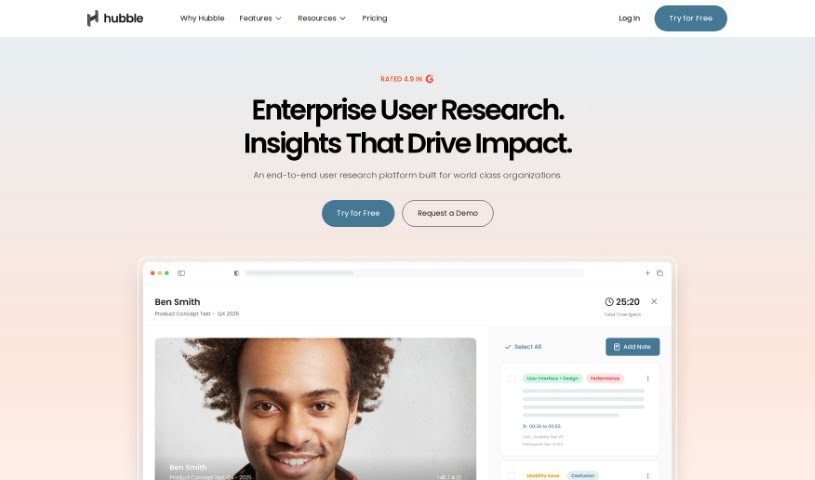
Screenshot of Hubble

Hubble

Discover what Hubble is and how to use it effectively in 2025. We'll explore its features and see how it stacks up against other Product Design Tools.

Screenshot

What is Hubble?

Hubble is a sophisticated tool designed specifically for product and design teams. Its main goal is to help you really understand and improve the user experience of your products. It does this by offering a variety of research and feedback methods. You can run unmoderated tests, like prototype tests and usability tests, and also collect feedback directly within your product using surveys like NPS and CSAT. Hubble also makes it easy to find the right people for your research with advanced user targeting and efficient panel recruitment. Plus, they offer a great selection of educational materials, including blogs, customer success stories, help centers, and detailed documentation, all to help you get the most out of the platform. Essentially, Hubble is a really useful partner for managing user experiences all the way through developing your product.

Who created Hubble?

Hubble was started by a team who wanted to build a powerful tool for product and design professionals. Their vision was to help these teams really boost user experiences by providing solid research and feedback methods. The platform itself offers a range of features, like surveys you can put right into your product (NPS/CSAT), ways to precisely target specific users, unmoderated research options, and ways to easily recruit participants. On top of all that, Hubble also provides helpful educational content – think blogs, stories from other customers, help centers, and documentation – all designed to help users make the most of what the platform offers.

Who is Hubble for?

  • Product Managers
  • UX designers
  • Head of Product
  • Head of User Experience

How to use Hubble?

Hubble is a really thorough tool for managing user experience, packed with features to help you gather user research and feedback more effectively. Here’s a simple, step-by-step way to get the most out of it:

  1. Getting Started with Your Studies:

    • First, just log in to the Hubble platform. Once you’re in, you can start a new study.
    • Next, pick the kind of study that fits your needs. You’ve got options like unmoderated research, surveys you can embed in your product, or usability tests.
  2. Setting Up Unmoderated Research:

    • If you’re going for unmoderated research, you’ll want to choose either the prototype test or usability test option.
    • After that, clearly define what you want to achieve with your study. This means setting your objectives, outlining the study’s parameters, deciding on your target user group, and figuring out your key research questions.
  3. Launching Surveys Directly in Your Product:

    • You can use Hubble’s in-product survey feature to get feedback straight from your users while they’re actually using your product.
    • Design these surveys to gather insights on things like how satisfied they are, how much effort they put in, and their overall loyalty.
  4. Precise User Targeting:

    • Hubble’s advanced user targeting feature lets you pinpoint and keep an eye on specific groups of users for your research.
    • This way, you can really tailor your research approach to get the most relevant insights based on who your users are.
  5. Finding Participants Easily:

    • Take advantage of Hubble’s panel recruitment options to quickly find people for your research.
    • You can either access their large user panel or recruit participants directly from your own product, making participant selection much more efficient.
  6. Diving into Educational Resources:

    • Make sure to check out Hubble’s educational materials. They have blogs, customer stories, help centers, and documentation.
    • Staying up-to-date with industry trends and best practices will really help you maximize what the platform can do for you.
  7. Requesting a Demo:

    • Head over to the Hubble website and ask for a demo. It’s a great way to see the tool’s features in action yourself.
    • You can explore how Hubble can be customized to perfectly match your specific user research needs.
  8. Integrating and Getting Continuous Insights:

    • Connect Hubble into your existing workflows. You can even integrate it with tools like Segment for even better analytics.
    • This empowers your team with ongoing user insights, which is key for making smart decisions and improving your product.

By following these steps, you’ll be able to use Hubble really effectively to conduct user research, gather valuable feedback, and ultimately make the user experience of your product much better.

Related AI Tools

Discover more tools in similar categories that might interest you

123RF AI Image Generator

Creative Image Generation
Learn More

Stay Updated with AI Tools

Get weekly updates on the latest AI tools, trends, and insights delivered to your inbox

Join 25,000+ AI enthusiasts. No spam, unsubscribe anytime.