What is Honeybear.ai?
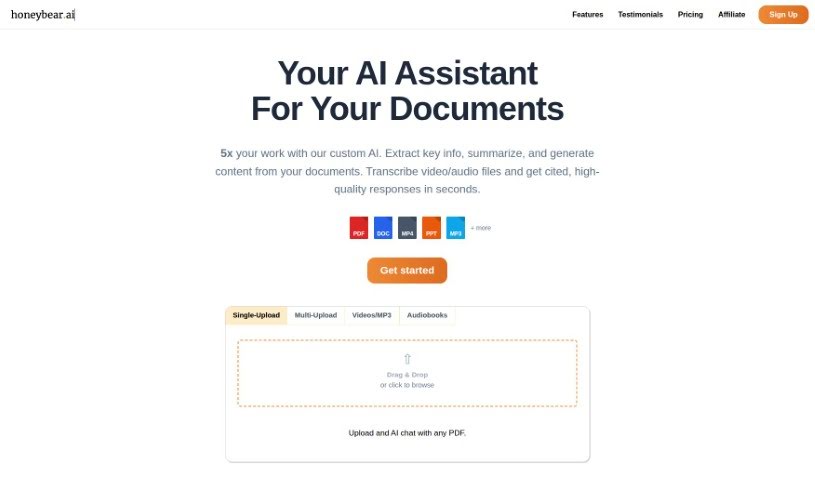
Honeybear.ai is a really neat AI platform that lets you dive into and really connect with long, text-heavy documents. Think case studies, research papers, or academic articles – those dense reads that can be a bit overwhelming. With Honeybear.ai, you can actually ask questions directly about the document, and it’ll give you detailed answers and explanations. Plus, if you need a quick rundown of a specific section, it can do that too, making it much easier to get through a lot of information. It’s built to handle pretty big documents, can even turn scanned or image-based files into text you can work with, and your data stays super secure because everything is fully encrypted.
Got more questions? Just ask – I’m happy to help!
Who created Honeybear.ai?
Honeybear.ai is an AI-powered platform that first launched on June 20, 2024. While the specific founder isn’t mentioned in the details we have, the company’s main goal is to make it easier for people to understand complex, text-based information. They do this through features like interactive document engagement, a system for querying your documents, providing clear explanations, and offering summarization tools. The platform is designed to work with all sorts of documents, from lengthy case studies and research papers to academic texts, all while focusing on delivering detailed AI-powered responses.
What is Honeybear.ai used for?
- Engage with documents interactively
- Ask questions about your documents
- Get detailed explanations
- Summarize any part of a document
- Handle large documents with ease
- Enjoy quick, unlimited chats
- Take notes directly within the document
- Convert scanned or image documents into text
- Benefit from full document encryption for security
- Ensure your privacy is protected
- Receive detailed explanations on demand
- Summarize any document part effortlessly
- Process large documents efficiently
- Convert documents to text format
Who is Honeybear.ai for?
- Students
- Researchers
- Academics
How to use Honeybear.ai?
Using Honeybear.ai is pretty straightforward. Here’s a quick guide:
- Upload Your Document: You can upload all sorts of documents here – think case studies, research papers, or academic texts. The tool is designed to handle even really large files, like those with hundreds of pages.
- Chat with the Content: Once your document is uploaded, you can start interacting with it. Just ask questions about what’s in the document, and the AI will provide detailed answers and explanations.
- Get Summaries: Need a quick overview? Honeybear.ai lets you request summaries for any section or even the whole document. It’s a great way to quickly grasp the main points.
- Fast, Unlimited Chats: You’ll get speedy AI responses to your questions, and you can keep the conversation going to clear up any confusion.
- Take Notes Inline: You can jot down notes right on the document as you’re reading. This really helps you stay focused, remember important details, and navigate the text more effectively.
- Secure Your Data: All documents you upload are fully encrypted, so your privacy and data security are top-notch. Only you can access your information.
- AI at Work: The platform heavily relies on AI to parse your documents, answer your questions, create summaries, and generally make interacting with the information much more dynamic.
- Great for Research & Academics: Honeybear.ai is a fantastic tool for research or academic work. Its ability to analyze, summarize, answer questions, and convert scanned documents makes it incredibly useful.
- Chat-Style Interaction: You can interact with your documents just like you would chat with a person, asking questions and getting direct answers and explanations from the AI.
- Convert Text Formats: The tool can also convert scanned or image documents into text that you can actually read and use.
By following these steps, you’ll be able to use Honeybear.ai to read and process dense text documents efficiently and securely.