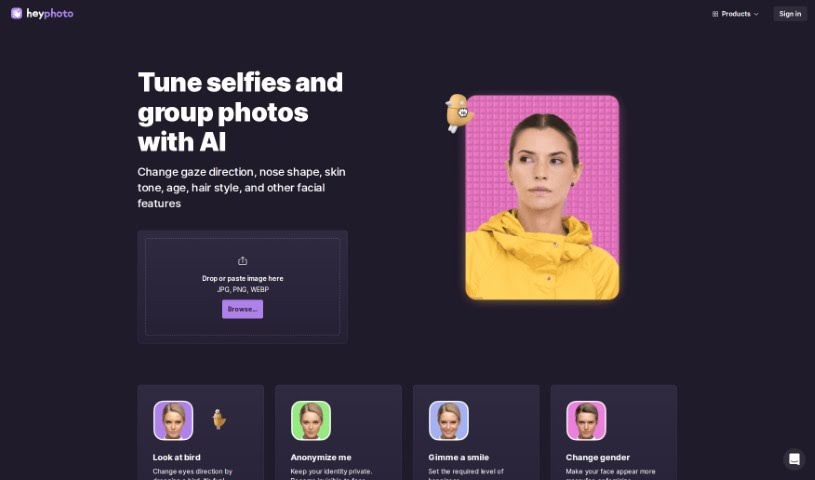
Screenshot of Heyphoto

Heyphoto

Discover what Heyphoto is and how to use it effectively in 2025. We'll explore its features and see how it stacks up against other AI image generators.

Screenshot

What is Heyphoto?

HeyPhoto is a free service that uses artificial intelligence to find faces in pictures. It lets you make all sorts of changes to them – like adjusting where someone is looking, their age, their smile, or even their gender. The interface is really straightforward, so you don’t need any special skills to use it. This makes it perfect for sprucing up photos for social media, dating apps, creating avatars, or generating AI headshots. You just upload your image, play around with simple sliders to adjust settings, and get back a nicely edited photo that keeps its original quality. Since it’s free, HeyPhoto does add a watermark to the final images as a way to promote their platform. For your peace of mind, you can securely store your uploaded images or delete them whenever you like.

Who created Heyphoto?

HeyPhoto was started by someone who hasn’t been publicly identified. The company’s main focus is on using AI for facial recognition and image editing, making it simple for people to tweak facial features in their photos. HeyPhoto provides an easy-to-use service for editing pictures, storing them securely, and giving you the option to remove them whenever you wish. The platform is free to use, and they add a watermark to edited photos as a way for both parties to promote their services.

What is Heyphoto used for?

  • Creating avatars
  • Social networking profiles
  • Dating app photos
  • General photo editing
  • Generating AI headshots

Who is Heyphoto for?

  • Anyone who edits photos
  • People active on social media
  • Users of dating apps
  • Those looking to create avatars
  • Individuals needing AI headshots

How to use Heyphoto?

Using HeyPhoto is pretty simple. Just follow these steps:

  1. Head over to the HeyPhoto website at hey-photo.com.
  2. Upload your photo. You can either drag and drop it onto the page or paste it directly.
  3. For the best results, make sure your photo is clear and the person is facing the camera.
  4. You’ll find various tools within HeyPhoto to change things like gaze direction, nose shape, skin tone, age, hairstyle, and much more.
  5. Adjust these features using the easy-to-understand interface – no special skills needed!
  6. Keep in mind that HeyPhoto securely saves your uploaded images so you can access them easily later, but you always have the option to delete them for privacy.
  7. Remember, HeyPhoto is free to use, but the edited photos might include a watermark to help promote the service.
  8. Once you’re happy with the changes, download your modified photo, which will retain its original quality.

With HeyPhoto’s AI tools, you can easily make your photos look great for social media, dating apps, or creating avatars, all without needing complicated editing skills. Have fun adjusting facial features and creating some really nice images!

Related AI Tools

Discover more tools in similar categories that might interest you

123RF AI Image Generator

Creative Image Generation
Learn More

Stay Updated with AI Tools

Get weekly updates on the latest AI tools, trends, and insights delivered to your inbox

Join 25,000+ AI enthusiasts. No spam, unsubscribe anytime.