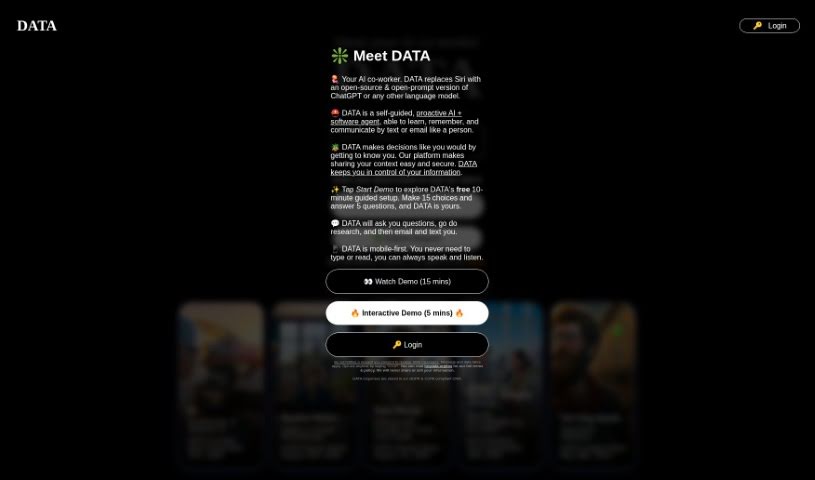
Screenshot of Hey Data

Hey Data

Discover what Hey Data is and how to use it effectively in 2025. Explore its features and see how it stacks up against other AI chatbots.

Screenshot

What is Hey Data?

Hey Data is a smart way to get more out of your AI on Apple devices. It’s a custom prompt system and a collection of handy shortcuts designed to let you use powerful AI like ChatGPT instead of Siri. It works by adding a layer of prompts that boost what your existing AI models can do, letting you have an AI assistant experience without needing multiple subscriptions.

Hey Data runs privately right on your iPhone or iPad using Shortcuts, which is already built into your Apple device. It connects with language models like ChatGPT and GPT-4. This means you can tailor your AI to exactly what you need, and all your information and AI memories are kept safe and sound, encrypted by iCloud and stored right on your Apple device. The goal is to make using AI feel easy and familiar, just like you’re used to. You can even change or delete your AI’s memories easily, as they’re just text files on your phone.

When you buy a subscription for the shortcuts, you get access to personalized customer support, updates, and new features from Hey Data and the person who created it. The shortcuts themselves are open-source and can be customized, making them easy to share with others. You can get them by visiting the website and choosing a subscription level. The website also offers guides on how to use Hey Data, which can even be formatted into Notion pages for a small fee, thanks to the use of GPT-4-32k. Separating the website from the shortcuts is a deliberate choice to give you transparency and control over your AI interactions, ensuring your privacy and preventing AI companies from using your requests to train their models.

Who created Hey Data?

Hey Data was developed by a single individual who wanted to create a better AI experience on Apple devices. They built a personalized prompt framework and a suite of shortcuts specifically to enhance how AI agents behave. This tool, which launched on July 31, 2024, operates privately on your phone. It uses the Shortcuts app to connect with AI models like ChatGPT and GPT-4. The creator focused on letting users personalize their AI interactions, with all information and AI memories being securely encrypted and stored on their Apple devices. To support users, the creator offers subscriptions that include personalized customer support, regular updates, and access to new features. Hey Data is designed to be user-friendly, offering open-source and customizable shortcuts.

What is Hey Data used for?

  • Swap Siri for ChatGPT: Use ChatGPT instead of Siri on your Apple devices.
  • Personalize Your AI: Tailor the AI to your specific needs and preferences.
  • Secure Storage: Keep your information securely encrypted on your Apple devices.
  • Dedicated Support: Get personalized customer support for your Hey Data experience.
  • Easy Sharing: Share useful shortcuts with other users.
  • Usage Guides: Generate guides that explain how to use Hey Data effectively.
  • Data Privacy: Maintain the privacy of your data during all AI interactions.

How to use Hey Data?

Here’s a simple guide to getting started with Hey Data:

  1. Get an Overview: First, understand that Hey Data is a custom prompt framework and shortcut suite. It’s designed to make AI models like ChatGPT work even better on your Apple devices.
  2. Set It Up:
    • You’ll need to install the Hey Data shortcuts directly through the Shortcuts app on your iPhone or iPad.
    • Once installed, you can customize the AI prompts and how it behaves. You do this through encrypted AI memories that are stored securely on your device.
  3. Consider a Subscription:
    • If you want extra help, buying a subscription for the shortcuts is a good idea. It gives you personalized customer support, ensures you get updates, and unlocks new features.
    • You can pick the subscription level that suits you best on the Hey Data website.
  4. Make It Your Own:
    • Hey Data’s shortcuts are open-source, meaning you can customize them. They’re also easy to share with friends or colleagues.
    • You can find public guides on the Hey Data website that offer detailed instructions on how to use everything.
  5. Start Using It:
    • You’ll find Hey Data offers a user-friendly experience. The interactions feel familiar, much like other AI assistants you might have used.
    • Need to change something the AI remembers? You can easily edit or delete AI memories because they’re stored as simple text files on your phone.
  6. Stay Private:
    • Your data’s privacy is a priority. Hey Data runs directly on your device, which means AI companies can’t use your requests to train their new models.
  7. Check the Cost:
    • If you want really detailed guides on using Hey Data, they’re available for $1.90. These guides use the advanced GPT-4-32k technology.

By following these steps, you’ll be able to make the most of Hey Data and create a truly personalized AI experience on your Apple devices.

Related AI Tools

Discover more tools in similar categories that might interest you

Stay Updated with AI Tools

Get weekly updates on the latest AI tools, trends, and insights delivered to your inbox

Join 25,000+ AI enthusiasts. No spam, unsubscribe anytime.