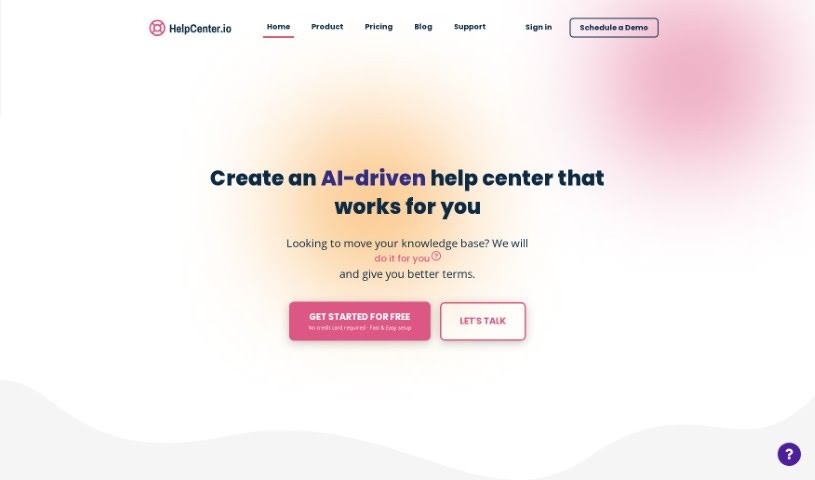
Screenshot of Helpcenter

Helpcenter

Discover what Helpcenter is and how to use it effectively in 2025. We'll explore its features and see how it stacks up against other customer service tools.

Screenshot

What is Helpcenter?

A help center, like the one offered by HelpCenter.io, is a fantastic resource designed to give customers a knowledge base that’s easy to use and understand. It really helps boost your customer support. You can share content in ways that work best for you, see how it looks in real-time, revise articles, and use a rich editor to make your content shine. Plus, it has instant search so customers can find answers fast, and it even supports multiple languages. People love how user-friendly it is, how simple it is to set up, and how quickly they can get a help center up and running. Many users have shared that HelpCenter.io was exactly what they were looking for, praising its excellent customer support and how easy it is to manage.

Who created Helpcenter?

HelpCenter was actually started by Bryan, who’s the Head of Operations over at GrabrFi. The platform officially launched on July 25, 2023. From the get-go, it was built to be super easy to set up, offering a great article editor with support for rich media, and dynamic FAQ sections. Customers have really appreciated how user-friendly it is and how quickly they can get it up and running.

What is Helpcenter used for?

Helpcenter helps you do a lot of things to improve your customer support and content management:

  • Understand what’s working: It helps you spot trends so you can create content that really resonates with your users.
  • Boost user experience: By making information easy to find and understand, it significantly enhances how users interact with your support resources.
  • Manage your team: You can keep an eye on how your team is performing, track who’s contributing the most, and see which articles are hitting the mark.
  • Encourage engagement: It can foster a bit of healthy competition by highlighting top contributors.
  • Streamline communication: It assists in composing email responses, making sure your team can reply efficiently.
  • Go global: You can easily translate your content to reach a wider audience and branch into international markets.
  • Improve content quality: It helps you identify articles that need updating, categorize them logically, and even generate SEO meta descriptions to improve visibility. You can also rewrite existing articles to make them even better.
  • Analyze performance: Get real-time data analysis to monitor and understand team performance and the success of your content.

Who is Helpcenter for?

Helpcenter is a great tool for a variety of roles focused on customer support and content:

  • Customer Support Representatives
  • Content writers
  • Team leaders
  • Translation Experts
  • Email Support Agents
  • Operations Associates
  • Heads of Operations
  • Anyone working with Grabr

How to use Helpcenter?

Here’s a straightforward guide to getting the most out of HelpCenter:

  1. Sign Up: First things first, you’ll need to register for an account on HelpCenter. Just make sure you fill in your details accurately when you sign up.
  2. Customization: Make your Help Center look professional by setting up a custom domain and an SSL certificate. This really helps build trust with your users.
  3. Content Creation: Dive in and create helpful, engaging articles using the really nice article editor. Don’t forget to add images, videos, or even audio to make your content more appealing and easier to digest.
  4. FAQ Section: Organize your most common questions with dynamic FAQ sections. You can easily embed this right on your website so customers can find answers quickly.
  5. AI Widget: Take advantage of the Smart AI Widget. It offers instant AI-powered search and links related content, which is a huge plus for user experience.
  6. Layout Customization: Want to tweak the look? You can use the code editor and template editor to customize the layout. The real-time preview feature is a lifesaver here, letting you see your changes as you make them.
  7. Multi-language Support: If you have a global audience, you’ll want to enable multi-language support. Translating your content is made simple with the tools provided.
  8. Article Revisions & Insights: Keep track of changes made to your content, get feedback based on data, and gain insights that help you improve your articles over time.
  9. Instant Search: Make sure your users can find what they need without any hassle by optimizing the Instant Search feature.
  10. Manage Multiple Help Centers: If you manage more than one help center, you can easily handle them all from a single dashboard, which really streamlines your support operations.

By following these steps, you’ll be well on your way to setting up and managing your HelpCenter effectively, ensuring your customers get the best possible support.

Related AI Tools

Discover more tools in similar categories that might interest you

Stay Updated with AI Tools

Get weekly updates on the latest AI tools, trends, and insights delivered to your inbox

Join 25,000+ AI enthusiasts. No spam, unsubscribe anytime.