What is Help Center?
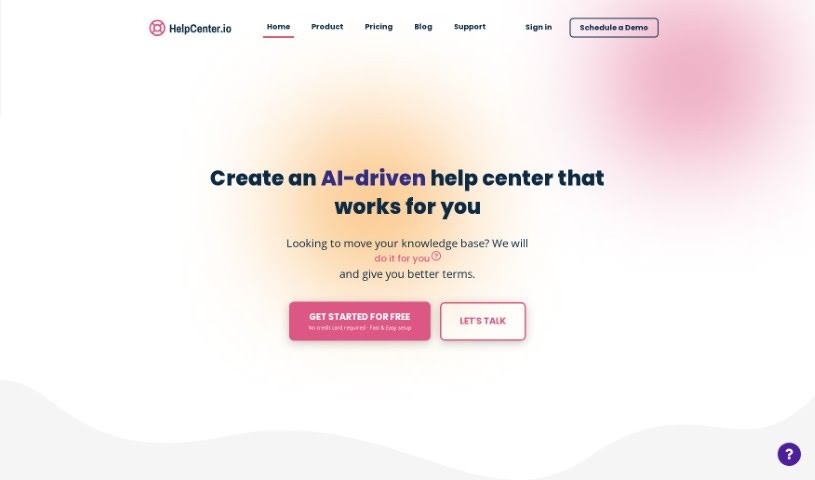
Help.Center is a platform designed to be a go-to knowledge base for businesses. It is a smart assistant for your customers. It offers features like AI-powered chat and search, which means customers can often get answers to their questions right away, without needing to wait for a human. The big goal here is to cut down on the number of support tickets you receive, provide help around the clock (24/7), and let your customers solve problems themselves, instantly. What’s really neat is that it uses GPT-4 for its knowledge base and learning, so it actually gets smarter and more accurate with its responses over time. Plus, it handles multiple languages, can import your existing articles from places like Intercom and Zendesk, and it’s designed to be really easy to navigate and manage your support content.
Who created Help Center?
Malte Prüser founded Help Center, launching it on June 17, 2024. The platform itself is built to help companies give customers instant answers using smart AI chat and search. The AI, which is powered by OpenAI’s ChatGPT, learns and gets better at responding as it’s used. You can also get support in different languages, bring in articles from other support tools you might already use, and it’s all about reducing those support tickets and making sure help is available 24/7.
What is Help Center used for?
- Easy to Use: It’s got a user-friendly interface.
- Real-time Support: Offers immediate help to your customers.
- Multilingual: Supports customers in various languages.
- Self-Help: Lets customers find answers on their own.
- Custom Website: You get your own ‘.help.center’ website.
- Secure: It’s a trusted and secure platform.
- Fewer Tickets: Helps reduce the volume of support tickets.
- Faster Resolutions: Streamlines how issues are resolved.
- Works with Existing Tools: Integrates smoothly with tools you already use.
- Always Available: Provides 24/7 support.
- Easy Escalation: If needed, it’s simple to escalate to an email ticket.
- Productivity Boost: Features keyboard shortcuts to speed things up.
- Import Your Knowledge: You can bring in your existing knowledge base content.
- Import from Popular Tools: Easily import articles from Intercom, Freshdesk, Zendesk, and Crisp.
- Custom Domain: Set up your own custom domain.
- EU Hosting: Your data is hosted securely in the AWS EU region.
- Professional & Automated: Creates a polished, automated help center.
- Mobile & SEO Friendly: Works well on mobile devices and is good for search engines.
- 24/7 Support Again: Yes, it really offers 24/7 support!
- Free During Beta: You can use it for free while it’s in beta.
- Less Ticket Volume: Again, it’s great for reducing how many support tickets you get.
Who is Help Center for?
- Customer Support Representatives
- Technical Support Staff
- Knowledge Base Managers
- Customer Service Managers
- Technical Support Specialists
- Help Desk Technicians
- IT Support Teams
- Customer Success Managers
- Knowledge Managers
- IT Administrators
How to use Help Center?
To get the most out of Help.Center, here’s a simple breakdown:
- Get Started: First, sign up for an account. This gives you access to all the features, like the AI chat and search. You can use it as a standalone site or add it to your existing company website.
- Bring Your Content Over: Make the switch easy by importing your articles. You can pull them from platforms like Intercom or Zendesk, or just upload your own knowledge base files directly into Help.Center.
- Make It Yours: Customize your Help.Center. You can set up a custom domain to match your website and use handy keyboard shortcuts to navigate the platform more efficiently.
- Use the Support Features: Explore the self-help options, know that 24/7 customer support is available, and if a customer needs more, it’s easy to send them to an email ticket. This all helps sort out issues faster and cuts down on those support tickets.
- Tap into the AI: Make sure to use the AI capabilities powered by GPT-4. It offers multilingual support, learns to give accurate answers, and keeps improving over time, making your customer support even better.
- Stay Secure: You can trust that your data is safe, as it’s hosted securely in the AWS EU region.
- Train the AI: Help the AI get even smarter by adding FAQs and links, or by training it on your external websites. You can always update its responses to ensure your customers get the best possible support experience.
Just a heads-up: Help.Center is free during its beta phase. After that, there will be a small usage fee. So, now’s a great time to take advantage of these cost-effective features for managing your customer service!