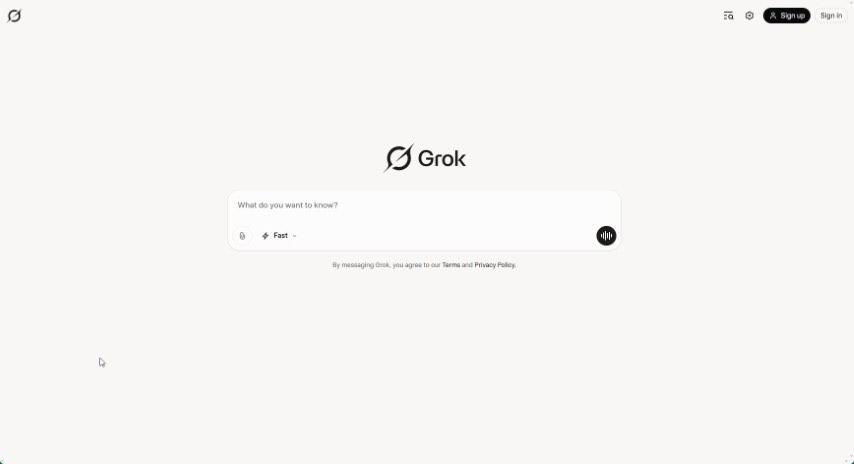
What is Grok?
Grok is a free AI assistant that xAI developed with a focus on truth and objectivity. It is your go-to helper for all sorts of things! It can search in real-time, create images, analyze trends, and so much more. Grok’s main goal is to help you get information quickly and efficiently, all thanks to the power of artificial intelligence. It’s designed to let you tackle different tasks and uncover valuable insights using its innovative features.
Who created Grok?
Grok was created by xAI, a company that launched it on November 5, 2023. It’s a free AI assistant, and its purpose is to help maximize truth and objectivity.
Who is Grok for?
Grok is a fantastic tool for a wide range of professionals and individuals who work with information, data, and creative content. If you’re any of these, Grok could be a real game-changer for you:
- Researcher
- Data Analyst
- Content creator
- Marketing professional
- Graphic Designer
- Trend forecaster
- Educator
- Software developer
- Journalist
- Business Analyst
How to use Grok?
Ready to dive in? Using Grok effectively is pretty straightforward. Just follow these simple steps:
- Access Grok: First, head over to the Grok website. You’ll find the free AI assistant there, designed by xAI to help you get the most accurate information and stay objective.
- Explore Features: Take a moment to look around at what Grok offers. You’ll find tools for real-time search, generating images, analyzing trends, and a whole lot more.
- Sign Up: To get the most out of Grok, like personalized features and settings, you’ll want to create an account. It’s a quick process.
- Your Dashboard: Once you log in, you’ll land on your personal dashboard. This is your central hub for starting searches, digging into trends, or creating images.
- Real-time Search: Need to find something right now? Use the search function. Just type in your question, and Grok will pull up real-time information for you to review.
- Image Generation: Want to create some visuals? The image generation tool lets you do just that. You can pick from existing templates or customize your own images to fit your needs.
- Trend Analysis: Keep your finger on the pulse with the trend analysis feature. It helps you track and understand what’s happening across different areas, giving you insights into popular topics and what’s coming next.
- Customize Settings: Make Grok work best for you by adjusting your settings. You can tweak preferences for search results, notifications, and other functions to match how you like to work.
- Get Help: If you ever get stuck or have a question, don’t worry! The help and support section on the platform is there to guide you through any issues.
- Share Your Thoughts: Your feedback is super valuable. By sharing your thoughts with the Grok team, you help them improve the tool for everyone, including yourself!
By following these steps, you’ll be well on your way to using Grok for everything from real-time searches and trend analysis to image creation, really boosting how you gather information and make decisions.