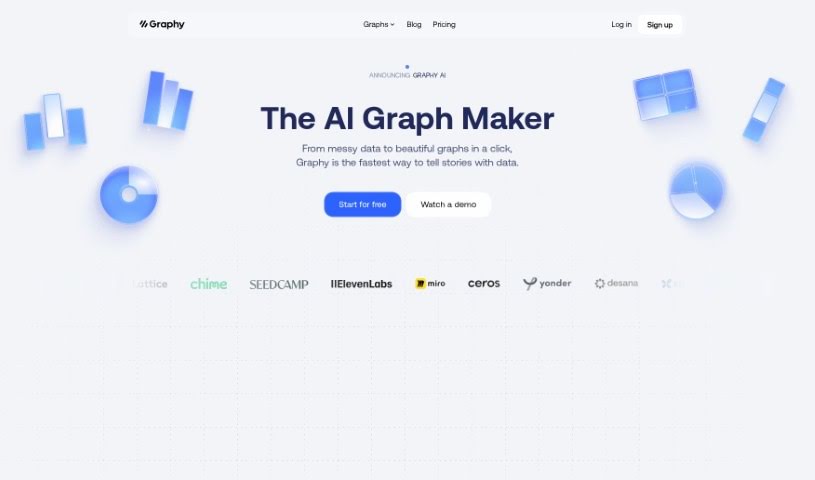
Screenshot of Graphy App

Graphy App

Discover what Graphy App is and how to use it effectively in 2025. We'll explore its features and see how it stacks up against other data visualization tools.

Screenshot

What is Graphy App?

Graphy is a free, AI-powered chart-maker tool that helps businesses create interactive and really slick data visualizations. You get a bunch of different chart options, plus the AI can whip up charts for you super fast. There’s also a handy option to switch to a table view, and you can even embed your charts directly into platforms like Notion. What’s great is that Graphy is really user-friendly; you don’t need any fancy technical skills to get going. It’s designed to help businesses make smarter decisions by turning data into clear, insightful charts, making it easier to understand what your data is telling you and to base your decisions on it. People have been saying good things about Graphy, especially how quickly it creates impressive visuals and makes presenting and communicating data much simpler. The tool works with all sorts of platforms and can display different kinds of data, like your startup’s expenses, how users are interacting with your app, or your customer funnel performance. Essentially, Graphy saves businesses time and money by taking the manual work out of creating charts and reducing the need for specialized staff, all thanks to its AI and easy-to-use design.

Who created Graphy App?

Here’s a quick look at the background:

Graphy App was brought to life by Jakob Knutzen and officially launched on May 22, 2023. The company behind it is Graphy Technologies Ltd., and their main goal is to make it simple for anyone to create compelling data visualizations. They’ve got some solid backing from investors like Coatue, La Famiglia, Northzone, and Seedcamp. Graphy App really wants to help people become great at telling stories with data. They do this by making it easy to present and share information through interactive, good-looking charts that are generated with the help of AI. You’ll find a variety of chart types, a straightforward interface, and the ability to embed charts anywhere, all without needing to be a tech wizard. Graphy App has been getting positive reviews for how efficiently it makes charts, how it helps with making decisions, and how it makes it easier for businesses and teams to find insights.

We gathered the details about Graphy App’s founding and company information from the documents provided.

What is Graphy App used for?

  • Keeping track of your customer funnel.
  • Analyzing user session data.
  • Monitoring startup expenses.
  • Helping you make better decisions.
  • Presenting data for all sorts of business analyses.
  • Gathering key insights.
  • Showing different kinds of data.
  • Creating attractive charts without needing advanced tech skills.
  • Embedding charts into various platforms.
  • Generating charts quickly and accurately.

Who is Graphy App for?

  • Marketing pros
  • Data Analysts
  • Business analysts
  • Startups
  • Marketing Managers
  • CEOs
  • Directors of Research and Development
  • General Managers
  • Finance Directors
  • Analysts

How to use Graphy App?

Here’s a simple guide to using Graphy App effectively:

  1. Sign Up: First, create a free account on Graphy to get access to all the data visualization features.
  2. Input Data: You can enter your data directly into the tool. Just pick from the many chart options available.
  3. Chart Generation: Select the type of chart you want, and then let the AI do its thing to quickly create your chart.
  4. Table View: Need to see your data in a different way? You can easily switch to a table view right within Graphy for a clearer look.
  5. Chart Embedding: Want to share your work? You can embed the charts you create into platforms like Notion, making it simple to present your data.
  6. User-Friendly Interface: Graphy has a straightforward and easy-to-understand interface, so it’s great for people with all sorts of technical backgrounds.
  7. No Technical Skills Required: Because it uses AI, Graphy is designed so you don’t need advanced technical skills to use it effectively.
  8. Data Representation: You can show all sorts of data, like startup expenses, user sessions, or customer funnel details, using Graphy’s charts.
  9. Visualization Customization: Feel free to tweak how your charts look to make them more visually appealing and engaging.
  10. Collaboration: While we don’t have many details on team collaboration yet, Graphy does let you share charts by embedding them, using interactive links, or sending them as images, which can help with teamwork.
  11. Data Interpretation and Decision-Making: Graphy really helps by turning data into charts that offer clear insights, making it much easier to understand your data and make well-informed business decisions.

By following these steps, you can really make the most of Graphy’s features to create charts that look good and provide valuable information for your business.

Related AI Tools

Discover more tools in similar categories that might interest you

Stay Updated with AI Tools

Get weekly updates on the latest AI tools, trends, and insights delivered to your inbox

Join 25,000+ AI enthusiasts. No spam, unsubscribe anytime.