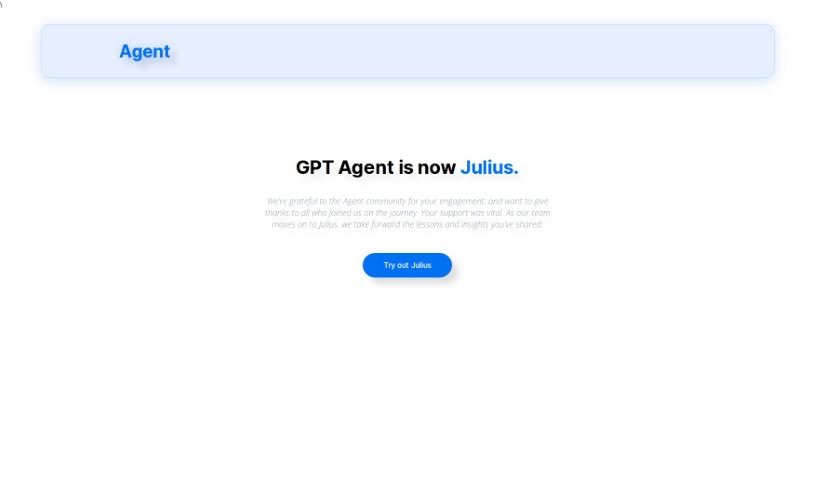
Screenshot of Gptagent

Gptagent

Discover what Gptagent is and how to use it effectively in 2025. We'll explore its features and compare it to other data analytics tools.

Screenshot

What is Gptagent?

Gptagent is a really powerful AI tool that lets you build your own custom applications using AI technology, much like the tech behind ChatGPT. It makes developing things like chatbots and natural language processing algorithms much more accessible for everyone. While it’s designed to be user-friendly, having a basic grasp of coding best practices can really help you get the most out of it. Gptagent is still being developed, but you can sign up for a waitlist to get early access when it officially launches. Plus, there’s Julius, a special version of Gptagent that’s all about data analysis and visualization. Julius offers advanced statistical modeling, including things like linear regression, forecasting, and training machine-learning models.

Who created Gptagent?

The team behind Julius, which is itself an AI tool for data analysis and applications, created Gptagent. Gptagent first came out on June 17, 2024. The main idea behind this tool is to help users create their own AI applications that have features similar to ChatGPT technology. This means you can build AI-powered solutions without needing to be a coding expert. The company that developed Julius and Gptagent is focused on making user-friendly tools for both data analysis and application development.

What is Gptagent used for?

  • Building AI applications: Think chatbots or other conversational AI.
  • Creating natural language processing algorithms: This helps computers understand and process human language.
  • Fabricating a wide variety of AI applications: Basically, if you can imagine it, you can likely build it.
  • Analyzing structured data: Making sense of organized information.
  • Generating data reports, graphs, and charts: Visualizing your data for easier understanding.
  • Assisting in data analysis: It helps with statistical modeling.
  • Performing key statistical tasks: This includes linear regression, forecasting, and training machine-learning models.
  • Reducing time spent on data analysis: It speeds up what can be a lengthy process.
  • Answering data-related queries accurately and swiftly: Get quick, reliable answers from your data.
  • Creating sleek visualizations from data: Turn raw data into clear, attractive visuals.

Who is Gptagent for?

  • Data Analysts: Those who work with data to find insights.
  • Data Scientists: Professionals who use advanced techniques to analyze data.
  • AI Application Developers: People who build software using artificial intelligence.
  • Chatbot Developers: Specialists in creating conversational AI.
  • Natural Language Processing Algorithm Developers: Experts in AI that understands language.

How to use Gptagent?

Here’s a simple breakdown of how to get started with Gptagent:

  1. Get to know Gptagent:
    • Think of Gptagent as your AI assistant for building custom applications. It uses the same kind of technology that powers ChatGPT.
  2. What can it do?
    • You can create all sorts of AI applications with Gptagent, like chatbots or tools that process natural language.
  3. Is it easy to use?
    • Most users find Gptagent quite user-friendly. However, if you know a bit about coding, you’ll be able to unlock its full potential even more easily.
  4. Creating your applications:
    • Gptagent lets you design a wide range of AI applications. You can start with simple chatbots or move on to more complex natural language processing algorithms.
  5. What about coding skills?
    • Even though the interface is designed to be easy, having a basic understanding of coding best practices can really improve your experience and what you can achieve with Gptagent.
  6. When can I get it?
    • Gptagent is still in development right now. If you’re interested, you can sign up for early access and be among the first to try it out when it launches.
  7. Building AI-powered solutions:
    • Gptagent helps you create AI-powered solutions, such as chatbots and natural language processing algorithms, all based on the powerful ChatGPT technology.
  8. How is it different from Julius?
    • Julius is actually a specialized version of Gptagent. Julius focuses specifically on data analysis and visualization, offering advanced features like statistical modeling, data reports, and more.
  9. How Julius helps with data analysis:
    • Julius makes data analysis much smoother. It can help with forecasting, linear regression, and even training machine-learning models.
  10. Getting visuals from data:
    • Julius is great at creating data reports, graphs, and charts, turning your raw data into easy-to-understand visuals.
  11. Less work for you:
    • Julius can significantly cut down the time you spend on data analysis. It can take tasks that might normally involve lengthy Excel work and handle them much more quickly with AI.
  12. Getting help from the community:
    • There’s a community of users for Gptagent, which is a great place to connect, get help, and share your experiences.

If you want to reach out to the team behind Julius, you can send them an email at [email protected]. This guide should give you a good overview of how to use Gptagent and what it can do for creating AI applications efficiently.

Related AI Tools

Discover more tools in similar categories that might interest you

Stay Updated with AI Tools

Get weekly updates on the latest AI tools, trends, and insights delivered to your inbox

Join 25,000+ AI enthusiasts. No spam, unsubscribe anytime.