04-X
Text Generation Chatbots
Learn More
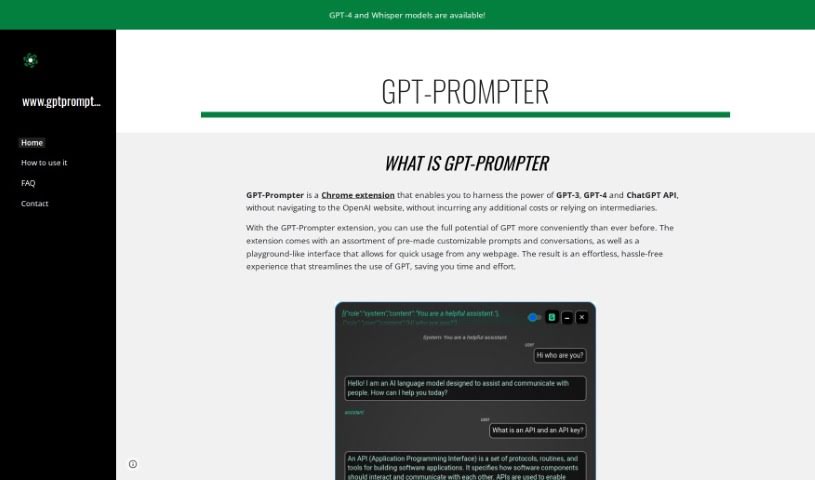
Discover what GPT-Prompter is and learn how to use it effectively in 2025. We'll explore its features and see how it stacks up against other chatbots.
GPT-Prompter is a handy Chrome extension that lets you tap into the power of GPT-3, GPT-4, and the ChatGPT API right from your browser. This means you don’t have to hop over to the OpenAI website or mess with other tools to get your AI work done. It comes packed with a bunch of ready-to-go, customizable prompts and conversations, all wrapped up in an easy-to-use interface. You can access it from pretty much any webpage you’re on. The whole idea behind this tool is to make using GPT much simpler, saving you valuable time and effort by offering a smoother, more convenient experience.
GPT-Prompter, the Chrome extension designed to make using GPT-3, GPT-4, and the ChatGPT API more convenient, was developed by someone who prefers to remain anonymous. This tool offers a selection of pre-made, customizable prompts, a user-friendly interface for quick access, and generally provides a more efficient way to use GPT without needing to go through third parties.
Ready to get the most out of GPT-Prompter? Just follow these simple steps:
By following these steps, you can really make GPT-Prompter work for you, whether you’re creating content, optimizing for SEO, blogging, marketing, or using it as your AI writing assistant. It’s all about making these tasks easier and more efficient.
Discover more tools in similar categories that might interest you
Get weekly updates on the latest AI tools, trends, and insights delivered to your inbox
Join 25,000+ AI enthusiasts. No spam, unsubscribe anytime.