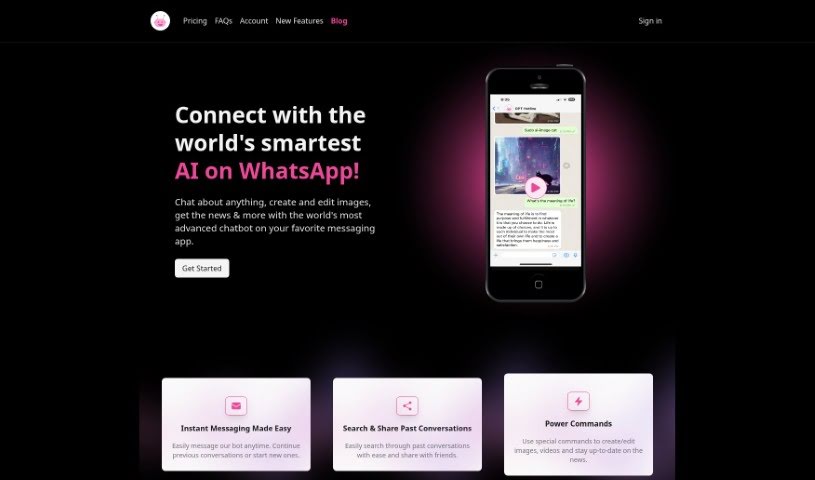
Screenshot of GPT Hotline

GPT Hotline

Discover GPT Hotline in 2025! Learn its features, how to use it effectively, and how it stacks up against other automation tools. Get a special discount too!

Screenshot

What is GPT Hotline?

GPT Hotline is a really neat way to chat with AI right through WhatsApp. It’s packed with features that make interacting with artificial intelligence super easy. You can send voice messages, and it’ll convert them to text using Speech to Text. Need to remember something? It can set reminders for you. Plus, there are handy “power commands” that let you do things like edit images or get the latest news updates. Getting started is straightforward: just sign up for the GPT Pro Plan, register your phone number, and you can start texting the AI assistant right away. Oh, and if you use the code PHSALE, you’ll get a 20% discount on your first month of the pro plan. Basically, GPT Hotline aims to give you a smooth, interactive experience when you want to engage with AI on WhatsApp.

Who created GPT Hotline?

The exact creator of GPT Hotline isn’t spelled out in the details I have. However, from what I can see, it looks like a platform designed to bring ChatGPT’s powerful capabilities directly to your WhatsApp chats. It offers a bunch of cool features, like instant messaging, the ability to search through your past conversations, and those handy power commands for all sorts of tasks – from editing images to finding videos and keeping up with the news. The tech behind it includes things like Next.js, React, Vercel, Stripe, Headless UI, and Tailwind CSS.

What is GPT Hotline used for?

Here’s a rundown of what you can do with GPT Hotline:

  • Talk with AI via Voice: Send voice messages, and the Speech to Text feature will convert them so you can interact with GPT.
  • Set Reminders: You can schedule reminders for tasks up to 24 hours in advance.
  • WhatsApp AI Assistant: Access AI assistant features directly through WhatsApp.
  • Save Your Chats: It keeps a history of your conversations, making it easy to share them later.
  • Power Commands: Use special commands to create or edit images, search for videos, and get the latest news.
  • Image Editing: Just send an image to the bot, and it can edit it for you.
  • Personal Connection: Develop a more personal feel with the AI by using voice messages.
  • Creative Image Edits: Forward images to the bot, and it’ll send back edited versions with different filters and effects.
  • ChatGPT on SMS: You can even use ChatGPT on SMS, powered by technologies like Next.js, React, Vercel, Stripe, Headless UI, and Tailwind CSS.

Who is GPT Hotline for?

This tool is incredibly versatile and can be a great asset for a wide range of people and professions:

  • Customer Service & Support: Representatives, agents, and entire teams.

  • Sales & Marketing: Sales Representatives, marketers, and social media managers.

  • Creative Professionals: Artists, designers, content creators, video creators, bloggers, journalists, and copywriters.

  • Education: Students and teachers.

  • General Professionals: Anyone in a professional role.

  • Tech & Business: Developers, coders, entrepreneurs, small business owners, consultants, and HR teams.

  • Specialized Teams: Legal professionals and IT Support Staff.

How to use GPT Hotline?

Using GPT Hotline is pretty straightforward. First, log in to the platform with your usual details. You’ll find a user-friendly interface waiting for you. Here, you can type in your prompt or question. To get the best results, try to be clear and concise with what you’re asking. The system will then generate a response based on your input. It’s always a good idea to read through the response carefully to make sure it’s what you need. If it’s not quite right, don’t worry – you can always tweak your query or prompt to get a more accurate answer. Once you’re happy with the generated content, you can save or download it for your own use. Just remember to follow all the guidelines and terms of service while you’re using the tool; it’s the best way to get the most out of it.

Related AI Tools

Discover more tools in similar categories that might interest you

Stay Updated with AI Tools

Get weekly updates on the latest AI tools, trends, and insights delivered to your inbox

Join 25,000+ AI enthusiasts. No spam, unsubscribe anytime.