GoProfiles (Business)
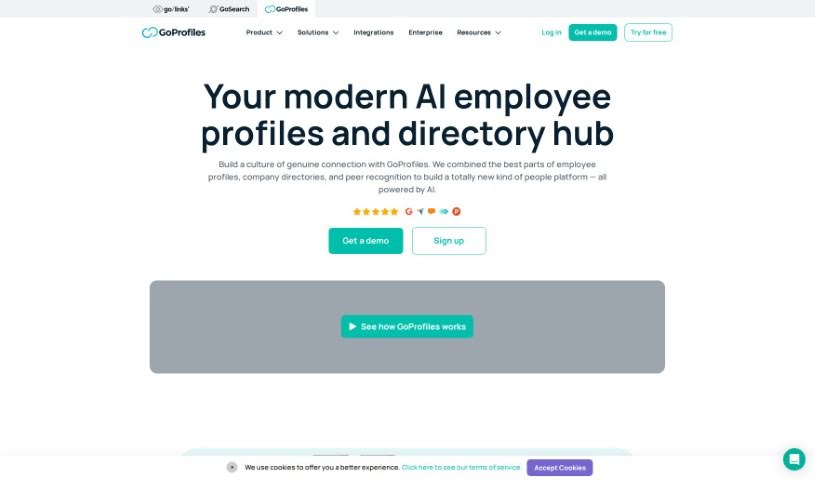
Screenshot of GoProfiles

GoProfiles

Discover what GoProfiles is, an employee directory and peer recognition platform built for remote and hybrid teams.

Screenshot

What is GoProfiles?

GoProfiles is an employee directory and peer recognition platform built for companies with remote or hybrid teams. It combines detailed employee profiles with tools for recognition and collaboration, helping colleagues connect and understand who’s who in the organization. Features include an interactive org chart, a world map showing where colleagues are located, and AI-powered search for finding information quickly.

Who created GoProfiles?

GoProfiles was developed by a team focused on building genuine connections in remote and hybrid workplaces, with the goal of boosting employee engagement. Val Rupp, the Chief People Officer, has noted how the platform has helped improve collaboration and relationships within companies.

What is GoProfiles used for?

  • Employee profiles: Detailed profiles that highlight accomplishments and personalities.
  • Org charts: Visualize the organizational structure and reporting lines.
  • Employee map: See where remote colleagues are located around the world.
  • Peer recognition: Employees can give each other shout-outs and celebrate wins.
  • Engagement insights: Data on how engaged and collaborative the team is.
  • AI-powered search: Quickly find employee information, with AI suggestions and chat features.
  • HRIS integration: Sync with your HR system to keep employee data automatically updated.
  • Chrome extension: Access employee info directly from your browser while using other work tools.

Who is GoProfiles for?

  • HR professionals
  • People operations teams
  • Companies with remote or hybrid work models

How to use GoProfiles?

  1. Install the Chrome extension to access employee info from your existing work tools.
  2. Explore employee profiles to learn about colleagues, their accomplishments, and recognition they’ve received.
  3. Use AI-powered search to quickly find the people and information you need.
  4. Give peer recognition to celebrate wins and build a culture of appreciation.
  5. View the org chart and employee map to understand team structure and where remote colleagues are based.
  6. Connect your HRIS so employee data stays current through automatic updates.

Related

Related AI Tools

Discover more tools in similar categories

New tools, in your inbox.

Weekly picks of the best AI tools we've researched and added — no spam, unsubscribe anytime.

Join 25,000+ AI enthusiasts. No spam, unsubscribe anytime.