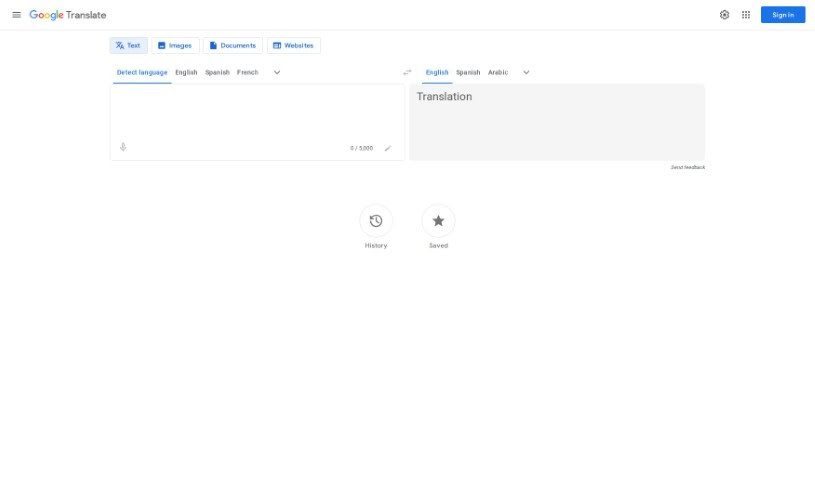
Screenshot of Google Translate

Google Translate

Discover what Google Translate is and how to use it effectively in 2025. We'll explore its features and see how it stacks up against other translation tools.

Screenshot

What is Google Translate?

Google Translate is a handy online service from Google that lets you translate words, phrases, and even entire web pages between English and over 100 other languages, right away. It’s a really versatile tool that helps you get past language barriers, offering quick and reliable translations. You’ll find features like instant translations, adjustable voice speed, and support for different ways to translate – whether it’s text, images, documents, or whole websites. This means Google Translate makes it easy to communicate and access information, no matter the language. Plus, you can sign in to personalize your experience and unlock even more features.

Who created Google Translate?

Google created Google Translate. It’s a super useful online service that provides instant translations for more than 100 languages, making it simple to communicate and get information. With features like voice input, document translation, and website translation, Google Translate has become a go-to for anyone needing to overcome language differences in all sorts of situations.

What is Google Translate used for?

  • Connect with people, places, and cultures without language getting in the way.
  • Translate text instantly using your camera – just point and see the translation.
  • Have conversations in real-time with simultaneous speech translation.
  • Translate even without an internet connection by downloading a language pack.
  • Chat easily with someone who speaks a different language.
  • Translate from any app by simply copying text and tapping the translate option.
  • Type, speak, or even handwrite words that aren’t on your keyboard.
  • Save your favorite translations so you can access them quickly from any device.
  • Translate entire websites by just pasting a URL.
  • Use voice input to speak the text you want translated.
  • Translate speech simultaneously with the handy Transcribe feature.
  • Translate from any app – copy text, tap to translate.
  • Type, speak, or handwrite characters and words your keyboard doesn’t support.
  • Save translations for quick access on any device.
  • Translate websites by entering a URL.
  • Try Google Translate on your browser or grab the mobile app.

How to use Google Translate?

Google Translate is a really convenient tool from Google that helps you communicate smoothly across different languages. Here’s a simple guide to using it effectively:

  1. Get Started: Head over to translate.google.com in your web browser, or download the Google Translate app on your phone.
  2. Pick Your Languages: Choose the language you’re translating from and the one you want to translate into using the dropdown menus at the top.
  3. Add Your Text:
    • You can type what you want to translate directly into the box.
    • Or, speak it by clicking the microphone icon for voice input.
    • You can also handwrite characters or words using the handwriting tool.
  4. Translation Options:
    • Instant Translate: You’ll get immediate translations for text, documents, or websites.
    • Camera Translation: Just point your camera at text, and it translates on the spot.
    • Web Page Translation: Paste a URL to translate a whole webpage.
  5. Explore More Features:
    • Save Translations: Keep words or phrases handy for quick access on any device.
    • Voice Speed Settings: Change how fast the spoken translations play.
    • Transcribe Feature: Turn this on to understand spoken words as they happen.
  6. Translate Documents:
    • Simply drag and drop your documents on the Google Translate website for quick translations.
  7. Sign In for a Personal Touch:
    • Signing into Google Translate gives you a personalized experience and access to extra features.
  8. Offline Translation:
    • Download languages so you can translate even when you don’t have an internet connection.
  9. Discover Other Functions:
    • Translate from any app by copying text and tapping to translate.
    • Have actual conversations with people speaking different languages.
  10. Grab the Mobile App:
    • Scan the QR code to download the app for translations on the go.

By following these steps and using all the different features Google Translate offers, you can easily break down language barriers and communicate effectively. It’s great for learning languages, traveling, or doing business internationally. It’s a really useful tool that helps you connect with people all over the world.

Related AI Tools

Discover more tools in similar categories that might interest you

Stay Updated with AI Tools

Get weekly updates on the latest AI tools, trends, and insights delivered to your inbox

Join 25,000+ AI enthusiasts. No spam, unsubscribe anytime.