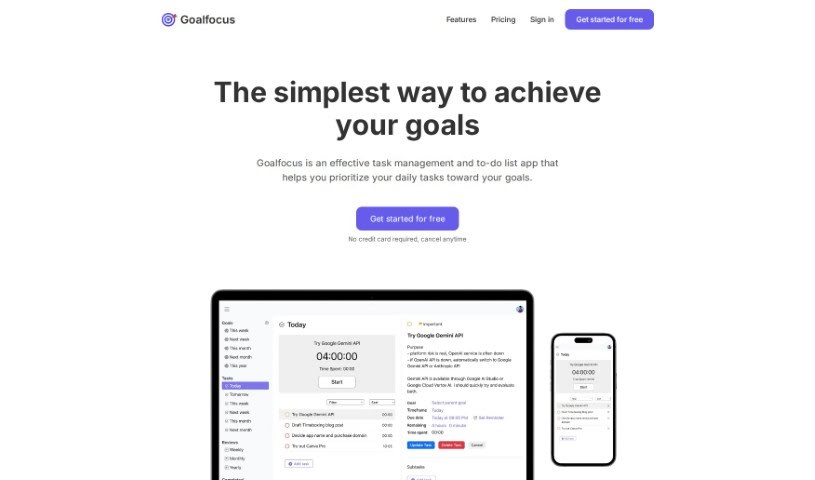
Screenshot of Goalfocus

Goalfocus

Discover Goalfocus in 2025! Learn what this goal-oriented task management app is, how to use its features like SMART goals and the Eisenhower Matrix, and see how it stacks up against other Project Management Tools.

Screenshot

What is Goalfocus?

Goalfocus is a really helpful app for managing your tasks and to-do lists, specifically designed to help you actually reach your goals. It helps you figure out what’s most important each day by connecting your daily tasks directly to your bigger objectives. How does it do this? Well, it’s packed with features like setting ‘SMART’ goals (that’s Specific, Measurable, Achievable, Relevant, and Time-bound), using the Eisenhower Matrix to prioritize tasks based on urgency and importance, and even employing anti-procrastination tricks like timeboxing. Plus, you get a daily dose of motivational quotes to keep you going. There’s also a built-in timer to really boost your focus and productivity. If you need a little extra guidance, its AI Mentor can offer feedback. Goalfocus also includes features for reviewing your progress weekly, monthly, and yearly. This helps you see how far you’ve come, make any necessary changes to your plans, and set yourself up for future success. Essentially, it guides you from the very beginning of an idea to actually making it happen.

Who created Goalfocus?

Heng Gek is the person behind Goalfocus. They launched the app on January 12, 2024. Heng Gek actually created it because they personally needed a better way to connect their day-to-day tasks with their long-term goals. They wanted to build a task management solution that felt more focused and truly goal-oriented. The core idea behind the app is to make sure your daily activities line up with your bigger objectives, helping you make more conscious choices and stay focused so you can achieve your goals effectively.

Who is Goalfocus for?

Goalfocus is a great tool for a wide range of professionals and individuals who want to be more organized and goal-driven:

  • Project Managers
  • Students
  • Entrepreneurs
  • Sales Professionals
  • Teachers
  • Marketing Specialists
  • Software Developers
  • Consultants
  • Freelancers
  • Fitness Coaches

How to use Goalfocus?

To really make the most of Goalfocus for managing your tasks and hitting your goals, here’s a straightforward way to approach it:

  1. Set SMART Goals: Start by clearly defining your goals within the app. Make sure they’re Specific, Measurable, Achievable, Relevant, and Time-bound. This gives you a clear target.
  2. Use the Eisenhower Matrix: This is a smart way to sort your tasks. Decide what’s important and what’s urgent. This helps you focus your energy on the tasks that truly matter.
  3. Beat Procrastination: Goalfocus has features to help you fight putting things off. Try using timeboxing, setting task reminders, and assigning due dates to make sure you get things done on time.
  4. Get Your Daily Motivation: Take advantage of the daily motivational quotes. They’re often tailored to your goals and can really give you a boost to keep working and finish tasks.
  5. Manage Your Time Wisely: Use the built-in timer. Dedicate specific blocks of time to certain tasks. This really helps you concentrate better and be more productive.
  6. Review Regularly: Make it a habit to do your weekly, monthly, and yearly reviews. This is where you can see your progress, figure out what needs changing, and stay motivated as you work towards your goals.
  7. Adjust Your Plans: Based on those regular reviews, don’t be afraid to tweak and reorganize your plans. This ensures you’re always staying on track with what you want to achieve.

By following these steps, you’ll find that Goalfocus can really help you manage your tasks better and reach your goals more efficiently and productively.

Related AI Tools

Discover more tools in similar categories that might interest you

Stay Updated with AI Tools

Get weekly updates on the latest AI tools, trends, and insights delivered to your inbox

Join 25,000+ AI enthusiasts. No spam, unsubscribe anytime.