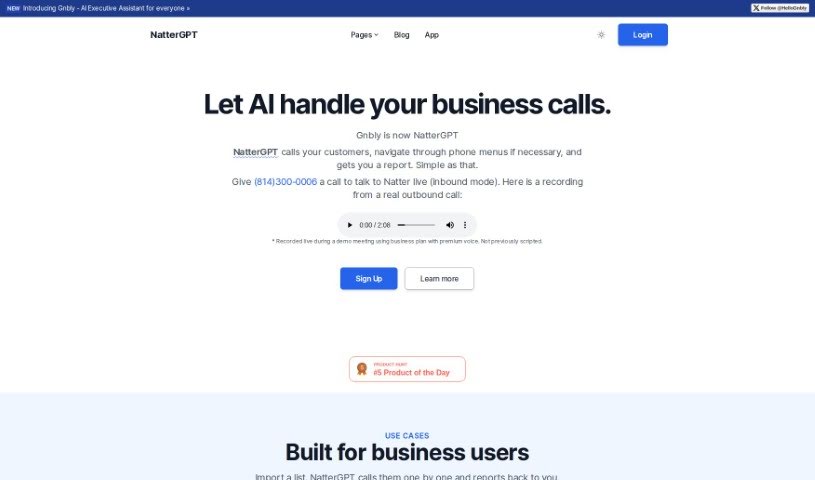
Screenshot of Gnbly

Gnbly

Discover what Gnbly, now NatterGPT, is all about and how to use it to your advantage in 2025. We'll dive into its features and see how it stacks up against other customer service tools.

Screenshot

What is Gnbly?

Gnbly, which you might know better now as NatterGPT, is essentially an AI assistant built to help businesses manage a variety of communication tasks. It is a digital helper that can handle things like scheduling appointments automatically, providing customer service, answering business questions, assisting with outbound sales calls, and even managing calls more generally. NatterGPT is designed to make your communication smoother by taking care of tasks like navigating calls, transferring them, and summarizing conversations. This frees you up to concentrate on the really important stuff. They offer different pricing plans, so whether you’re an individual needing personal assistance or a larger enterprise looking for robust support, there’s likely a plan that fits.

Who created Gnbly?

The founder created Gnbly, now NatterGPT, with the goal of building an AI assistant that could really streamline how businesses communicate. The company offers a range of plans, carefully put together to suit both individual users and larger businesses. These plans include services like setting up appointments automatically, offering customer service, and helping with outbound sales. What makes Gnbly stand out are its innovative features, such as managing call navigation, transferring calls, and providing summaries, all of which really help businesses operate more efficiently.

What is Gnbly used for?

Here are some of the key ways Gnbly (NatterGPT) can be put to work:

  • Import a List: You can import a list of contacts, and NatterGPT will call them one by one, then report back to you with the results.
  • Crisis Management: Need to handle a surge in calls? NatterGPT can easily scale up to manage over 1,000 calls every hour, making it a great tool during busy or critical times.
  • Customer Service: Got follow-up calls to make or delivery reminders to send? NatterGPT handles these with ease.
  • Real Estate: If you’re in real estate, you can use it to call all your leads or tenants in just minutes, saving you a ton of time.
  • Automated Appointment Scheduling: Make booking appointments a breeze by letting Gnbly handle it.
  • Customer Service Support: Cut down on customer wait times. Gnbly can navigate and complete tasks over the phone system, keeping things moving.
  • Business Inquiry Handling: Get quick access to business information thanks to Gnbly’s efficient inquiry capabilities.
  • Outbound Sales Assistance: Give your sales strategy a boost by having Gnbly manage your scripted and bulk calls.
  • Advanced Call Management: This includes features like call recording, navigating Interactive Voice Response (IVR) systems, and transferring calls to human agents in real-time.
  • Virtual Sales or Customer Support: It’s a great option for businesses of all sizes looking for virtual help with sales or customer support.

How to use Gnbly?

Ready to get started with Gnbly, now known as NatterGPT? It’s pretty straightforward. Just follow these steps:

  1. Choose a Plan: First, pick the plan that best suits your needs and budget. You can choose from options like Hobby, Pro, or Business. Each plan comes with different features, such as call recording, the ability to navigate calls, and options for transferring calls to a human agent.
  2. Sign Up: Once you’ve decided on a plan, head over to the Gnbly website to register. While there isn’t a free trial available right now, they do offer a $3 trial that renews every couple of days, with a soft cap.
  3. Customize Settings: After you’ve signed up, you can personalize your AI assistant. You can set a custom name for it and choose a voice that you prefer.
  4. Utilize Features: Now for the fun part – using the features:
    • Automated Appointment Scheduling: Make your life simpler by letting the system automate all your booking processes.
    • Customer Service Support: Help reduce those frustrating wait times by letting Gnbly efficiently navigate phone systems to get tasks done.
    • Business Inquiry Handling: Quickly find the business information you need with Gnbly’s smart inquiry capabilities.
    • Outbound Sales Assistance: Give your sales strategy a real edge by having Gnbly manage your scripted and bulk calls.
    • Advanced Call Management: Take advantage of features like call recording, seamless IVR navigation, and real-time call transfers.
  5. Explore Use Cases: See how Gnbly fits into different scenarios:
    • Built for Business Users: If you have a list of contacts, you can import it, and NatterGPT will call them and then report back to you.
    • Crisis Management: Gnbly is built to handle a high volume of calls, so it can easily scale up when you need it most.
    • Customer Service: It’s perfect for managing follow-up calls or sending out reminders.
    • Real Estate: Need to reach out to leads or tenants quickly? Gnbly can contact them efficiently.
  6. Contact Support: If you run into any questions or need a hand with anything, don’t hesitate to reach out to the NatterGPT team. You’ll find their contact options on the website.

By following these simple steps, you can really make the most of Gnbly (NatterGPT) to streamline your communications and automate a variety of tasks, perfectly fitting your business’s specific needs.

Related AI Tools

Discover more tools in similar categories that might interest you

Stay Updated with AI Tools

Get weekly updates on the latest AI tools, trends, and insights delivered to your inbox

Join 25,000+ AI enthusiasts. No spam, unsubscribe anytime.