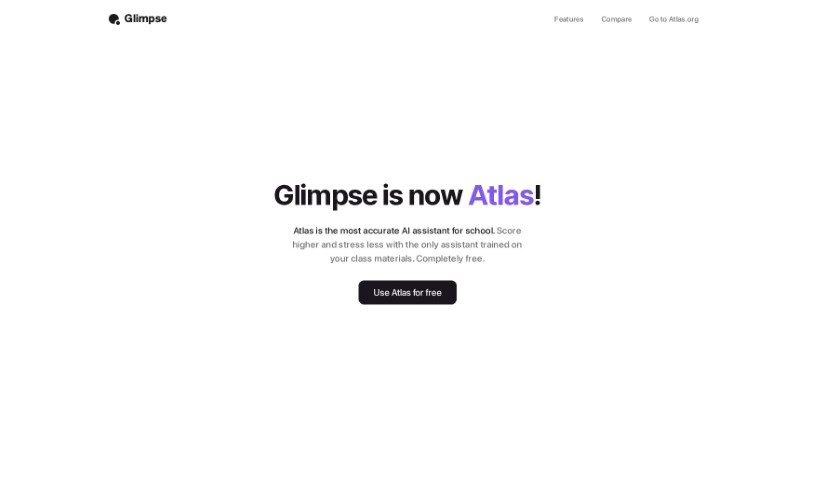
Screenshot of Glimpse

Glimpse

Discover what Glimpse is and how to use it effectively in 2025. Explore its features and see how it stacks up against other automation tools.

Screenshot

What is Glimpse?

Glimpse, also known as “Chat With The Internet,” is an AI browser extension designed to make your web browsing experience smoother and more intelligent. It helps you get more done by offering features like smart search suggestions, personalized recommendations, automatic form filling, and even built-in ad blocking for a cleaner view. One of its standout features is AI-powered content summarization, which lets you quickly understand the main points of long articles without reading every word. Plus, Glimpse makes saving and organizing your favorite websites and articles super easy with its intelligent bookmarking tools, and it helps you keep your browser tidy with efficient tab management.

Who created Glimpse?

Glimpse, which is now called Atlas, started out as an AI browser extension aimed at improving how we browse the web. The company behind Glimpse/Atlas is focused on making web browsing more efficient through smart features. Think smart search suggestions, summarizing content, better bookmarking, and easier tab management. While we don’t have specific details about the founder, the company’s main goal is to boost productivity and efficiency using their innovative AI technology.

What is Glimpse used for?

  • Chat with any website: Use Glimpse Chat to ask questions directly about the content on any webpage you’re visiting.
  • Faster answers: Glimpse Search scans dozens of websites instantly to give you direct answers, helping you find information much quicker.
  • Get real-time answers: Ask Glimpse anything and get accurate, up-to-the-minute responses.
  • Personalized browsing: Receive answers that are informed by the sites you visit most, making your browsing experience more relevant.
  • Dive deeper with sources: Glimpse provides cited responses, so you can easily check the verified sources for more in-depth understanding.
  • Work smarter, not harder: This AI browser extension is all about enhancing your browsing experience by making it more efficient.
  • Quickly grasp main ideas: Its AI-powered content summarization helps you get the gist of long articles or web pages without reading them in full.
  • Organize your favorites: Intelligent bookmarking and organization features let you easily save and categorize websites and resources you like.
  • Declutter your browser: Efficient tab management tools help you organize tabs, group related ones, and keep your workflow neat.
  • Boost productivity: Streamline your workflow with smart features like content summarization, intelligent bookmarking, and effective tab management.

Who is Glimpse for?

  • Researchers
  • Students
  • Professionals

How to use Glimpse?

Here’s how you can start using Glimpse — Chat With The Internet:

  1. Install it: First, add the Glimpse browser extension to your preferred web browser.
  2. Access Glimpse:
    • When you’re on a website, open Glimpse Chat to ask questions specifically about that site’s content.
    • To use Glimpse Search, just open a new tab in your browser. It will instantly scan multiple websites to give you direct answers.
  3. Key Features to Note:
    • Real-time Information: You’ll get accurate, up-to-date answers to any question you have.
    • Personalization: The answers you receive are tailored based on the sites you visit often.
    • Verified Sources: You can explore topics further because Glimpse provides cited responses.
  4. How it Works:
    • AI-Powered Content Summarization: It analyzes and summarizes web content, making it easy to understand quickly.
    • Intelligent Bookmarking: You can save and categorize your favorite webpages and articles for easy future reference.
    • Efficient Tab Management: Organize your tabs, group related ones together, and even save entire sessions for a smoother browsing experience.

By following these steps, you’ll be able to make the most of Glimpse — Chat With The Internet. It’s a great way to improve your browsing, make your workflow more efficient, and boost your overall productivity.

Related AI Tools

Discover more tools in similar categories that might interest you

Stay Updated with AI Tools

Get weekly updates on the latest AI tools, trends, and insights delivered to your inbox

Join 25,000+ AI enthusiasts. No spam, unsubscribe anytime.