What is Gleek?
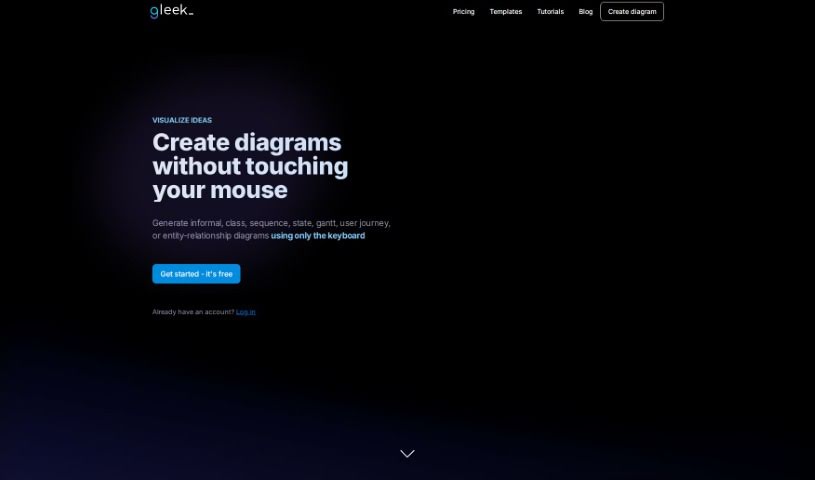
Gleek is a really neat diagram-making tool designed specifically for developers who prefer using their keyboards instead of a mouse. It lets you create all sorts of diagrams – think informal ones, class diagrams, sequence diagrams, state diagrams, Gantt charts, user journey maps, and even entity-relationship diagrams – all without a single click. Gleek uses a simple, intuitive syntax that turns your text descriptions directly into visuals. This makes it super quick to pick up and genuinely easy to use. Plus, it offers some great features like really fast diagramming, keeping track of changes with text descriptions (which is great for version control!), working together live with others, exporting your diagrams in different formats, and even design templates to give you a head start on common diagram types.
Who created Gleek?
Gleek was actually developed by a team, spearheaded by a founder who really wanted to create something for developers who, like him, preferred working with a keyboard rather than being tied to a mouse. They designed Gleek as this special diagram-making tool, built from the ground up for developers. It allows you to create a wide range of diagrams – from flowcharts and class diagrams to sequence, state, Gantt, user journey, and entity-relationship diagrams – all using just your keyboard. The whole idea behind Gleek is to make diagramming fast, manage your diagrams easily through text descriptions (which is fantastic for version control), allow for live collaboration, let you export diagrams in various formats, and provide helpful design templates that guide you through common diagramming needs.
What is Gleek used for?
- It helps improve the overall user experience.
- You can create informal diagrams easily.
- It’s great for designing class diagrams.
- You can develop sequence diagrams.
- It’s useful for constructing state diagrams.
- Generate Gantt charts for project timelines.
- Produce user journey diagrams to map out user experiences.
- Visualize entity-relationship diagrams for databases.
- It’s perfect for creating flowcharts.
- You can also create UML diagrams.
- It helps in visualizing object diagrams.
- Gleek is useful for project planning.
- It makes creating informal diagrams a breeze.
- You can design class diagrams with ease.
- Develop sequence diagrams efficiently.
- Construct state diagrams quickly.
- Generate Gantt charts for project timelines.
- Produce user journey diagrams to map out user experiences.
- Visualize entity-relationship diagrams for databases.
- It lets you use a keyboard-only interface for all your diagramming needs.
- You get version control for managing your diagrams effectively.
- It offers live collaboration features for team projects.
- Creating flowcharts is straightforward.
- UML diagram creation is also supported.
- It helps you visualize ideas and create all sorts of diagrams, like flowcharts and UML diagrams.
- It aids in the conceptual design of software architecture, project planning, and structuring databases.
- You can really focus on your ideas and creating diagrams without needing a mouse.
- It simplifies version control by using text-based descriptions.
- It enables real-time collaboration for planning and finalizing project ideas.
- You can export your diagrams in multiple formats.
- It provides design templates to help you with common diagramming scenarios.
- You can create informal, class, sequence, state, Gantt, user journey, and entity-relationship diagrams using its intuitive syntax.
- It supports live collaboration, diagram export, design templates, and customization options.
- You’ll find features like version control, diagram export, design templates, and customization options.
- Creating flowcharts is one of its key uses.
- It’s excellent for the conceptual design of software architecture.
- It’s also helpful for database structuring.
- Team collaboration in real-time is made much easier.
- Designing Gantt charts is a common application.
- User journey visualization is well-supported.
- Entity-relationship diagram creation is a core function.
- Class diagram creation is straightforward.
- You can plan projects more effectively.
- Entity-relationship diagram design is a key use case.
- Sequence diagram generation is efficient.
- State diagram visualization is made simple.
- Object diagram creation is supported.
- Gantt charts are great for project management.
- User journey diagram creation is a key benefit.
- Software architecture conceptual design is aided by Gleek.
- It helps you visualize ideas.
- You can create flowcharts easily.
- Design software architecture with clarity.
- Structure databases effectively.
- It aids in project planning.
- It also aids in database structuring.
- It enables live collaboration.
- It helps improve version control.
- You can create various types of diagrams, like informal, class, sequence, state, Gantt, user journey, and entity-relationship diagrams, all using Gleek’s syntax.
- It’s really helpful for the conceptual design of software architecture, project planning, and database structuring.
- It lets you visualize ideas through flowcharts, UML diagrams, and more.
- It enhances user experience with features like version control, live collaboration, diagram export, design templates, and customization options.
- You can create diagrams rapidly without needing a mouse.
- It simplifies version control through text-based descriptions.
- It enables real-time team collaboration on project ideas.
- You can export and share diagrams in multiple formats.
- It’s useful to use pre-designed templates for common diagramming use cases.
- It’s a text-to-diagram tool that turns your text descriptions into various diagram types.
- It’s great for visualizing real-world instances.
Who is Gleek for?
- Developers
- Software engineers
- Database designers
How to use Gleek?
If you want to start using Gleek, this handy diagram-making tool for developers, here’s a simple breakdown of how to get going:
- Sign Up: First off, you can sign up for a free account on Gleek to get started.
- Choose Your Diagram Type: Gleek lets you create a variety of diagrams, including informal ones, class diagrams, sequence diagrams, state diagrams, Gantt charts, user journey diagrams, and entity-relationship diagrams.
- Enter Your Descriptions: You’ll use Gleek’s unique syntax to describe exactly what you want your diagrams to look like, all in text format.
- Generate Your Diagrams: Gleek then takes your text descriptions and turns them into visual diagrams. It’s a really quick and easy way to create all sorts of diagrams you need.
- Make the Most of the Features:
- Rapid Diagramming: This feature lets you quickly brainstorm and create diagrams without needing to reach for your mouse.
- Version Control: You can manage your diagrams effectively by using text-based descriptions, which makes tracking changes much simpler.
- Live Collaboration: If you’re working with a team, you can collaborate in real-time on planning and finalizing your project ideas together.
- Diagram Export: You have the flexibility to export and share your diagrams in multiple formats.
- Design Templates: Gleek offers pre-designed templates that can help guide you through common diagramming scenarios.
- Boost Team Collaboration: Really take advantage of the live collaboration feature to work smoothly with your team in real-time.
- Customize and Export: Feel free to customize your diagrams as you like, and then export them in various formats whenever you need to share them or use them elsewhere.
Gleek’s focus on a keyboard-centric interface and its ability to convert text directly into diagrams make it a super user-friendly tool for developers who want to visualize their ideas and create diagrams efficiently.