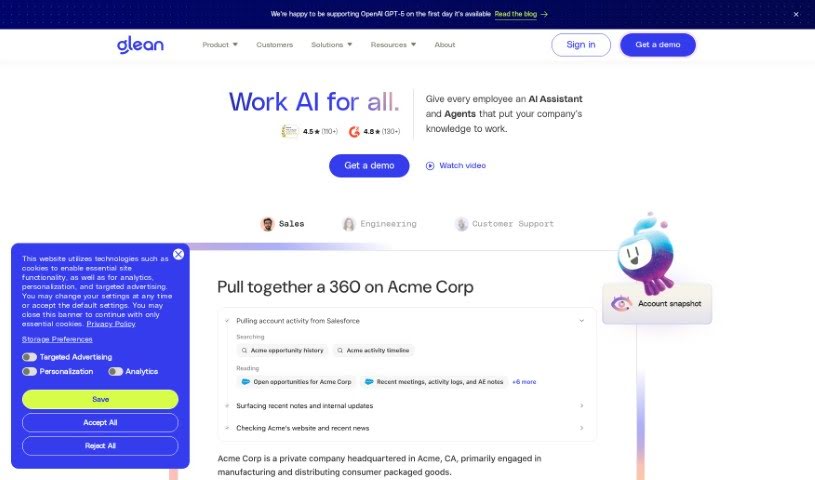
Screenshot of Glean

Glean

Discover what Glean is and how to make the most of it in 2025. We'll explore its features and see how it stacks up against other Automation Tools.

Screenshot

What is Glean?

Glean is a really handy and easy-to-use tool that helps you get organized, gather information, and manage it all smoothly. It is your personal assistant for collecting data from all sorts of online places – websites, documents, even emails. You can grab those important bits of info, sort them with tags and folders, and then find them again super easily whenever you need them. Glean makes researching and putting information together much simpler by giving you one central spot to keep all your valuable content organized. Plus, it has features like highlighting, adding your own notes, and a great search function, all designed to boost your productivity and help you build really well-organized collections of information, whether for yourself or for work.

Who created Glean?

Glean was actually built by a team of folks who used to work on search at Google, along with other industry pros. They really wanted to make finding information at work much easier. The people who started Glean asked themselves, “Why aren’t there better search tools specifically for what we need at work?” Their big goal with Glean is to help people do their best work, focusing on making tasks easier to complete and improving how teams collaborate.

What is Glean used for?

  • Build custom AI applications: You can create applications that are specifically tailored to your company’s data, making them incredibly relevant.
  • Create no-code AI agents: Design your own generative AI assistants and chatbots without needing to write any code.
  • Responsible AI: Everything is built with security, privacy, and permissions in mind, so you can trust it.
  • Smart search: It uses vector search with semantic understanding, meaning you can ask questions naturally, like you’re talking to someone.
  • Always learning: The AI continuously trains on your company’s unique language and context, so it gets smarter and more relevant over time.
  • AI assistant: Get answers, analyses, and summaries delivered by an AI assistant that understands your company’s knowledge.
  • Personalized discovery: Results are tailored to you and your team’s interactions, helping you find what you need and discover new insights.
  • Easy connections: It integrates with over 100 different tools and platforms, so it fits right into your existing workflow.
  • Secure and private: It ensures your data is secure, private, and respects permissions, all while using trusted AI models.
  • Unlock enterprise knowledge: Tap into your company’s collective knowledge to make smarter decisions.
  • Referenceable sources: You can always see where the AI got its information from, ensuring transparency.
  • Simple setup: It offers a turnkey deployment for a complex AI ecosystem, meaning you can get started without a lot of hassle.
  • Scalable infrastructure: The system is built to grow with your needs, and it includes auditing tools to track how sensitive data is used.
  • Improved relevance: Continuous training means the search results you get are always more relevant to what you’re looking for.
  • Comprehensive insights: The AI assistant provides deep dives and summaries to give you a full picture.
  • Knowledge graph: Personalized results are based on your company’s knowledge graph, connecting information in meaningful ways.
  • Enhanced productivity: Ultimately, it’s designed to make your workplace more productive and engaging.

Who is Glean for?

  • Researchers
  • Students
  • Content Creators
  • Journalists
  • Marketers
  • Project Managers
  • Data Analysts
  • Developers
  • Academics
  • Consultants

How to use Glean?

Here’s a simple guide to using Glean effectively:

  1. Get it installed: First, download and install the Glean app. You can usually find it on the official website or your device’s app store.
  2. Set up your account: Once you open the app, you’ll need to create an account. Just provide the necessary details. If you’ve already got an account, simply log in with your usual username and password.
  3. Start a new project: Glean lets you create projects to organize your work. Give each project a clear name so you can easily find it later.
  4. Add your tasks: Break down your project into smaller, manageable tasks or milestones. Add each one to your project, making sure to give it a clear title and any important details.
  5. Set deadlines: To keep yourself on track, assign deadlines to each task. This helps you manage your project timeline effectively.
  • Add notes and files: Use the built-in notes feature to jot down key points, ideas, or updates for each task. You can also upload relevant files like documents, images, or videos to make your project management even richer.
  • Work with others: If you’re collaborating, invite your team members or other collaborators to the project. You can even assign specific tasks to different people.
  • Track your progress: Make sure to update the status of your tasks regularly so you can see how things are progressing. Glean has features to help you keep an eye on how far along each task is.
  • Stay updated: Keep an eye on notifications from Glean. They’ll let you know about task updates, upcoming deadlines, or messages from your collaborators.
  • Review and reflect: It’s a good idea to periodically look over your project’s status. You can make changes if needed and take a moment to appreciate what you’ve accomplished.

By following these steps, you’ll be able to use Glean really well for managing projects and working with others, which should help boost your productivity and efficiency.

Related AI Tools

Discover more tools in similar categories that might interest you

Stay Updated with AI Tools

Get weekly updates on the latest AI tools, trends, and insights delivered to your inbox

Join 25,000+ AI enthusiasts. No spam, unsubscribe anytime.