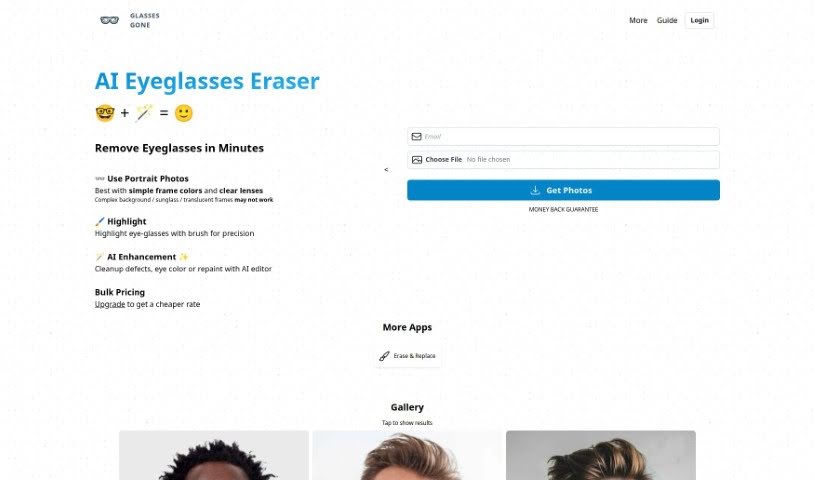
Screenshot of Glasses Gone

Glasses Gone

Discover what Glasses Gone is and how to use it effectively in 2025. We'll explore its features and see how it stacks up against other photo editors.

Screenshot

What is Glasses Gone?

Glasses Gone is a neat AI tool designed specifically for retouching portraits. Its main job? To remove eyeglasses or spectacles from people’s faces. Thanks to AI, it can get rid of glasses quickly and effectively, usually within minutes. For the best results, it’s a good idea to upload photos where the person is looking straight ahead. This really helps the tool be more accurate when removing the glasses. Also, picking photos with simple, clear frame colors tends to work better. If the frames are clear, patterned, or very complex, you might not get the perfect outcome.

The tool also gives you a square cropping option. This lets you adjust and move the crop box after you upload your image, making sure the final picture is perfectly square. Beyond just removing glasses, Glasses Gone offers a money-back guarantee if you’re not happy with how it turns out. They also suggest using other helpful tools, like clipdrop, to make your images even better.

This service comes from GLASSES.GONE, and like any service, it’s covered by their Terms of Service and Privacy Policy.

Who created Glasses Gone?

Glasses Gone is an AI tool that specializes in retouching portrait photos, specifically by removing eyeglasses from subjects. It first launched on August 16, 2023, and it’s known for removing glasses quickly and accurately, often in just a few minutes. To get the best results, it’s recommended to use photos where the subjects are looking directly at the camera, and it works best with simple, clearly defined frame colors. The tool also includes a square cropping feature, allowing you to adjust the image to fit a square format. Glasses Gone is a service offered by GLASSES.GONE, and they provide a money-back guarantee if you’re not satisfied with the outcome.

What is Glasses Gone used for?

  • Glasses Gone is primarily used for retouching portrait photos, with a special focus on removing eyeglasses or spectacles from the subject’s face.
  • The tool promises a fast and efficient way to remove glasses, usually taking only a few minutes thanks to its AI technology.
  • To help the AI work more accurately, it’s best to upload portrait photos where the subjects are looking straight ahead.
  • For the best performance, it’s recommended to choose photos with simple and clearly defined frame colors. Keep in mind that clear or patterned frames might not give you the best results.
  • Glasses Gone also includes a handy square cropping option. You can adjust and move this crop box after uploading your image to make sure the final picture is a perfect square.
  • If you’re not happy with the results, the tool offers a money-back guarantee to ensure you’re satisfied.
  • To further improve your images, Glasses Gone suggests using other free tools like clipdrop to clean up any small imperfections that might remain.
  • Glasses Gone is a service provided by GLASSES.GONE, and it’s important to be aware of their Terms of Service and Privacy Policy.

How to use Glasses Gone?

Here’s a simple guide to using Glasses Gone for your portrait photo retouching needs:

  1. Upload Your Photo: Start by uploading a portrait where the subject is looking straight at the camera. This really helps the tool remove the glasses accurately.
  2. Pick Simple Frame Colors: For the best results, choose photos with simple frame colors and clear lenses. It’s best to avoid complex backgrounds, sunglasses, or frames that are see-through.
  3. Adjust the Crop Box: You can use the square shape cropping option to adjust and move the crop box after uploading your image. This ensures your final picture is perfectly square.
  4. Highlight the Glasses: Use the brush tool to carefully highlight the eyeglasses. This helps the tool be extra precise when it removes them.
  5. AI Enhancement: After the glasses are removed, you can use the editor to clean up any minor defects, change eye color, or apply other AI enhancements to make the retouched image even better.
  6. Use Extra Tools: If there are any small artifacts left, consider using free tools like clipdrop. They can help clean up the image and improve its overall quality.
  7. Money-Back Guarantee: If you’re not satisfied with the final output, Glasses Gone offers a money-back guarantee, so you can try it with confidence.
  8. Check the Terms: Since Glasses Gone is a service from GLASSES.GONE, it’s a good idea to review their Terms of Service and Privacy Policy. This helps ensure a smooth experience.

By following these steps, you can effectively use Glasses Gone to retouch your portrait photos and get the results you’re looking for.

Related AI Tools

Discover more tools in similar categories that might interest you

123RF AI Image Generator

Creative Image Generation
Learn More

Stay Updated with AI Tools

Get weekly updates on the latest AI tools, trends, and insights delivered to your inbox

Join 25,000+ AI enthusiasts. No spam, unsubscribe anytime.