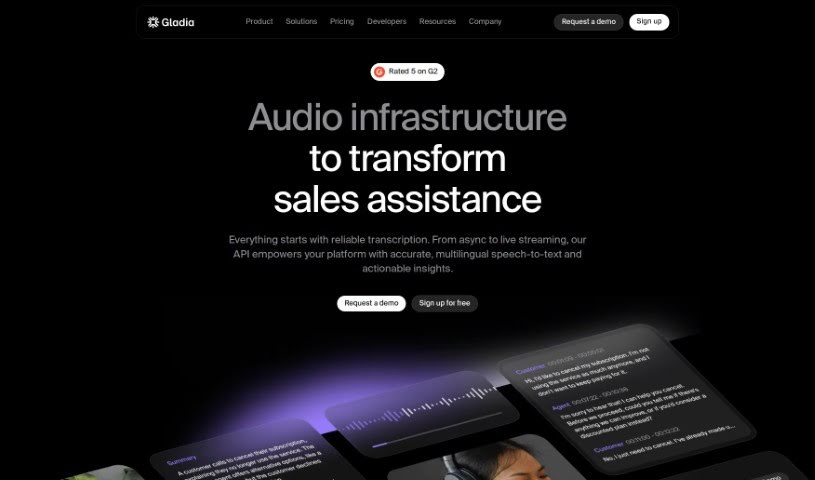
Screenshot of Gladia

Gladia

Discover what Gladia is and how to use its powerful Speech-to-Text API effectively in 2025. We'll explore its features, compare it to other transcription tools, and guide you through its setup.

Screenshot

What is Gladia?

Gladia is a really advanced Speech-to-Text API. It is a tool that helps businesses turn audio into useful information by transcribing and translating it. It’s built using the Whisper ASR framework, which means it’s designed to be fast, accurate, and scalable – basically, it can handle whatever you throw at it. Plus, it’s customizable for different industries and makes sure your data stays secure and follows privacy rules.

What can you do with it? Gladia offers super-fast transcription, improved accuracy, and it supports a whopping 99 languages! You can also add on special audio intelligence features. The folks behind Gladia, Jean-Louis Quéguiner and his team, really want to make powerful AI tools easy for developers to use. They noticed that companies weren’t really using all the audio data they collected, so they’re helping businesses build better systems to manage audio, text, and even visual information all together, in real time.

And don’t worry about cost – Gladia has different pricing plans. There’s a Free tier that gives you up to 5 hours of transcription, and you can easily switch plans up or down whenever you need to. They also offer discounts if you have a lot of audio to transcribe.

Who created Gladia?

Gladia was founded by Jean-Louis Quéguiner. Before starting Gladia, he was the VP of Data, AI & Quantum Computing at OVHcloud. Jean-Louis has a Master’s Degree in Symbolic AI, and his main goal was to make AI simpler for developers. He even built a chatbot all by himself that managed to sort, classify, and combine all AI applications into a single store, helping over 13,000 models get classified in under 4.5 years! The company’s mission grew from there, focusing on helping businesses make better use of their audio data by building platforms that can connect audio, text, and visual information in real time.

What is Gladia used for?

Gladia is great for a variety of tasks, including:

  • Virtual meetings: Transcribe your online discussions.
  • Work collaboration: Keep track of team conversations and decisions.
  • Media content: Easily create transcripts for videos, podcasts, and more.
  • Call centers: Analyze customer calls for insights and quality control.

Who is Gladia for?

Gladia is a versatile tool that can benefit many different users and organizations:

  • Anyone involved in virtual meetings or work collaboration.
  • Creators of media content.
  • Call centers looking to improve operations.
  • Developers who need reliable speech-to-text capabilities.
  • Businesses and companies of all sizes.
  • Communications professionals who work with audio and video.

How to use Gladia?

Getting started with Gladia is straightforward. Just follow these steps:

  1. Sign Up and Get Your API Key: First, create an account on the Gladia platform. You’ll get an API key, which is your key to unlocking all of Gladia’s services.
  2. Choose Your Hosting Option: You’ll need to decide where your data will be hosted. You can choose cloud hosting, on-premise hosting, or an air-gapped solution, depending on what best suits your needs.
  3. Integrate the API: Now, it’s time to connect Gladia to your project. You can use the code samples provided. Just customize the API call with your specific details, like the audio URL and your API key.
  4. Transcribe Your Audio: Use the API to get your audio transcribed quickly and accurately. You can even take advantage of features like real-time transcription, speaker identification (diarization), and handling different languages within the same audio (code-switching).
  5. Translate Content: Gladia supports 99 languages, so you can easily translate your content. It also has great automatic language detection to figure out what language is being spoken.
  6. Explore Audio Intelligence Add-ons: Want to dig deeper? Check out add-ons for things like summarizing audio, breaking it into chapters, or analyzing the sentiment. These give you even more valuable insights.
  7. Scale Up Effortlessly: As your needs grow, Gladia grows with you. The pay-as-you-go system makes it easy to increase your processing capacity whenever you need it.
  8. Trust Your Data Security: You can feel confident knowing that Gladia handles all your data securely, following strict EU and US regulations to keep your information safe and private.
  9. Discover Advanced Features: There’s more to explore! Look into features like automatic punctuation and casing, dual-channel transcription, and formats like SRT and VTT for captions. These offer comprehensive audio processing.
  10. Get Support and a Demo: If you have a lot of audio to transcribe or need custom pricing, reach out to Gladia’s sales team. They can arrange demos, discuss volume discounts, and help with flexible payment options. And remember, you can always try out the Free tier for up to 5 hours of transcription at no cost!

By following these steps, you’ll be able to use Gladia’s Speech-to-Text API smoothly for all your audio processing and transcription needs.

Related AI Tools

Discover more tools in similar categories that might interest you

Stay Updated with AI Tools

Get weekly updates on the latest AI tools, trends, and insights delivered to your inbox

Join 25,000+ AI enthusiasts. No spam, unsubscribe anytime.