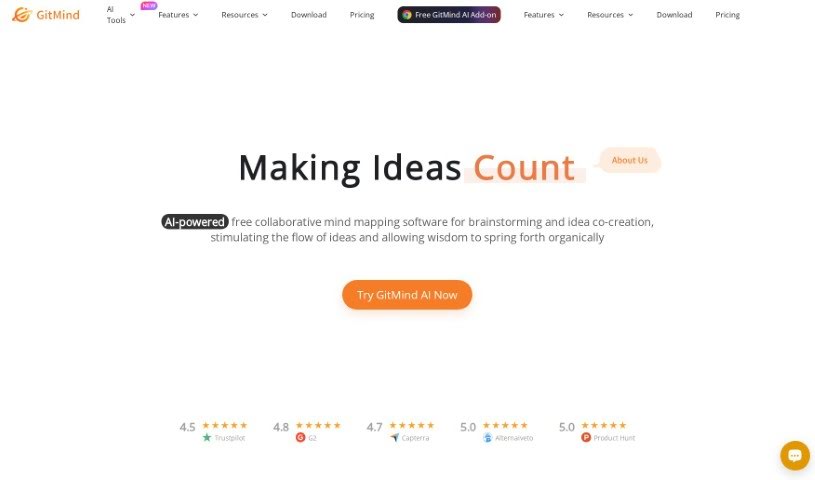
Screenshot of GitMind

GitMind

Discover GitMind in 2025! Learn what this user-friendly mind mapping tool is all about, how to use its features effectively, and how it stacks up against other project management tools.

Screenshot

What is GitMind?

GitMind is a really handy online tool that helps you create mind maps. It is your go-to for organizing thoughts, ideas, and even entire projects in a visual way. It’s super easy to use, with a clean interface that makes building mind maps, flowcharts, and diagrams a breeze. What’s great for teams is that GitMind lets you collaborate in real-time, so everyone can jump in and edit the same mind map together. You can really make your maps your own by adding different colors, shapes, and icons, which helps make everything clearer and more engaging. Plus, it connects with popular cloud storage services, meaning you can save and access your mind maps from pretty much anywhere. All in all, GitMind is a straightforward and effective way to brainstorm, map out projects, and boost your productivity.

Who created GitMind?

While the exact details about the founder and the company behind GitMind aren’t readily available, we know it was developed by a team of dedicated developers. Even though the specific names and company information are a bit of a mystery, GitMind has made a name for itself by offering a user-friendly experience and strong collaborative features for anyone looking to create mind maps and diagrams.

What is GitMind used for?

GitMind is incredibly versatile! You can use it for:

  • Brainstorming ideas: Get all your thoughts down in one place.
  • Taking notes: Keep track of important information during meetings or lectures.
  • Creating project plans: Map out tasks, timelines, and dependencies.
  • Designing flowcharts: Visualize processes and workflows.
  • Organizing hierarchical org charts: Clearly show team structures.
  • Developing UML diagrams: Model software systems.
  • Visualizing ideas, connections, and relationships: See how different concepts link together.
  • Planning: Whether it’s a personal goal or a business strategy.
  • Problem-solving: Break down complex issues into manageable parts.
  • Efficient project execution: Keep projects on track.
  • Enhancing creativity and productivity: Spark new ideas and work more effectively.

Who is GitMind for?

GitMind is a fantastic tool for a wide range of professionals and individuals, including:

  • Project Managers
  • Software Developers
  • Graphic Designers
  • Marketing Specialists
  • Educators
  • Business Analysts
  • Researchers
  • Content Creators
  • Event Planners
  • Product Managers

Basically, anyone who needs to visualize information or collaborate on ideas will find GitMind incredibly useful.

How to use GitMind?

Getting started with GitMind is pretty straightforward. Here’s a simple step-by-step guide:

  1. Create an Account: First things first, head over to the GitMind website and sign up. You can use your email or link your Google account for a quick setup.
  2. Start a New Project: Once you’re logged in, just click on the “New Project” button. This is where your mind mapping adventure begins!
  3. Add Nodes: To get your ideas down, click the ”+” sign to add new nodes, or you can use handy keyboard shortcuts to speed things up.
  4. Customize Your Map: Make your mind map visually appealing! You can change node colors, adjust styles, and connect lines in different ways.
  5. Collaborate with Others: Need to work with a team? Simply share your project link, and you can all edit the mind map together in real-time.
  6. Export and Save: When your mind map is ready, you can export it in various formats like PDF or PNG. Don’t forget to save your project so you can come back to it later.
  7. Master Keyboard Shortcuts: Seriously, learning these shortcuts can make a huge difference in how quickly you can navigate and edit.
  8. Explore Templates: If you’re not sure where to start, GitMind offers pre-designed templates that can give you a head start on your projects.
  9. Get Help if Needed: GitMind provides helpful resources like tutorials and customer support. Don’t hesitate to use them if you get stuck or have questions.
  10. Keep Practicing: The more you use GitMind, the more comfortable you’ll become with its features, and the more efficient you’ll be.

By following these steps, you’ll be creating organized and visually appealing mind maps in no time, perfect for both your personal and professional projects.

Related AI Tools

Discover more tools in similar categories that might interest you

Stay Updated with AI Tools

Get weekly updates on the latest AI tools, trends, and insights delivered to your inbox

Join 25,000+ AI enthusiasts. No spam, unsubscribe anytime.