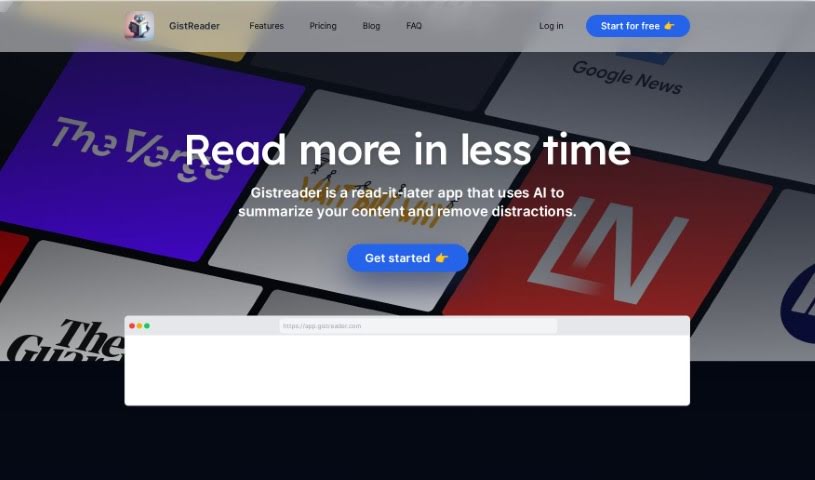
Screenshot of GistReader

GistReader

Discover GistReader in 2025! Learn what it is, how to use its features like AI summaries and text-to-speech podcasts, and how it stacks up against other Text To Speech tools.

Screenshot

What is GistReader?

GistReader is a handy tool from Aron Rotteveel, a software engineer who really enjoys building products to help people out. His main idea with GistReader was to create a straightforward RSS reader that saves you time. How? By using AI to summarize articles and presenting them in a clean, easy-to-read format without distractions. Beyond just ad-free reading and AI summaries, GistReader lets you turn articles into your own personalized podcasts using text-to-speech technology. It also syncs everything across your devices, offers helpful features like keyboard shortcuts and Pocket integration, and even supports YouTube. You can choose from flexible pricing plans, with options to subscribe for more advanced features. Essentially, GistReader wants to make your online reading as efficient and enjoyable as possible by simplifying how you consume content from all sorts of sources.

Who created GistReader?

Aron Rotteveel, a software engineer with a real knack for creating helpful products, is the mind behind GistReader. He built it to offer a simple RSS reader that makes online reading much more efficient. GistReader works by condensing articles and turning them into easy-to-digest summaries using AI. The platform also boasts features like ad-free reading, those handy AI summaries, text-to-speech for creating podcasts, seamless content syncing across devices, and a variety of pricing plans designed for user convenience.

What is GistReader used for?

  • Read without distractions: GistReader transforms articles into a clean, ad-free format, letting you focus entirely on the content.
  • Save time with AI summaries: It uses AI to quickly get to the heart of each article, giving you the core message without the lengthy read.
  • Turn articles into podcasts: You can convert your reading material into a personal podcast using its text-to-speech technology.
  • Read anywhere: Content syncs across all your devices, ensuring a smooth experience no matter where you are.
  • Flexible pricing: GistReader offers a range of plans, including a free trial that requires no commitment, alongside paid options with premium features.

Who is GistReader for?

  • Content creators
  • Researchers
  • Students
  • Readers
  • Journalists
  • Bloggers
  • Academics

How to use GistReader?

Getting started with GistReader is pretty simple. Just follow these steps:

  1. Sign Up: First, create your account by signing up for a free 14-day trial. Don’t worry, you don’t need to provide payment details upfront.
  2. Read Without Distraction: GistReader automatically cleans up articles, removing ads and distractions so you can really focus on what you’re reading.
  3. Get AI Summaries: The tool automatically generates AI summaries, which are great for quickly grasping the main points of any article.
  4. Turn Articles into Podcasts: If you prefer listening, you can use the text-to-speech technology to convert articles into your own personal podcast.
  5. Read Across Devices: Your content and settings sync seamlessly, so you can pick up where you left off on any of your devices.
  6. Explore Additional Features: Take advantage of useful extras like keyboard shortcuts, integration with Pocket, and YouTube support.
  7. Choose a Plan: You can pick from different plans. There’s a free option with some limits, and paid tiers that unlock more features.
  8. Cancellation: You’re free to cancel at any time, and if you’re not happy, they offer refunds.
  9. User Feedback: GistReader’s development is guided by what users like you say, so feel free to share your feature requests!
  10. Support and Languages: You’ll get priority support, and while AI summaries are currently available in English, Dutch, and Mandarin Chinese, they’re planning to add more languages soon.

Overall, GistReader, created by Aron Rotteveel, is designed to make your online reading experience much more efficient and enjoyable, thanks to its AI tools and user-friendly design.

Related AI Tools

Discover more tools in similar categories that might interest you

Stay Updated with AI Tools

Get weekly updates on the latest AI tools, trends, and insights delivered to your inbox

Join 25,000+ AI enthusiasts. No spam, unsubscribe anytime.