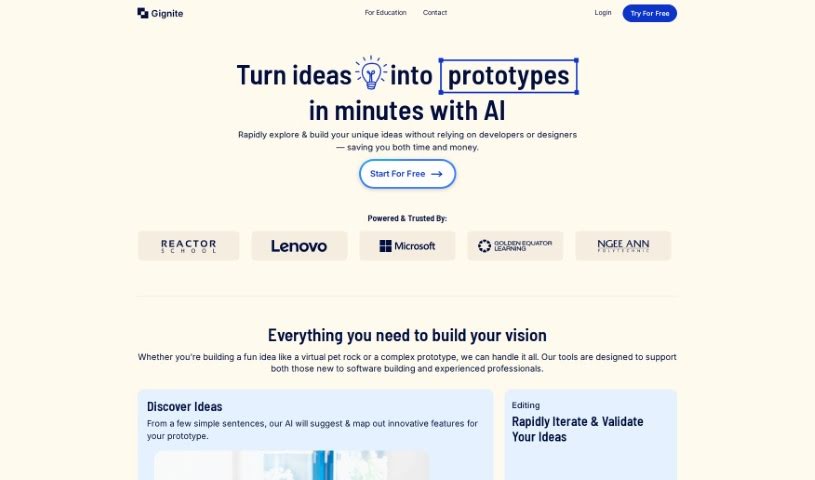
Screenshot of Gignite

Gignite

Discover what Gignite is and how to use it effectively in 2025. We'll explore its features, how it helps with rapid prototyping, and how it stacks up against other design generators.

Screenshot

What is Gignite?

Gignite is a smart, AI-powered tool designed to bring your ideas to life visually, really fast. It is your go-to for quickly turning concepts into something you can see and touch, or at least a solid visual representation. It’s a fantastic aid for the early stages of ideation, helping you map out and develop your minimum viable products (MVPs). What’s cool is that Gignite lets you generate visual prototypes in a flash, and you can regenerate screens as many times as you need – there’s no limit!

Here’s how it works: you simply describe your idea on the platform. Gignite’s AI then gets to work, dynamically creating screens that visually capture your concepts. Once you have these visual representations, you can easily share them with anyone you need to, whether it’s for feedback or to move forward. This process effectively translates your initial thoughts into concrete, visual ideas that are much easier for everyone to understand and start building upon. The best part? You don’t need any coding skills at all. Gignite boasts an intuitive and super user-friendly interface, making it accessible for everyone. It’s really versatile, too, handling all sorts of projects, which helps streamline the process whether your project is straightforward or a bit more complex. Plus, Gignite takes data privacy seriously and offers an interface that’s really welcoming for beginners.

Who created Gignite?

We’re not entirely sure who the founder is, but Gignite first launched on October 30, 2023. It’s an AI tool built to quickly turn your ideas or concepts into visual forms. This really helps when you’re planning and developing your minimum viable products (MVPs). The platform is equipped with features like super-fast visual prototype generation and the ability to regenerate screens without any limits. It also features a user-friendly interface, meaning you won’t need to know any coding to get started.

What is Gignite used for?

Here’s a quick rundown of what Gignite helps you do:

  • Create visual prototypes in minutes: Get a visual of your idea quickly.
  • Handle all sorts of projects: It’s flexible enough for different needs.
  • Develop minimum viable products (MVPs): Great for getting your initial product concept ready.
  • Speed up prototype generation: Makes the prototyping process much faster.
  • Turn ideas into visuals: Takes your written descriptions and makes them into screens.
  • Share and export easily: Get your generated screens out to others without a hassle.
  • Boost business development: Helps accelerate your business growth.
  • Regenerate screens endlessly: Make updates and revisions as often as you like.
  • Offer a user-friendly interface: It’s designed to be easy for anyone to use.
  • Manage data privacy and project acceleration: It handles your data securely and helps speed up your project development.

Who is Gignite for?

Gignite is perfect for anyone who:

  • Dreams up new ideas
  • Loves to create
  • Is an entrepreneur
  • Is a go-getter
  • Enjoys solving problems

How to use Gignite?

Getting started with Gignite is pretty straightforward. Just follow these simple steps:

  1. First, you’ll want to input a description of your idea directly into the platform. Tell it what you’re thinking!
  2. Next, Gignite’s AI will get to work, generating visual screens that represent your idea. It’s like magic, but with AI.
  3. Once you have those screens, you can easily share or export them to your stakeholders. This is great for getting feedback or just showing them what you’ve come up with.
  4. Remember, Gignite is designed to rapidly generate visual prototypes in just minutes, which really helps in translating your ideas quickly.
  5. The tool is really versatile and can handle all sorts of project types, whether you’re working on a simple concept or a full minimum viable product.
  6. Don’t worry about coding! Gignite’s interface is super intuitive, so you won’t need any technical background to use it effectively.
  7. Regarding data privacy, Gignite manages this at its own discretion, and you can find all the details in their terms of service and privacy policy.
  8. Ready to dive in? Just sign up on the platform to get started and really unleash your idea’s potential.
  9. Make sure to utilize Gignite’s screen regeneration feature for all your updates and revisions. This ensures your visuals always accurately represent your evolving idea.

Related AI Tools

Discover more tools in similar categories that might interest you

123RF AI Image Generator

Creative Image Generation
Learn More

Stay Updated with AI Tools

Get weekly updates on the latest AI tools, trends, and insights delivered to your inbox

Join 25,000+ AI enthusiasts. No spam, unsubscribe anytime.