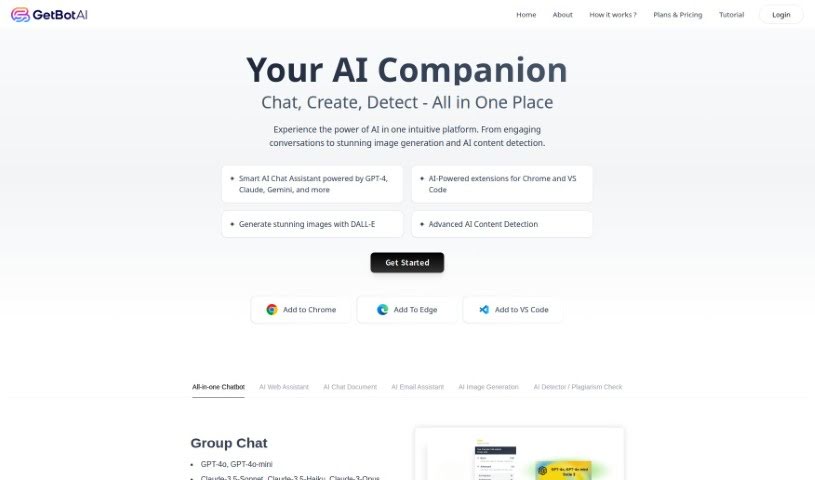
Screenshot of GetBotAI

GetBotAI

Discover GetBotAI in 2025! Learn what this AI chatbot is, how to use its features for personalized answers and efficient browsing, and how it stacks up against other chatbots.

Screenshot

What is GetBotAI?

GetBotAI is a smart tool designed to make your online experience better. It uses an AI chatbot to give you personalized answers, helpful recommendations, and engaging conversations. It is an intelligent virtual assistant that cuts down on all that switching between pages, making exploring the web much more convenient and enjoyable. People really like GetBotAI because it’s easy to use, its chatbot is genuinely helpful, and it seems to keep up with new trends. This browser extension packs a punch with features like creating content, drafting emails, generating images, and even checking facts on the fly. It’s a really useful resource if you want to browse more effectively and be better informed.

Who created GetBotAI?

GetBotAI was developed by an anonymous founder. The company’s main goal is to offer a smart solution that enhances your online experience with a personal AI chatbot. You get personalized answers, recommendations, and engaging chats as you browse the web. This intelligent virtual assistant is a big hit, especially for its convenience and user-friendly interface, providing quick, reliable information. GetBotAI’s browser extension offers a lot, including context-aware information, real-time fact-checking, language help, tailored recommendations, and privacy protection. It’s a great tool for anyone looking to browse more smartly and efficiently.

What is GetBotAI used for?

  • It can answer tricky questions.
  • It helps you write emails.
  • It can read articles for you.
  • It searches the web in a smarter way.
  • It generates various types of content.
  • It helps craft responses to emails.
  • It provides fact-checking as you browse.
  • It assists with language tasks.
  • It offers personalized recommendations.
  • It helps protect your privacy online.

Who is GetBotAI for?

  • Anyone who needs quick, dependable information.
  • People looking for trivia, general knowledge, or help with daily tasks.
  • Basically, anyone who uses the web, including writers and researchers.

How to use GetBotAI?

Getting started with GetBotAI is pretty straightforward. Here’s how:

  1. Install It: First, add the GetBotAI browser extension to your browser. You can find it on the official website.
  2. Turn It On: Just click the extension icon to activate GetBotAI.
  3. Get Familiar: Take a moment to look around the user-friendly interface. It’s designed for easy navigation.
  4. Ask Away: Use the chatbot feature to ask whatever you need. You’ll get quick answers on all sorts of topics.
  5. Explore What It Does:
    • You’ll enjoy getting personalized recommendations and having engaging conversations.
    • It’s great for contextual information, checking facts in real-time, language assistance, and keeping your privacy safe.
    • Plus, you can use it for content generation, writing email replies, and even finding images.
  6. Make Tasks Easier:
    • Keep your tasks organized and manage them efficiently.
    • Stop switching between tabs so much and make your browsing experience smoother.
  7. Make It Yours: You can customize your experience by picking different bots for different kinds of answers.
  8. Stay Up-to-Date: You’ll appreciate how the AI adapts to new trends, so you always have a cutting-edge experience.
  9. Enjoy the Simplicity: Use this AI companion to make your online exploration better, with knowledgeable and friendly support.
  10. Share Your Thoughts: Feel free to share your feedback. You can also check out reviews from other users to see what else the tool can do.

By following these steps, you can really make the most of GetBotAI to improve your online experience with personalized help and more efficient browsing.

Related AI Tools

Discover more tools in similar categories that might interest you

Stay Updated with AI Tools

Get weekly updates on the latest AI tools, trends, and insights delivered to your inbox

Join 25,000+ AI enthusiasts. No spam, unsubscribe anytime.