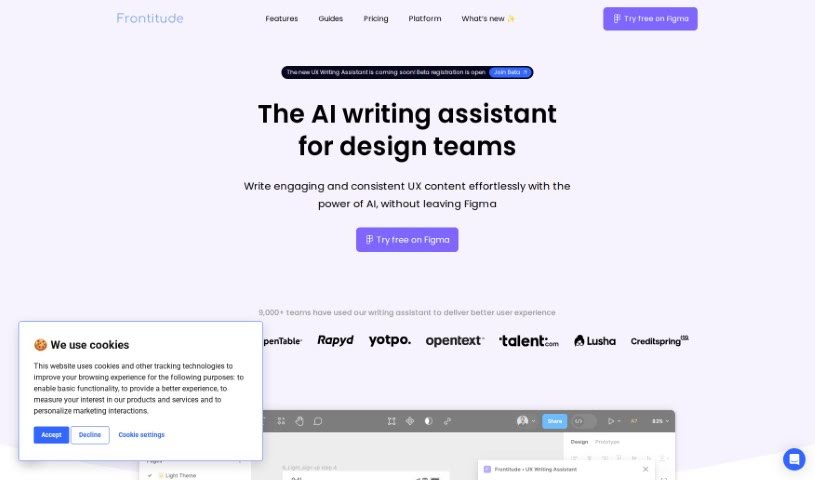
Screenshot of Frontitude Write

Frontitude Write

Discover what Frontitude Write is and how to use it effectively in 2025. We'll explore its features and see how it stacks up against other writing tools.

Screenshot

What is Frontitude Write?

Frontitude Write is a handy Figma plugin built specifically for UX writers. It’s designed to really boost your workflow by giving you AI-powered copywriting help right inside Figma. You can simply input your copy, pick the tone you’re going for, and then save it for later. This tool focuses on creating product copy that follows all the best practices and current trends in UX writing. To make sure the copy it generates really connects with people, Write Write gathers details about your business and who you’re trying to reach. What makes it stand out is how it integrates directly with Figma. This means it can offer copy suggestions that consider your design elements, character limits, and how long the text needs to be. Plus, you can embed your style guidelines directly into the tool, making it super efficient to create consistent UX content. On top of all that, Frontitude Write takes data privacy and security seriously. It only uses the information you provide to make its suggestions better, never compromising your privacy. You can feel confident using it because it generates grammatically correct suggestions, thanks to its language model that’s really good with English grammar. Right now, the UX Writing Assistant only supports English, but they’re planning to add more languages down the road.

Who created Frontitude Write?

Frontitude was actually created by a team that’s really well-known for their expertise in managing UX copy, with a special focus on product copy. This company launched this Figma plugin back on September 29, 2023. The plugin is a writing assistant for UX designers. It offers copy suggestions that are inspired by your design elements and always sticks to the best practices and latest trends in UX writing. It gathers context from both your business and your designs to tailor its suggestions. While it currently supports English, they do have plans to offer multilingual support in the future.

What is Frontitude Write used for?

  • It helps you get past writer’s block.
  • It speeds up your workflow, especially when you’re in sprints with tight deadlines.
  • It helps you keep a consistent voice for your product by following UX writing principles.
  • You can get content suggestions that are inspired by some of the best products out there.
  • It lets you apply copy suggestions directly to your designs in Figma, super fast.
  • You can deliver consistent UX content by building your guidelines right into your design system.
  • It makes design reviews and critiques smoother by letting you embed content guidelines.
  • You can create guidelines that link up with your design system for more consistent writing.
  • It helps you generate concise material, even for complex content topics.
  • It can help with writer’s block by turning messy thoughts into clean copy.
  • It helps you fine-tune your words and overcome common writing challenges.
  • It streamlines design reviews and critiques.
  • You’ll save writing time and deliver consistent UX content quickly.
  • It makes delivering consistent UX content hassle-free.
  • You can get content guidelines and copy suggestions right within Figma.
  • It helps maintain a consistent voice for your product in UX writing.
  • It takes away the hassle of manually sticking to content guidelines.
  • You can integrate guidelines into your design system for uniform writing.
  • It simplifies the design review process by embedding content guidelines.
  • It helps teams create guidelines that connect directly to their design system.
  • It assists in generating ideas and concise copy for complex topics.
  • It speeds up workflow during sprints with short timelines.
  • It helps generate clean copy from messy thoughts.
  • You can embed style guidelines directly into the plugin.
  • It helps create guidelines that are linked to your design system components.
  • You can get copy suggestions inspired by world-class products.
  • It’s great for writing concise material for complex content topics.
  • It helps add content guidelines to your design system for consistent writing.
  • It simplifies the design review process by embedding content guidelines.

Who is Frontitude Write for?

  • Product Designers
  • Content Designers
  • UI/UX Designers
  • UX Writers
  • Digital Innovation Managers
  • Content Design Managers
  • Staff Content Designers
  • Senior Design Managers
  • User Assistance Managers

How to use Frontitude Write?

To get the most out of Frontitude’s UX Writing Assistant, just follow these simple steps:

  1. First, sign in to your Frontitude account to access the tool.
  2. Next, install the UX Writing Assistant plugin on Figma. You can do this by searching for it in the Figma community or directly from any Figma file.
  3. You’ll need to complete a short onboarding questionnaire. This helps the plugin understand your needs so it can generate the best content suggestions for you.
  4. Once set up, the plugin will generate content suggestions based on the information you’ve provided and the text elements you select in Figma.
  5. Just so you know, the content suggestions are generated by an LLM model that’s really knowledgeable about proper English grammar.
  6. The tool is designed with data privacy and security in mind, meaning your data is only used to generate suggestions and is never compromised.
  7. You can use the plugin for brainstorming new ideas, and you can even apply copy suggestions instantly to your designs without ever leaving Figma.
  8. It’s also great for creating team guidelines that are specifically tailored to your design system, ensuring consistent writing across the board.
  9. You can improve your design reviews by embedding content guidelines, which allows for quick checks to see if anything violates them.
  10. Finally, work together effectively using the Frontitude platform to create guidelines that seamlessly connect with your design system.

Related AI Tools

Discover more tools in similar categories that might interest you

Stay Updated with AI Tools

Get weekly updates on the latest AI tools, trends, and insights delivered to your inbox

Join 25,000+ AI enthusiasts. No spam, unsubscribe anytime.