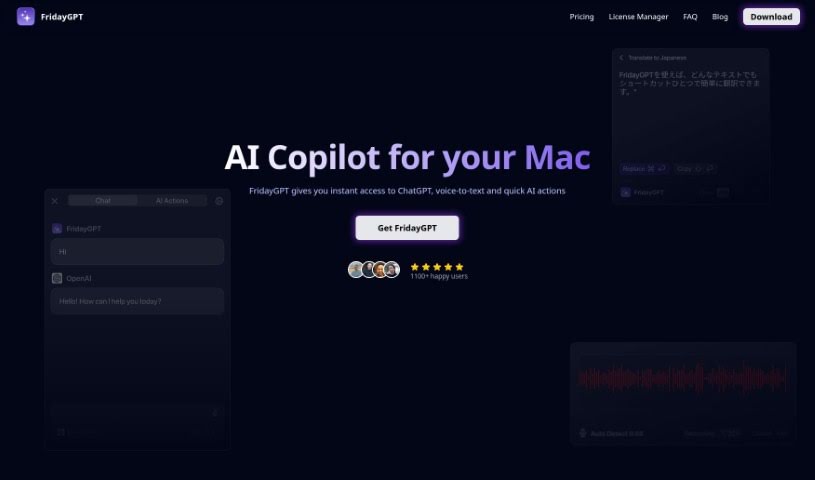
Screenshot of FridayGPT

FridayGPT

Discover FridayGPT, a macOS app for seamless ChatGPT integration. Learn its features for writing, translation, dictation, and more in 2025, and see how it stacks up against other writing tools.

Screenshot

What is FridayGPT?

FridayGPT is a handy app built right into macOS, giving you super-fast access to OpenAI’s ChatGPT for all sorts of writing tasks. It is your personal writing assistant. It can transcribe your thoughts as you speak, translate languages, fix your grammar, rephrase sentences to make them clearer, dictate text, rewrite existing content, format your writing nicely, and even create images using DALLE 3. With FridayGPT, you can tap into different GPT models like GPT-3.5, GPT-4, and GPT-4-Turbo. It really helps make your writing process smoother by catching grammar mistakes, improving how your sentences flow together, accurately turning your voice into text, and formatting everything so it looks great and is easy to read. Plus, it’s secure – your personal info stays private, never stored on servers. And when you buy it once, you get all future updates for free!

People love how it works hands-free, its accurate voice-to-text, custom keyboard shortcuts, and just the sheer value it offers. Users often mention how it’s improved their spelling and grammar, made them feel more confident when writing, provided seamless access to ChatGPT without the hassle of switching tabs, and generally made things much more efficient.

Who created FridayGPT?

FridayGPT was actually created by Alexandr Fadeev, who is the CTO at PLINK. It first came out on April 18, 2023, with the main goal of offering a native macOS way to easily use ChatGPT and its various models. The company behind it is Zeitalabs, and Naveen was the developer. What really makes FridayGPT stand out are its hands-free features, that great voice-to-text capability, its grammar correction, sentence restructuring, dictation, text rewriting, formatting tools, and of course, the image generation using DALL·E 3.

What is FridayGPT used for?

  • Translating languages
  • Formatting text
  • Transcribing your thoughts as you speak
  • Correcting grammar
  • Restructuring sentences for better flow
  • Dictating text
  • Rewriting text
  • Generating images with DALLE 3
  • Avoiding the need to switch between different apps or tabs
  • Creating your own custom AI actions

Who is FridayGPT for?

  • Writers of all kinds
  • Translators
  • Students
  • Content creators
  • People learning new languages
  • Professionals who need transcription services

How to use FridayGPT?

Getting started with FridayGPT is pretty straightforward. Here’s a simple rundown:

  1. Get FridayGPT: You can buy it with a one-time payment, which gives you lifetime access and all future updates.
  2. Check System Requirements: Make sure your macOS device is ready, and you’ll also need your own OpenAI API key.
  3. Install It: Just download and install FridayGPT onto your macOS system.
  4. Access ChatGPT Instantly: Jump right into ChatGPT from any website or app you’re using – no more juggling multiple tabs!
  5. Transcribe Your Voice: Use the voice-to-text feature to accurately capture your spoken thoughts.
  6. Translate Languages: You can transcribe and translate your voice in over 100 different languages.
  7. Fix Grammar: Let the AI handle spelling and grammar mistakes in any text you select.
  8. Restructure Sentences: Make your writing more coherent by letting the tool intelligently rephrase sentences.
  9. Generate Images: Create images from text descriptions using the power of DALLE 3.
  10. Custom AI Actions: Easily create and use your own personalized AI actions.
  11. No More Context Switching: Enjoy a smooth experience accessing ChatGPT without needing to switch tabs or applications.
  12. Write Better: Use features like rewrites, formatting, and dictation to really improve your text quality.
  13. Stay Updated: You’ll get lifetime updates, so the app keeps getting better with new features.

People who use FridayGPT really appreciate how they can use it hands-free, its excellent speech-to-text capabilities, and how much it helps improve their writing and grammar. The app gets a lot of praise for being easy to use, helping optimize text, and giving access to the latest AI advancements.

Related AI Tools

Discover more tools in similar categories that might interest you

Stay Updated with AI Tools

Get weekly updates on the latest AI tools, trends, and insights delivered to your inbox

Join 25,000+ AI enthusiasts. No spam, unsubscribe anytime.