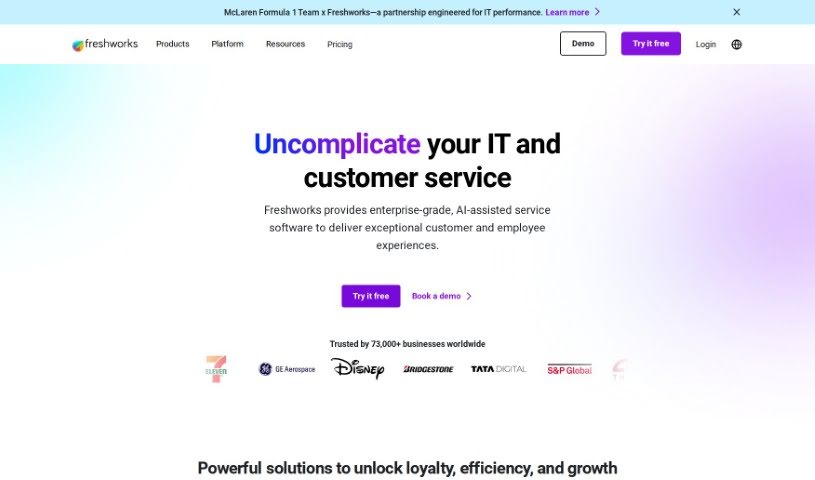
What is Freshworks?
Freshworks is a company that makes software to help businesses with customer service, IT, and customer relationship management (CRM). What’s really neat is that their tools are powered by generative AI, making things smarter and more efficient. Think of their different products: Freshsales is for sales teams needing a solid CRM, Freshdesk is for handling customer support queries, Freshservice helps manage IT services, and Freshchat is for direct customer messaging. They’ve designed these tools to make business operations smoother, boost how productive everyone is, and offer support across all sorts of channels, no matter how big or small your business is. The AI built into Freshworks helps create more personal customer conversations, takes care of repetitive tasks automatically, and generally gives sales a good boost. People often praise Freshworks for being easy to use, packed with useful features, and for offering smart solutions that big companies around the world rely on.
Who created Freshworks?
Girish “G” Mathrubootham is the person behind Freshworks; he’s both the Founder and the Executive Chairman. When he started the company, his main goal was to help more people succeed in their work. Today, Freshworks has grown to include over 5,000 employees spread across 13 different locations globally. They offer software for customer service, IT, and CRM that’s both powerful and straightforward to use. Their focus is really on making customer relationships better and ensuring employees are happy, all without the usual complexity and cost that often comes with business software.
What is Freshworks used for?
Freshworks is incredibly versatile and can be used for a variety of business needs:
- Providing really efficient customer service.
- Making customer engagement much smoother.
- It’s great at simplifying complicated business problems.
- Helps to build and maintain stronger customer relationships.
- It significantly improves how productive your employees are.
- Offers excellent capabilities for managing customer tickets.
- It’s an intuitive tool for managing services.
- Provides modern solutions through its SaaS (Software as a Service) model.
- It actively helps nurture customer relationships over time.
- Useful for running e-commerce marketing campaigns.
- Offers valuable training and support resources.
- It can really boost sales figures and overall productivity.
- Gives you comprehensive insights into your customers.
- It integrates smoothly with a wide range of other apps.
- Supports customers through self-service options.
- Helps modernize how IT services are managed.
- Enables multi-channel marketing, especially for e-commerce businesses.
- Facilitates interactions with customers across multiple channels.
Who is Freshworks for?
Freshworks is a great fit for various departments and roles within a business:
- Marketing Teams: To manage campaigns and customer engagement.
- Sales Teams: For CRM functionalities and boosting sales.
- Customer Service Departments: To handle inquiries and support efficiently.
- IT Departments: For service management and operations.
- E-Commerce Businesses: To manage customer interactions and marketing.
More specifically, it’s ideal for:
- Marketing professionals
- Sales professionals
- Customer service professionals
- IT professionals
- E-commerce professionals
How to use Freshworks?
Getting started with Freshworks and making sure you’re using it effectively involves a few key steps for a smooth setup:
- Sign Up: The first step is to create your Freshworks account. Just head over to their official website and sign up using your email address. It’s a pretty straightforward process.
- Choose Your Product: Freshworks has a whole suite of products available, like Freshdesk for support, Freshchat for messaging, and Freshsales for CRM. You’ll want to pick the one that best matches what your business actually needs.
- Customize Settings: Once you’ve selected your product, you’ll want to dive into the settings to personalize them. This includes things like your company’s details, your business hours, and how you want to receive notifications.
- Add Agents/Team Members: It’s time to bring your team onboard! You can invite them by entering their email addresses. Make sure to assign the right roles and permissions to each person so they have access to what they need.
- Set Up Ticketing System: If you’re using Freshdesk, setting up your ticketing system is crucial. You can create different ticket categories, set priorities, and even build automations to make your workflow much smoother.
- Configure Chat Support: For those using Freshchat, you’ll want to customize your chat widgets, set up pre-written responses (canned responses), and configure any chatbot settings to really improve your customer support.
- Integrate Channels: To offer truly efficient, omnichannel support, you’ll need to connect your communication channels. This means linking up email, phone, and social media accounts directly into Freshworks.
- Automate Responses: Take advantage of automation! You can set up rules and workflows to ensure customers get quick responses to their questions and to handle those repetitive tasks automatically.
- Analytics & Reporting: Freshworks offers a great analytics dashboard. Spend some time exploring it to keep track of important performance metrics and generate reports that give you valuable insights into how customers are interacting with your business.
- Continuous Training: To really get the most out of Freshworks, it’s important to regularly train your team. This ensures they’re using all the features effectively, which in turn maximizes productivity and helps deliver excellent customer service.
If you follow these steps carefully, you’ll be well on your way to using Freshworks like a pro, making your customer support more efficient and your business operations much more streamlined.