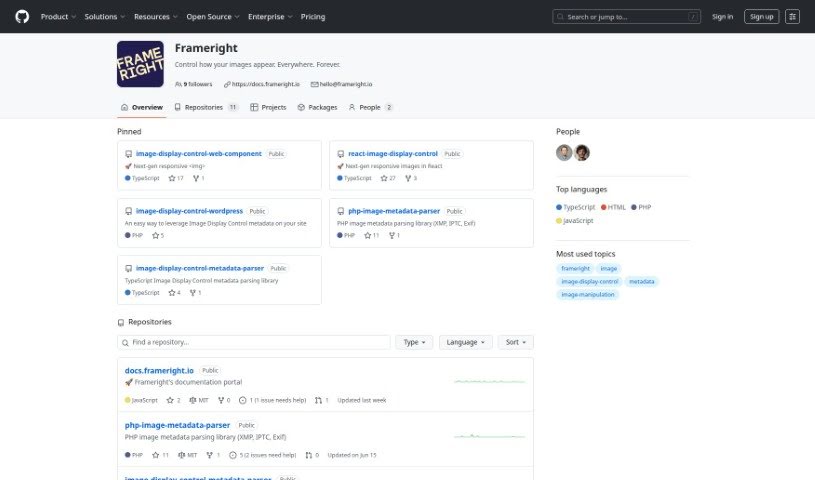
Screenshot of Frameright

Frameright

Discover what Frameright is and how to use it effectively in 2025. We'll explore its features and see how it stacks up against other photo editors.

Screenshot

What is Frameright?

Frameright is a platform built to solve a common problem: images often don’t look quite right on the web because they need to fit different channels and screen sizes. Developed by Ilkka and Marina, this tool helps creators, developers, and businesses make sure their images always appear in the perfect size for any container or screen. Frameright’s special Image Display Control (IDC) technology essentially makes images smart and adaptable, no matter where you publish them. You’ll find the interface really easy to use, thanks to its custom AI, speedy processing, and smooth integration with your current systems. Plus, developers get pixel-perfect control and code-based image framing without needing any tricky CSS workarounds. Frameright’s core mission is to put images and the people who make them back in charge, aiming for a visual culture that’s fair, appealing, and consistent for everyone, across all sorts of industries.

Who created Frameright?

Frameright was founded by Ilkka and Marina, launching on August 12, 2020. While based in Finland, the company has a significant presence in Germany and operates out of the SCNE offices in Berlin. Their Image Display Control (IDC) technology is key here; it lets users guarantee that images look exactly as intended on all sorts of screens and within different containers. This really tackles those common headaches we all face when trying to get web images to display correctly.

What is Frameright used for?

Frameright is incredibly versatile, helping you with a bunch of things:

  • Perfect Image Sizing: It ensures your images are always the ideal size for every container and screen you use.
  • Solving Display Issues: It directly addresses the frustration of images not showing up as planned on the web, especially when dealing with different channels and screen sizes.
  • Smart, Adaptable Images: Frameright makes your images intelligent and adaptable, so they look great no matter where you publish them.
  • Streamlined Workflows: It helps improve your image processing workflows and makes sure your assets are ready for the future.
  • Creator Empowerment: Content creators get essential control over their visual stories.
  • Developer Tools: It offers pixel precision and code-based image framing for developers, meaning no more CSS hacks.
  • Cost Savings: Businesses can avoid expensive mistakes related to image display.
  • Better Communication: It enhances how different parts of the production process communicate about images.
  • Unique AI: You get a unique AI that understands individual styles, helping you stand out.
  • Industry Integration: It works smoothly across many industries, including photography, content creation, and web development.
  • Visual Storytelling: It empowers content creators with the control they need for their visual narratives.
  • Standing Out: The unique AI helps users distinguish themselves by understanding their specific styles.
  • Effortless Publishing: It enables smooth communication between production stages for easy image publishing and layout updates.
  • Open Ecosystem: Frameright provides an open system that prioritizes giving control back to images and their creators.
  • Future-Proofing: It helps improve image processing workflows and future-proofs assets, integrating seamlessly with existing systems.
  • Avoiding CSS Hacks: Developers can get pixel precision and code-based image framing without relying on CSS hacks.
  • Maximizing Asset Value: It helps maximize the value of your assets and prevents costly mistakes for businesses.

Who is Frameright for?

Frameright is designed for a range of users:

  • Creators
  • Developers
  • Businesses
  • Photographers

How to use Frameright?

Using Frameright is pretty straightforward. Here’s a quick rundown of the steps:

  1. Access the Tool: You can either use the Frameright UI directly in your browser or integrate it into your existing publishing system workflow.
  2. Leverage the AI: Make the most of the custom AI-powered interface for quick and smooth image processing.
  3. Save Instructions: Store instructions directly in the metadata fields of each file. This makes it super easy to access the correct image size information later on.
  4. Use Open-Source Components: Frameright provides open-source libraries and components that you can use.
  5. Boost Your Workflow: Speed up your image processing and future-proof your assets. It’s designed to work well with the systems you already have.
  6. Seamless Integration: Enjoy smooth communication between different production processes thanks to the Image Display Control (IDC) technology.
  7. Developer-Friendly Framing: Use Frameright for precise pixel control and code-based image framing. This means you can ditch those CSS hacks.
  8. Maximize Asset Value: Get the most out of your assets and avoid costly mistakes with Frameright’s open ecosystem.
  9. Stand Out Visually: Let the unique AI, which understands individual styles, help you and your work stand out. It’s tailored for industries like photography, content creation, and web development.

Basically, Frameright empowers creators, developers, and businesses to ensure their images always look perfect across different screens and containers. It tackles those common issues with inconsistent image display on the web. By using its IDC technology and custom AI, Frameright makes managing images much simpler and really boosts your visual storytelling.

Related AI Tools

Discover more tools in similar categories that might interest you

123RF AI Image Generator

Creative Image Generation
Learn More

Stay Updated with AI Tools

Get weekly updates on the latest AI tools, trends, and insights delivered to your inbox

Join 25,000+ AI enthusiasts. No spam, unsubscribe anytime.