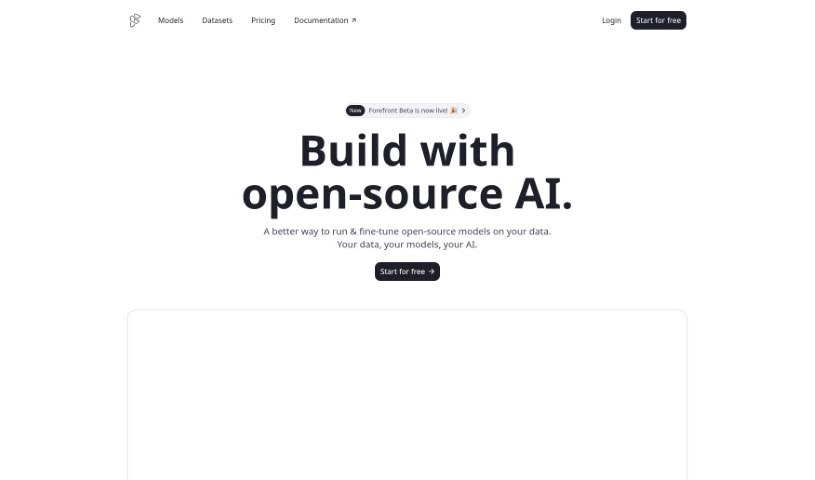
What is Forefront?
Forefront is a platform that lets you build with open-source AI models, but with an experience that feels really familiar, much like the popular closed-source platforms you might already know. It offers some great tools, like the ability to fine-tune models using your own data, check how well your models are performing, keep an eye on their training progress, and easily bring in models from places like HuggingFace. On top of that, Forefront has an AI data warehouse. This makes it super simple to store all your training, validation, and evaluation data, creating a single, reliable source for all your AI datasets. It’s designed to help teams work together more smoothly, too. By making communication easier within and between departments, Forefront can speed up decision-making and boost everyone’s productivity.
Who created Forefront?
Forefront was actually built by a team of developers who wanted to create a better way for people to build and fine-tune open-source AI models. They launched it on June 17, 2024. The platform gives developers a chance to work with open-source AI in a way that feels very similar to the big closed-source platforms. This means you get more control, more transparency, and the flexibility to fine-tune models for whatever you need. Forefront really believes in the importance of owning your AI models and supporting the future of open AI innovation.
What is Forefront used for?
- You can fine-tune models for pretty much any task you can think of.
- It helps you find the best starting model for your specific use case.
- You can store and fine-tune datasets, which is essential for training and validation.
- It lets you run AI models using API servers and inference endpoints.
- Forefront makes team collaboration easier with both group and individual chats.
- It boosts productivity by simplifying communication, whether you’re talking within your team or with other departments.
- You get a chat function for real-time text conversations.
- The ‘My Account’ portal helps you manage all your account details and settings.
- It provides ready-to-use datasets that are perfect for training and validation.
- You can easily see your data’s distribution, spot patterns, and identify any imbalances or biases.
- It allows you to validate how well your model performs against a specific validation set.
- You can literally watch your model learn as it trains.
- It lets you run AI models using an API.
- You can perform inference with serverless endpoints for every model.
- Integration is a breeze – it only takes about three lines of code.
- You can export models if you want to host them yourself or with another provider.
- Build a strong data advantage by storing your production data for future fine-tuning.
- The Inspector tool makes navigating and understanding your data much simpler.
Who is Forefront for?
- Developers
- Data scientists
- Analysts
- Research professionals
- Startups
- Enterprises
- Researchers
How to use Forefront?
To get the most out of Forefront, here’s a simple guide:
-
Model Training and Analysis:
- You can actually watch your model learn by looking at the built-in loss charts while it’s training. It’s a great way to see progress!
- Forefront also lets you choose from different evaluations to automatically run your model against, using an API.
-
Inference and Integration:
- Use serverless endpoints for inference, which works with every model available.
- Running models is straightforward – you can do it with just a few lines of code, or if you prefer, experiment in the Playground.
- Integrating models is super simple, especially if you’re importing from HuggingFace.
-
Chat Functionality:
- You can access chat and completion endpoints, which are useful for different kinds of tasks.
- To start a conversation, you can use prompts, just by telling it who the roles are and what the content should be.
-
Data Management:
- Forefront is a great place to store your training, validation, and evaluation data.
- You can gather production data into datasets that are ready for fine-tuning, and it takes very little code to do it.
-
User Interaction and Visualization:
- You can have virtual conversations using Forefront’s ChatGPT feature.
- Team collaboration gets a boost with individual or group chats.
- Don’t forget to check out the ‘My Account’ portal to manage your settings and find important information.
-
Productivity and Supervision:
- Boost your productivity by streamlining how you communicate and making decisions faster.
- It’s important to validate your model’s performance using the validation set to make sure it’s actually effective.
-
Exploration and Assessment:
- Navigate your data efficiently with the Inspector tool, letting you quickly look at samples.
- You can get instant insights into your data’s distribution and patterns without much effort.
By following these steps, you’ll be able to really make the most of Forefront for everything from training and analyzing models to chatting, managing data, collaborating with your team, and generally being more productive. The platform is designed to be user-friendly, and its efficient tools make it a genuinely valuable asset for anyone working with AI development and deployment.