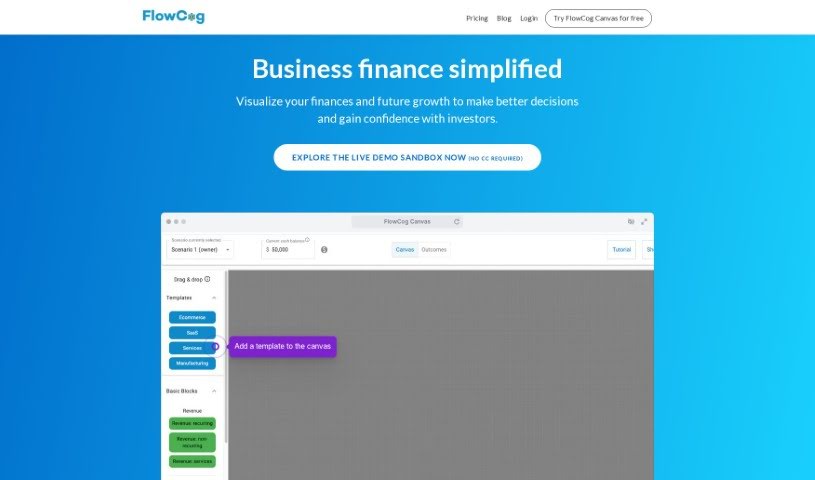
Screenshot of FlowCog

FlowCog

Discover what FlowCog is and how to use it effectively in 2025. We'll explore its features and see how it stacks up against other startup tools.

Screenshot

What is FlowCog?

FlowCog is a financial modeling tool built specifically for SaaS companies. It is a simpler way to see your finances, predict future growth, and make smarter business choices. What makes FlowCog different from those old Excel templates? It automates the whole modeling process. This means you can easily tweak growth assumptions without having to build complicated formulas yourself. You get features like scenario analysis, SaaS benchmarking, and integrations with services like Stripe, QuickBooks, and ChatGPT. Plus, FlowCog really cares about your data privacy – they don’t store any personally identifiable information on their servers or share it with others. They offer different pricing plans, too, including a free option for basic use and premium plans with more advanced features and support.

Who created FlowCog?

FlowCog was actually created by a CEO who specializes in offering premium financial modeling tools. These tools are designed for companies that are bringing in anywhere from over $1 million to $30 million in annual recurring revenue. The platform itself provides a range of services, including SaaS projections, integrations with QuickBooks, Stripe, and ChatGPT, benchmarking for SaaS metrics, and scenario analysis, among other things. The company’s services are particularly geared towards helping businesses with fundraising, and they even offer options for direct assistance from the CEO for more specialized projects.

What is FlowCog used for?

  • Making financial projections to help raise money
  • Helping you make better business decisions
  • Running scenario analysis for planning growth
  • Turning QuickBooks data into a SaaS P&L statement
  • Analyzing founder dilution and potential exits
  • Figuring out the impact of SAFE conversions
  • A calculator for employees versus contractors
  • Running simulations and analyzing headcount
  • Projecting your cash runway
  • Forecasting new customers and revenue growth

How to use FlowCog?

FlowCog is a financial modeling tool designed to help you simplify how you create financial projections for your business. Here’s a straightforward guide to using FlowCog effectively:

  1. Get Started Instantly: Set up your FlowCog account. There are no sales calls or long implementation periods needed – it’s quick and easy.
  2. Connect Your Data: Sync your accounting data with FlowCog. You can use QuickBooks, Xero, or Puzzle. This automatically maps your financial data right into the platform.
  3. Analyze Different Scenarios: You can easily create and compare various scenarios. This helps you visualize potential outcomes for your business.
  4. Adjust Growth Assumptions: FlowCog provides industry-based growth assumptions. You can tweak these based on your specific business details to generate reliable financial projections.
  5. Complete the Onboarding: Just fill out a short, 10-question onboarding form. This gives your financial model the initial data it needs.
  6. Map Your Data (Even if Messy!): If your data isn’t perfectly clean, FlowCog lets you choose how to map your line items to your Profit and Loss (P&L) statement. This ensures your projections are accurate.
  7. Run Simulation Analysis: Take advantage of simulation analysis to see a range of possible outcomes. This really boosts the credibility of your financial projections.
  8. Your Data is Safe: You can rest easy knowing FlowCog doesn’t store personally identifiable information on its servers. Your data privacy and security are protected.
  9. Better Than Spreadsheets: Unlike traditional spreadsheets, FlowCog means you don’t have to build complicated formulas and logic. It offers built-in simulation and scenario analysis for much more robust financial planning.
  10. Choose Your Plan: Pick between the Standard or Premium plan, depending on your company’s size and what you need for financial modeling. You can also explore extra modules for advanced analysis and support.

By following these steps, you can use FlowCog to create accurate financial projections, make smarter business decisions, and communicate clearly with investors and other important people.

Related AI Tools

Discover more tools in similar categories that might interest you

Stay Updated with AI Tools

Get weekly updates on the latest AI tools, trends, and insights delivered to your inbox

Join 25,000+ AI enthusiasts. No spam, unsubscribe anytime.