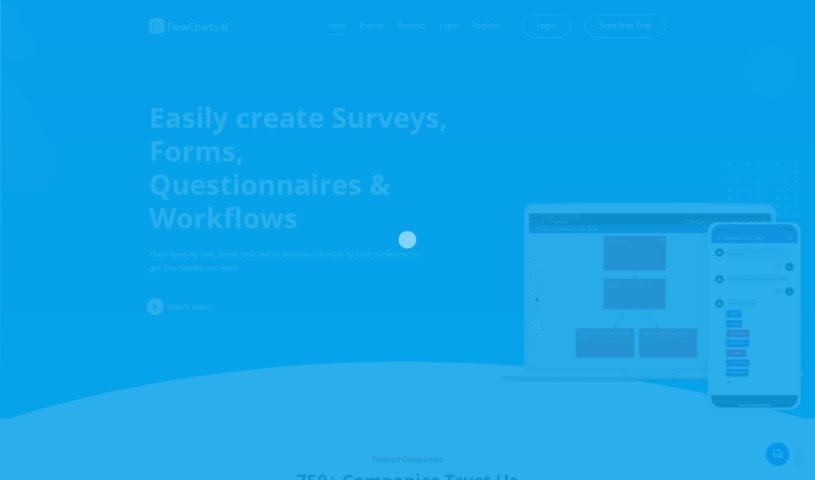
Screenshot of Flowcharts.ai

Flowcharts.ai

Discover what Flowcharts.ai is and how to use it effectively in 2025. We'll explore its features and see how it stacks up against other Data Analytics Tools.

Screenshot

What is Flowcharts.ai?

FlowCharts.ai is an AI-powered platform designed to make creating and sending out surveys, forms, questionnaires, and workflows much simpler. You can easily share your creations through various channels, including SMS, email, a website link, or even an AI ChatBot. The platform boasts some really neat features like smart surveys that adapt as people respond, interactive elements to keep users engaged, personalized decision trees, and flexible workflows. It lets you gather data, analyze it right away, and even tweak your surveys based on what people tell you. Plus, FlowCharts.ai is totally mobile-friendly, with apps for iPhones, iPads, and Android devices, so you can manage and run your surveys and forms wherever you are.

Who created Flowcharts.ai?

Flavio Hansen is the mind behind Flowcharts.ai. He launched the platform on June 6, 2024. Essentially, it’s an AI tool built to simplify how businesses create and distribute surveys, forms, questionnaires, and workflows. What sets Flowcharts.ai apart are its unique features, like dynamic and intelligent surveys, interactive components, decision trees that you can personalize, and a variety of ways to format responses. It uses AI to build flexible workflows and offers mobile apps for easy access on the go.

What is Flowcharts.ai used for?

  • You can create and send out surveys, forms, questionnaires, decision trees, funnels, and workflows for all sorts of needs – whether it’s for yourself, your business, your company, your enterprise, or for educational or organizational purposes.
  • Want to boost your Google, Facebook, or Yelp reviews? You can send SMS survey text messages to your customers to encourage them.
  • Doctors, dentists, and psychologists can use it as a symptom checker. It helps pre-fill flowcharts for diagnoses, saving valuable time by automating chart notes.
  • It’s great for sealing leads and clients by providing price quotes and estimates through dynamic questionnaires.
  • You can send forms and collect information and data using decision trees, which really helps organizations make better decisions.
  • Need to diagnose problems and find solutions? Create flowcharts, decision trees, or workflows that users, employees, or clients can easily follow.
  • Screen and filter candidates effectively by disqualifying respondents who don’t meet your specific criteria.
  • Get better data from your leads, customers, patients, and clients. You can do this through automated flow charts, workflows, decision trees, dynamic surveys, and questionnaire forms delivered via SMS, Email, Link, and an AI ChatBot on your website.

Who is Flowcharts.ai for?

  • Business Operations Managers
  • Healthcare professionals
  • Clinics and Organizations
  • Retail Businesses
  • Human Resources departments
  • Health-care professionals (yes, again, it’s that useful for them!)
  • Clinics
  • Organizations

How to use Flowcharts.ai?

Here’s a straightforward guide to using FlowCharts.ai effectively:

  1. Getting Started:
    • First off, head over to FlowCharts.AI. You’ll be able to create and send out automated flow charts, workflows, decision trees, dynamic surveys, and questionnaire forms. You can send these through various channels like SMS, Email, a Website Link, or an AI ChatBot Website Widget.
  2. Creating Your Forms & Surveys:
    • Dive into the smart, dynamic, and interactive survey engine. Here, you can add all your questions and customize how people respond.
    • You’ve got options for response formats, including yes/no, free text, single choice, and multiple-choice.
    • Build logic-driven surveys and workflows, and you can even analyze the data as it comes in, in real-time.
  3. Mobile App Compatibility:
    • Don’t forget, you can access FlowCharts.AI right from your phone! There are mobile apps available for iPhone, iPad, and Android devices.
  4. Choosing a Pricing Plan:
    • Pick a pricing plan that fits what you need. There’s a free Economy Class option with limited features, and then more robust Business and First Class options if you need more power.
  5. Sharing Your Surveys:
    • Distribute your surveys, forms, questionnaires, and workflows using SMS, Email, a Website Link, or the AI ChatBot. This really helps boost user engagement.
  6. Collecting Data:
    • Gather and analyze valuable data from your respondents – whether they’re customers, patients, or clients. You do this by creating interactive surveys with conditional logic and personalized workflows.
  7. Adding Interactive Components:
    • Make your surveys dynamic and engaging by including adaptive workflows, personalized decision trees, and follow-up questions that change based on previous answers.
  8. Integration & Customization:
    • It’s easy to integrate FlowCharts.AI into your website. You can use embeddable links or the AI ChatBot for a more interactive experience for your users.
  9. AI Integration:
    • Make the most of the AI ChatBot for distributing surveys. It allows for interactive engagement and helps capture responses for later analysis.
  10. User-Friendly Interface:
    • You’ll find the interface is really easy to use. It’s designed for simple navigation, making it quick to create and send out your surveys, forms, questionnaires, and workflows.

Related AI Tools

Discover more tools in similar categories that might interest you

Stay Updated with AI Tools

Get weekly updates on the latest AI tools, trends, and insights delivered to your inbox

Join 25,000+ AI enthusiasts. No spam, unsubscribe anytime.