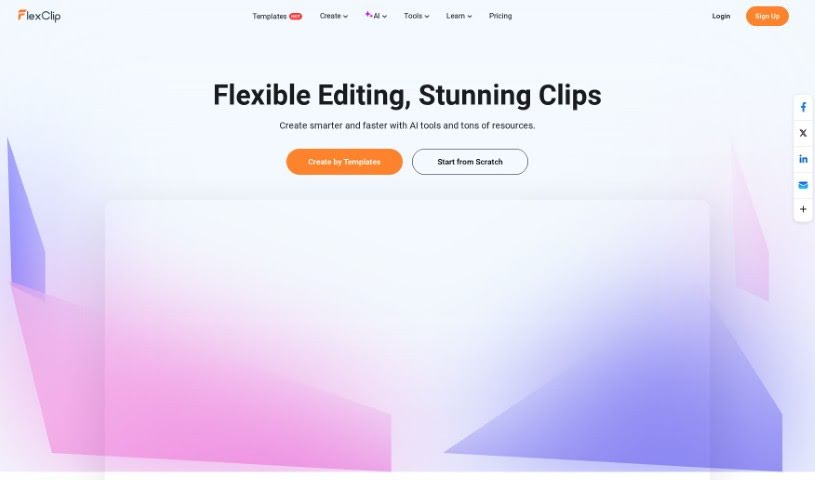
Screenshot of FlexClip

FlexClip

Discover what FlexClip is and how to use it effectively in 2025. We'll dive into its features, compare it to other Reel Makers, and show you how to create amazing videos.

Screenshot

What is FlexClip?

FlexClip is a really easy-to-use online video editor. It lets anyone create professional-looking videos without much fuss. You’ll find a ton of features here, like templates you can tweak, a big library of stock media (think photos and clips), and all sorts of editing tools to make your videos shine. Basically, you can take your video clips, add text, music, and transitions, and put it all together to make content that really grabs attention. It’s great for both personal projects and business use. Plus, it supports different video sizes, so you can easily make videos perfect for platforms like Instagram, TikTok, or YouTube. FlexClip makes video editing simple with its straightforward interface, which is why both beginners and experienced editors find it so helpful.

Who created FlexClip?

FlexClip comes from PearlMountain Limited, a company David Lin started back in 2006. PearlMountain focuses on making graphics and multimedia software. FlexClip is one of their most popular tools, designed as a user-friendly video editor for making videos and slideshows for all sorts of reasons. David Lin’s whole idea was to make professional-quality multimedia tools accessible to everyone, no matter their skill level. Under his guidance, PearlMountain keeps innovating, offering great software for both individuals and businesses.

What is FlexClip used for?

FlexClip is incredibly versatile. You can:

  • Easily create videos for your business or personal life.
  • Shake up your video content creation with smart AI tools.
  • Make your videos better by trimming, merging, reversing clips, or adjusting their speed.
  • Keep your audience hooked by adding text, subtitles, music, and even voiceovers.
  • Animate different parts of your project to give your videos a smoother, more dynamic flow.
  • Work with your teammates efficiently and build consistent branding assets.
  • Access cloud storage, making it simple to manage your files and designs.
  • Export videos in up to 4K resolution and share them straight to social media.
  • Customize your videos with a huge selection of over 74,000 music tracks and sound effects.
  • Take advantage of AI-powered tools like auto-subtitle generation, text-to-speech, an AI image generator, text-to-video conversion, and an AI script writer to really boost your editing experience.

More specifically, people use FlexClip for:

  • Making personal videos for special life events.
  • Producing professional videos for businesses.
  • Designing effective marketing videos.
  • Creating engaging slideshow presentations.
  • Developing intro and outro videos for content.
  • Making videos for online communities.
  • Producing sports-related videos.
  • Designing videos for weddings and celebrations.
  • Creating commercial videos.
  • Generally improving video content with AI tools.

It’s all about making it easy to design stunning videos. You can trim, merge, add text, music, and transitions. Collaboration is smooth, and you can build your brand assets easily. Cloud storage keeps everything accessible. Plus, you can export in 4K and share directly. The AI tools, including auto-subtitle, text-to-speech, AI image generation, text-to-video, and AI script assistance, are real game-changers. They’ve also recently added a Background Noise Reducer and an AI Video Translator.

Who is FlexClip for?

FlexClip is a great fit for a wide range of users and purposes:

  • Businesses looking to create professional marketing materials.
  • Stores wanting to showcase products or promotions.
  • Creators needing intros and outros for their content.
  • Communities aiming to share updates or engage members.
  • Sports enthusiasts or teams wanting to create highlight reels.
  • Weddings and event planners needing to capture memories.
  • Anyone wanting to create slideshows.
  • Marketing professionals seeking efficient campaign video creation.
  • Business owners who need to communicate effectively.
  • Content creators of all types.
  • Video editors and video designers looking for a quick and powerful tool.
  • Sports Professionals wanting to analyze or share performance.

Essentially, if you need to create video content, FlexClip likely has something for you.

How to use FlexClip?

Using FlexClip is pretty straightforward. Just follow these steps:

  1. Sign Up or Log In: Head over to the FlexClip website. If you’re new, sign up for an account. If you’ve used it before, just log in.
  2. Create a New Project: Look for the “Create New” button and click it to start fresh. You can pick a template that catches your eye or begin with a blank canvas.
  3. Add Your Media: Upload your own videos, photos, and music into the media library. Then, simply drag and drop them onto your storyboard to start building your video.
  4. Edit Your Video: Now for the fun part! Trim and split your clips, add text overlays, background music, and transitions between scenes. You can also tweak colors, adjust the speed of clips, and customize pretty much every element.
  5. Preview Your Video: Before you commit, use the preview feature to see exactly how your video is shaping up. It’s a great way to catch any little adjustments you might want to make.
  6. Export Your Video: Once you’re happy with how everything looks, hit that “Export” button. You can choose the resolution and file format that best suits your needs.
  7. Save and Share: After exporting, save your finished video to your computer or device. From there, you can easily share it on social media, your website, or wherever you like.
  8. Explore Advanced Features: Don’t stop there! FlexClip has more advanced tools like adding voiceovers, incorporating animated elements, and much more. Playing around with these can really take your videos to the next level.

By following these steps, you’ll be well on your way to creating some really stunning videos with FlexClip for whatever purpose you have in mind.

Related AI Tools

Discover more tools in similar categories that might interest you

Stay Updated with AI Tools

Get weekly updates on the latest AI tools, trends, and insights delivered to your inbox

Join 25,000+ AI enthusiasts. No spam, unsubscribe anytime.