What is FixPix?
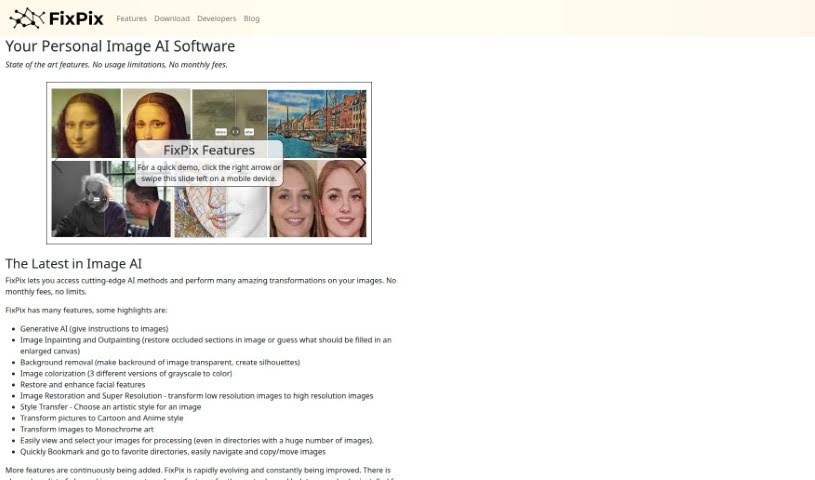
FixPix is a smart image processing software that uses AI to help you enhance your photos. It is a collection of specialized tools, like plugins, that let you do all sorts of things with your images. You can improve their quality, add cool filters, restore old pictures, and even create artistic effects using advanced AI. Some of the neat things FixPix can do include adding color to black-and-white photos, making low-resolution images sharper and clearer (super-resolution), changing an image’s style to match another, turning photos into cartoons or anime, making facial features look better, converting images to black and white art, and applying all sorts of filters. It also has a really fast way to browse through your image folders and lets you save your favorite spots as bookmarks.
FixPix works on both Windows and macOS computers. You can download it right from their website. Plus, if you’re a developer, you can even create your own plugins for FixPix using a straightforward and adaptable API, which means you can integrate your custom tools right into the software.
Who created FixPix?
Justin Johnson, Alexandre Alahi, and Li Fei-Fei are the brilliant minds behind FixPix. They launched it on March 24, 2023, with a clear goal: to make top-notch machine learning accessible to everyone. The company behind FixPix really wants to put powerful AI tools into the hands of people who are interested in using the latest AI advancements.
What is FixPix used for?
- Generative AI: You can give FixPix instructions to create or modify images.
- Image Inpainting and Outpainting: Need to fix a part of an image that’s covered up? Or maybe you’ve enlarged a canvas and want the AI to guess what should fill the new space? FixPix can handle that.
- Background removal: Easily make the background of an image transparent, perfect for creating silhouettes or isolating subjects.
- Image colorization: FixPix offers three different ways to bring your grayscale photos to life with color.
- Facial feature enhancement: Restore and improve the details in faces.
- Image Restoration and Super Resolution: Transform grainy, low-resolution images into crisp, high-resolution ones.
- Style Transfer: Pick an artistic style you like and apply it to your own photos.
- Cartoon and Anime transformations: Give your pictures a fun cartoon or anime look.
- Monochrome art conversion: Turn your images into striking black-and-white artwork.
- Easy image browsing: Quickly view and select the images you want to work with, even if you have a massive number of them in a folder.
Who is FixPix for?
- Photographers
- Graphic designers
- Artists
- Image Editors
- Content creators
- Illustrators
How to use FixPix?
Getting started with FixPix is pretty straightforward. Here’s a quick rundown:
- Download FixPix: First, head over to the FixPix website. You’ll find the download link there, compatible with your computer’s operating system, whether it’s Windows or macOS.
- Installation: Once downloaded, just follow the on-screen instructions to install the software on your computer.
- License Registration: To unlock all the features, you’ll need a license. You can get one by submitting your name and email on the website. They’ll then send you a registration code via email so you can use the full version.
- Explore Tools: Take some time to look around the software. Get familiar with all the different tools available, like the ones for colorizing images, improving resolution, transferring styles, turning photos into cartoons, and many others.
- Additional Components: Depending on what you want to do, you might need to download extra AI components after the initial installation. These add specific functionalities.
- Privacy Protection: FixPix really values your privacy. They don’t use cookies to track you. Your email address is only used to send you important updates about the software.
- Custom Plugins: If you’re a developer, you can create your own plugins for FixPix. The API is designed to be simple and flexible, making it easy to integrate your custom tools.
- Bookmarking: To save time, especially when you’re working with large image collections, use the bookmarking feature. It lets you quickly jump back to your favorite directories and files.
- Different Versions: It’s good to know there’s a free version and a paid one. The free version lets you process up to 50 images, but they’ll have a watermark. The paid version, of course, gives you unlimited access without any watermarks.
- Usage: Now for the fun part! Play around with the AI-driven tools. Try colorizing images, experimenting with different styles, enhancing facial features, or doing various other transformations to see what you can create. Just go with what you like best!
Don’t forget to check out the detailed documentation and help resources if you want to dive deeper and really make the most of FixPix. Have fun enhancing your images with this advanced AI technology!