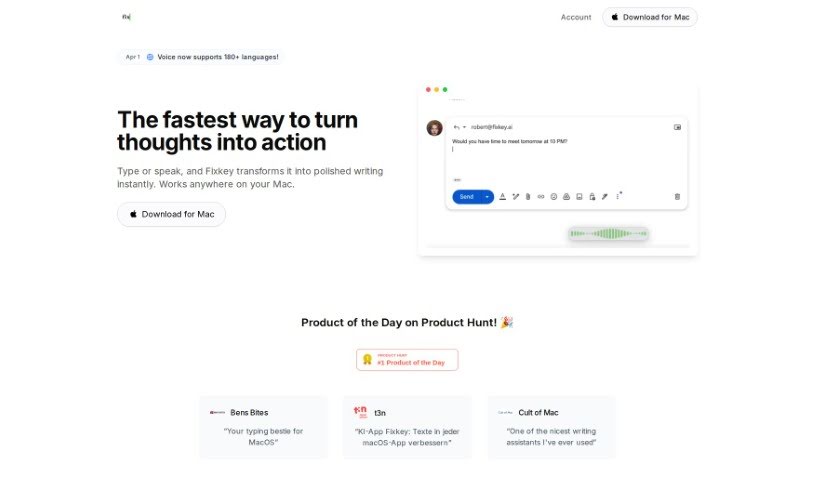
Screenshot of Fixkey

Fixkey

Discover what Fixkey is and how to use it effectively in 2025. We'll explore its features and see how it stacks up against other writing tools.

Screenshot

What is Fixkey?

Fixkey is your personal AI writing assistant for macOS, kind of like a powerful alternative to Grammarly, especially if you’re a heavy user. It lets you pick a sentence and instantly make it better with just one shortcut. It works smoothly across all sorts of apps you probably use every day, like Apple Notes, Gmail, Slack, and Notion. People who use it really like how much time and effort it saves them. It streamlines your writing and brainstorming, helping you come up with ideas faster without stressing about mistakes. Plus, it’s super quick – its AI models respond in under 200 milliseconds, which makes it really efficient and easy to use. Essentially, Fixkey is designed to boost your writing quality and speed on your Mac, and it’s a tool that many power users trust.

Who created Fixkey?

Moritz Wallawitsch, the person behind RemNote, is the creator of Fixkey. It’s a lightweight app built specifically for macOS. It supports over 200 languages thanks to its use of Large Language Models (LLMs). You can even customize prompts in its editor and set up your own shortcuts for quick access. Fixkey’s main goal is to make your writing on macOS clearer and more efficient.

What is Fixkey used for?

  • It automatically detects the language you’re using.
  • It’s built natively for macOS.
  • It supports over 200 languages.
  • You can create your own custom prompts in the prompt editor.
  • Shortcuts are fully customizable.
  • It works in pretty much every application on macOS.
  • It responds quickly, with models taking less than 200ms.
  • It helps you improve your writing in any app on macOS.
  • It can automate tasks and boost your productivity.
  • You can customize prompts for any use case in the prompt editor.
  • It offers fully customizable shortcuts to activate Fixkey.
  • It works everywhere, supporting every application on macOS.
  • It improves your writing anywhere on macOS by letting you highlight text in any app to get AI-powered improvements.
  • Automate tasks and get more done.
  • It helps you brainstorm ideas quickly and efficiently.
  • It brings analytical clarity and creative flow to how you interact with your OS.
  • You can customize prompts in the Fixkey prompt editor.
  • It supports over 200 languages using LLMs.
  • Create custom prompts for various use cases in the prompt editor.
  • Improve your writing in any macOS app.
  • Get quick responses from AI models.
  • It works in every app: Apple Notes, Gmail, Slack, Notion.
  • It supports every application on macOS.
  • It uses LLMs for language support.
  • It allows users to brainstorm ideas quickly.
  • It supports over 200 languages using LLMs.
  • You can create custom prompts for various use cases in the prompt editor.

Who is Fixkey for?

  • AI coding assistants
  • AI chatbots
  • Writing assistants
  • Note and writing apps
  • LLMs
  • Angel Investors
  • Designers
  • Venture Capitalists

How to use Fixkey?

Here’s how to get the most out of Fixkey:

  1. Download and Install: First, download Fixkey for macOS and install it on your computer.
  2. Language Support: Fixkey is great with languages, supporting over 200 thanks to its use of Language Model Models (LLMs).
  3. Custom Prompts: You can use the prompt editor to create your own prompts for specific tasks, making the tool really adaptable to what you need.
  4. Customizable Shortcuts: Make sure to set up your own shortcuts in Fixkey so you can trigger it whenever you need it.
  5. Works Everywhere: Fixkey integrates smoothly with many macOS applications. Whether you’re in Apple Notes, Gmail, Slack, or Notion, Fixkey can make your writing better.
  6. AI-Powered Improvements: Fixkey uses AI to help you select and improve your current sentence with just one shortcut, so you don’t have to worry about manual corrections.
  7. Quick Response: You’ll appreciate Fixkey’s fast response times; its models reply in under 200 milliseconds, ensuring your text gets improved quickly.
  8. Try It Out: If you’re new to Fixkey, you can start with a free trial. This lets you experience what the tool can do before you decide to buy.

By following these simple steps, you can really boost your writing experience on macOS with Fixkey.

Related AI Tools

Discover more tools in similar categories that might interest you

Stay Updated with AI Tools

Get weekly updates on the latest AI tools, trends, and insights delivered to your inbox

Join 25,000+ AI enthusiasts. No spam, unsubscribe anytime.