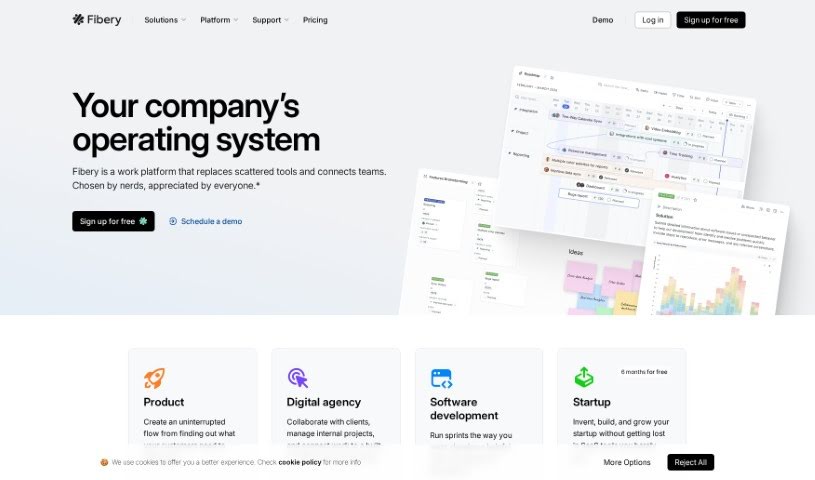
Screenshot of Fibery

Fibery

Discover what Fibery is and how to use it effectively in 2025. We'll explore its features and see how it stacks up against other automation tools.

Screenshot

What is Fibery?

Fibery is a really adaptable and powerful tool built to help teams work together and manage their projects smoothly. What’s neat about it is its unique way of handling work. It lets you build your own custom workspace, setting up your own structures, how things relate to each other, and your own workflows. Whether your team is into product development, managing projects, or just needs a better way to collaborate, Fibery can adapt. It’s got features like custom entity types (which are basically your own data categories), links that work both ways between these entities, and it plays nicely with tools you probably already use, like Slack and Zapier. The goal here is to make your team’s work processes simpler and boost everyone’s productivity.

Who created Fibery?

Fibery was started by Anton Skrypnyk and Michael Dubakov. The company officially launched on June 17, 2014. Essentially, Fibery offers a flexible, all-in-one platform designed to help teams collaborate and manage their work in a really efficient way.

Who is Fibery for?

  • Product Management teams
  • Digital Agencies
  • Startups
  • Product Managers
  • Software developers

How to use Fibery?

To really get the most out of Fibery, here’s a straightforward way to approach it:

  1. Set Up Your Workspace: First things first, create a new workspace in Fibery. This is going to be your central hub for organizing everything you do.
  2. Add Your Apps: Fibery lets you bring in different tools, like Docs for notes, Whiteboards for brainstorming, or Tasks for to-dos. Just add the apps that make sense for your team’s workflow.
  3. Create Your Entities: Think of entities as the fundamental building blocks in Fibery. You’ll create these for whatever you need to track – maybe it’s Projects, specific Tasks, or even your Clients.
  4. Link Entities Together: To show how things connect, you can link your entities. For example, you might link individual Tasks to the larger Projects they belong to, making it clear what’s part of what.
  5. Define Fields for Each Entity: Make each entity work for you by adding custom fields. For Tasks, this could mean adding fields for Priority, Status, or a Due Date.
  6. Use Different Views: Fibery offers various ways to look at your data, like a simple List view, a detailed Table view, or a visual Board view. Pick the view that best helps you see your information.
  7. Collaborate with Your Team: Invite your team members to join you in Fibery. They can easily comment on items, assign tasks to each other, and keep track of how things are progressing.
  8. Automate Your Workflow: You can set up automations to handle repetitive tasks. For instance, you could create a rule that automatically assigns a task to someone when it reaches a certain stage.
  9. Integrate with Other Tools: Connect Fibery with tools you already use, like Slack or Github. This helps keep all your work processes in one place.
  10. Build Custom Dashboards: Create personalized dashboards that show your most important metrics and give you a quick overview of progress.

By following these steps, you’ll be well on your way to using Fibery effectively to manage your projects, collaborate with your team, and generally make your work processes much smoother.

Related AI Tools

Discover more tools in similar categories that might interest you

Stay Updated with AI Tools

Get weekly updates on the latest AI tools, trends, and insights delivered to your inbox

Join 25,000+ AI enthusiasts. No spam, unsubscribe anytime.