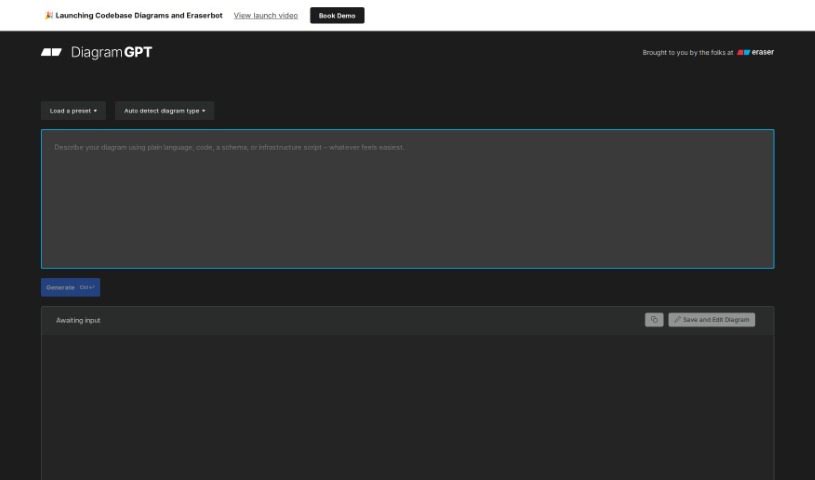
Screenshot of Eraser Diagramgpt

Eraser Diagramgpt

Discover Eraser Diagramgpt, an AI tool for creating technical diagrams. Learn its features, how to use it in 2025, and how it stacks up against other brainstorming tools.

Screenshot

What is Eraser Diagramgpt?

DiagramGPT, developed by Eraser, is a smart AI tool that uses OpenAI’s GPT-4 technology to create technical diagrams. It’s pretty neat because it can figure out what kind of diagram you need based on your input, whether that’s code or just plain English. Then, it generates these diagrams using a “diagram-as-code” format. Right now, it’s great at drawing entity relationship diagrams, cloud architecture diagrams, and sequence diagrams. Once it’s made one, you can easily tweak it using Eraser’s own diagram-as-code syntax, which is really built with engineering teams in mind.

The whole idea behind DiagramGPT is to make diagram creation accessible and human-readable. You can just type in what you want, or even use code, and it’ll whip up the diagrams for you. It’s super handy for all sorts of things, like mapping out architecture, preparing for whiteboard interviews, creating documentation, sketching out wireframes, or just brainstorming ideas. For engineering teams, this means they can create technical diagrams much faster for various tasks, saving valuable time, making complicated processes simpler, and generally boosting how much they get done.

Who created Eraser Diagramgpt?

DiagramGPT was actually created by the team over at Eraser. They’ve built it using OpenAI’s powerful GPT-4 technology. Eraser itself is a whiteboard tool specifically designed for engineering teams. They officially launched DiagramGPT on May 18, 2023. Since then, it’s been offering features that let you generate technical diagrams like flow charts, entity relationship diagrams, cloud architecture diagrams, and sequence diagrams. Plus, you can edit these diagrams right within Eraser using their diagram-as-code syntax.

What is Eraser Diagramgpt used for?

  • Documentation: Making your project’s technical details clear and easy to understand.
  • Brainstorming: Quickly visualizing ideas as you explore them.
  • Wireframing: Sketching out the basic layout and structure of user interfaces.
  • Architecture diagrams: Mapping out the components and connections of your systems.
  • Whiteboard interviews: Helping to visualize concepts during technical discussions or interviews.

How to use Eraser Diagramgpt?

Using DiagramGPT by Eraser is pretty straightforward. Here’s a quick rundown:

  1. Tell it what you need: Start by giving your input. You can either write it out in plain language or use code to describe the diagram you want to create.
  2. Let it generate: You can pick a preset option if one fits, or just click “Generate Diagram” based on your description. It’ll then create the diagram for you.
  3. Edit it in Eraser: Once the diagram is generated, you can click “Save and Edit Diagram.” This opens it up in Eraser, where you can make changes using their diagram-as-code syntax.
  4. Diagram types it handles: Right now, DiagramGPT is great at drawing entity relationship diagrams, cloud architecture diagrams, and sequence diagrams.
  5. What’s coming next: They’re planning to add flowcharts soon and make the integration with Eraser even smoother.
  6. More use cases: Remember, it’s really useful for architecture diagrams, whiteboard interviews, documentation, wireframing, and brainstorming sessions.
  7. Collaboration notes: While DiagramGPT itself doesn’t directly offer collaboration features, you can edit diagrams using Eraser, which might have its own collaborative tools.
  8. Got feedback? If you have thoughts or suggestions, feel free to share them! You can email them at [email protected], find them on Twitter at @eraserlabs, or join their Slack community.

Overall, DiagramGPT offers a really user-friendly way to create and then edit technical diagrams. It’s a genuinely valuable tool for engineering teams and anyone involved in managing projects.

Related AI Tools

Discover more tools in similar categories that might interest you

Stay Updated with AI Tools

Get weekly updates on the latest AI tools, trends, and insights delivered to your inbox

Join 25,000+ AI enthusiasts. No spam, unsubscribe anytime.