Enrol AI (Business)
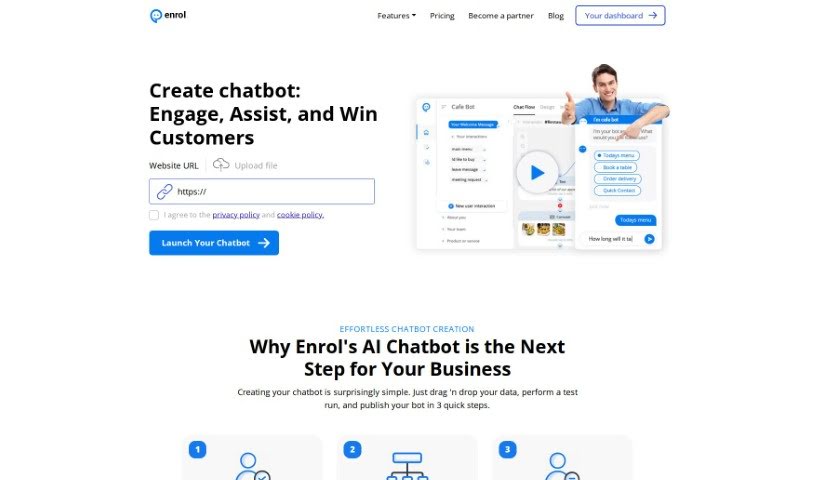
Screenshot of Enrol AI

Enrol AI

Discover what Enrol AI is, a 24/7 AI chatbot for customer service and lead generation, and how it helps businesses engage visitors and capture leads.

Screenshot

What is Enrol AI?

Enrol AI is a chat tool designed to improve how businesses connect with customers on their websites. It provides an assistant available 24/7, chatting with visitors through AI chatbots. The tool helps businesses capture leads, answer questions quickly, handle urgent requests, sell products, and build stronger customer relationships. It can monitor leads, sort them, connect with existing systems via APIs, and group customers based on how they interact with your site. Fast-growing companies use Enrol AI, and clients often cite improvements in customer support and lead generation.

Who created Enrol AI?

Ishac M, part of Arabian Dynamics, created Enrol AI. Arabian Dynamics offers Enrol Chat, a 24/7 AI chat tool built to improve customer service, generate leads, and schedule appointments at an accessible price. Users describe it as straightforward, well-designed, and effective at capturing leads and keeping customers engaged.

What is Enrol AI used for?

  • Chatting with potential customers directly on your website
  • Generating leads around the clock
  • Answering questions and addressing immediate customer needs
  • Sorting leads and customers based on site activity
  • Engaging directly with visitors
  • Integrating with your business systems via API
  • Scheduling appointments or checking on shipments
  • Supporting sales, reducing costs, and scaling customer support
  • Connecting with fleet management platforms
  • Providing 24/7 AI chat customer service with lead generation

Who is Enrol AI for?

  • Customer service teams
  • Sales and marketing professionals
  • Fleet owners who need efficient management tools

How to use Enrol AI?

  1. Feed it your data: Tailor the chatbot to your business by pulling data from your website or uploading files such as PDFs, Word documents, or CSVs.
  2. Test your chatbot: Check that responses are accurate, and improve its learning by uploading new data regularly.
  3. Go live: Publish the chatbot so it can engage customers naturally. It can handle thousands of customers at once, 24/7, across channels including your website chat, Facebook Messenger, and Telegram.
  4. Generate leads: The chatbot engages visitors immediately, helping you capture more leads and encourage interaction.
  5. Serve customers better: Categorize leads and customers based on their website activity and organize them into groups for more focused conversations.
  6. Integrate via API: Connect the bot to your backend systems so users can get the information they need directly through the chatbot.

Related

Related AI Tools

Discover more tools in similar categories

New tools, in your inbox.

Weekly picks of the best AI tools we've researched and added — no spam, unsubscribe anytime.

Join 25,000+ AI enthusiasts. No spam, unsubscribe anytime.