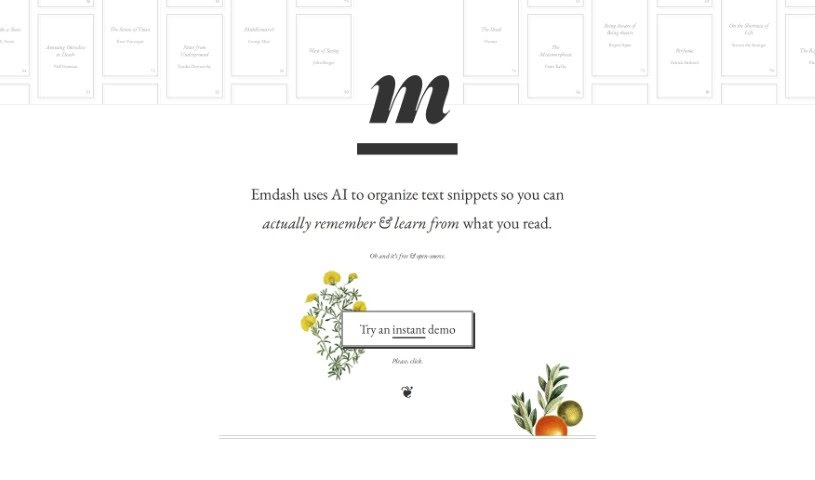
What is Emdash?
Emdash is a smart tool that uses AI to help you get more out of what you read. It organizes text snippets so you can remember them better and learn more effectively. It is a personal reading assistant. It can find similar ideas from different authors, letting you see how various people approach the same topic. It also has powerful semantic search, meaning you can find what you’re looking for even if you don’t remember the exact words. Plus, you can easily organize your notes with tags and add your own annotations. If a concept is a bit dense, Emdash can even rephrase it using metaphors to make it clearer. You can also export your annotations back to an e-reader format, which is super handy. The tool supports open formats for importing and exporting data, so you’re never locked in. It even encourages you to stumble upon new ideas randomly and keeps your data private by analyzing it offline first. It also offers ways to summarize and rephrase complex ideas.
Who created Emdash?
Emdash was developed by a dedicated team, with the company’s founder leading the charge. Their main goal is to use AI to organize reading material in a way that really helps people remember and learn. They’ve built in some neat features, like ‘Conceptual Cousins,’ which finds passages with similar ideas from different authors, often presenting them from a fresh perspective. There’s also ‘Instant Semantic Search’ for digging deep into your notes, and tools to help you tag, rate, and reflect on what you’re reading. Emdash champions an open-source and offline-first philosophy, putting user privacy and data ownership front and center.
What is Emdash used for?
Emdash offers a variety of ways to enhance your reading and learning:
- Conceptual Cousins: This feature uses AI right on your device to find passages with similar ideas from different authors. It often shows you these connections from a unique angle.
- Instant Semantic Search: You can find exactly what you need, not just with a standard full-text search, but also with a deeper semantic search that matches even fuzzy or related ideas.
- Tag, rate, note, reflect: Keep your reading organized by using tags, adding ratings to show importance, and writing notes to capture your thoughts. You can even export these annotations back to an epub file to review them on your e-reader.
- Roll the dice, change your lens: Unearth ideas you might have forgotten about through random discovery. You can also rephrase dense concepts and explain them using metaphors.
- No lock-in: Bring your highlights in easily, whether from your Kindle or as json, csv, or even by manual input. You can export them instantly to the same open formats without any restrictions.
- Monk-Mode - Lenses: This mode helps you summarize and rephrase complex ideas.
- Monk-Mode - Socratic switch: You can essentially interview your books, asking questions to deepen your understanding.
- Cross-device syncing and backup: Keep your notes and progress consistent across all your devices.
- Publishing / sharing excerpts: Easily share interesting passages or insights with others.
- Sturdier gardening tools: (This seems like a playful, perhaps metaphorical, addition suggesting robust functionality for managing your knowledge garden.)
- Conceptual Cousins (again): This uses on-device AI to find passages with similar ideas from other authors.
- Instant semantic search (again): Offers both full-text search and deeper semantic matching for fuzzy ideas.
- Tag, rate, note, reflect (again): Organize with tags, add ratings, and annotate your thoughts.
- Roll the dice, change your lens (again): Unearths forgotten ideas via random discovery and rephrases concepts with metaphors.
- No lock-in (again): Imports highlights from Kindle or other formats and exports to open formats.
- Monk-Mode (again): Summarizes & rephrases complex ideas, interviews your books, cross-device syncing & backup, publishes/shares excerpts, and offers sturdier gardening tools.
- Conceptual Cousins (yet again): Utilizes on-device AI analysis to find passages with similar themes across different authors.
- Instant Semantic Search (yet again): Offers both full-text and deeper semantic searches to locate precise ideas in your collection.
- Organize and Reflect (again): Tag, rate, and note capabilities help you organize and annotate your thoughts effectively.
- Random Discovery Feature (again): ‘Roll the dice’ to uncover ideas you may have forgotten and gain new perspectives.
- Open Formats and Exporting (again): Easily import highlights and export back to various formats, including epub, with no data lock-in.
Who is Emdash for?
Emdash is a great tool for anyone who reads and wants to learn more effectively. This includes:
- Writers
- Students
- Researchers
- Academics
- Knowledge workers
How to use Emdash?
To really get the most out of Emdash, here’s a simple way to approach it:
- Highlight and Save: As you read, use Emdash to save the key text snippets that stand out. This is how you’ll build your personal knowledge base.
- Organize with Tags: Once you’ve saved some highlights, categorize them using tags. This makes it much easier to find specific information later and keeps your notes structured.
- Add Ratings and Annotations: Go a step further by rating your highlights based on how important they are to you. Then, add your own personal annotations – jot down your thoughts, questions, or connections.
- Utilize Semantic Search: Don’t just rely on keywords. Use Emdash’s semantic search to find specific information. It understands the meaning behind your queries, so you can find related ideas even if the wording isn’t exact.
- Discover Similar Ideas: Play around with the ‘Conceptual Cousins’ feature. It’s a fantastic way to find passages that touch on similar themes from different authors, giving you a broader range of perspectives.
- Rediscover Forgotten Ideas: Feeling stuck or want a fresh take? Use the ‘Roll the Dice’ feature to stumble upon ideas you might have forgotten. You can then rephrase them with new metaphors to make them stick.
- Export and Review: When you’re ready, export your organized highlights back into a format like epub. This makes it super convenient to review everything on your e-reader.
- Ensure Data Privacy: One of Emdash’s strengths is its offline-first approach for on-device analysis. This means your data stays secure and private, analyzed right on your device.
- Access Advanced Features: Don’t forget to explore the advanced features. Monk-Mode, for instance, is great for summarizing complex ideas, and cross-device syncing ensures you can access your notes anywhere.
By following these steps, you’ll find Emdash really enhances your reading experience, helping you retain more information and learn more effectively.