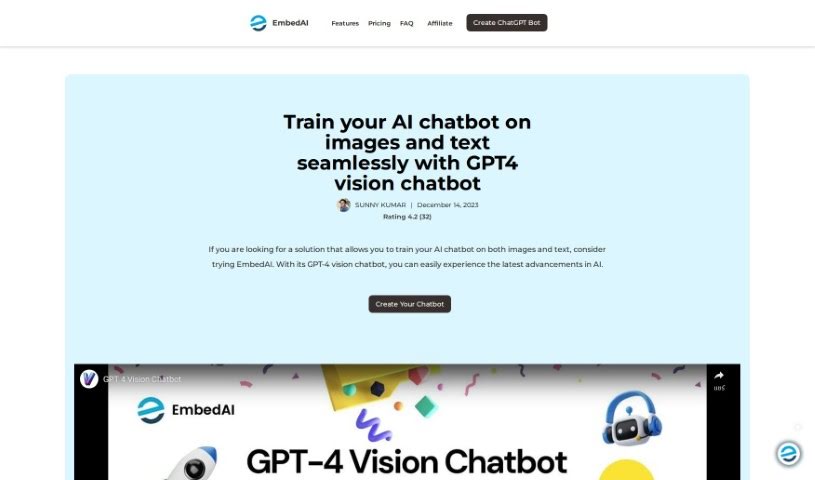
Screenshot of EmbedAI Gpt4 Vision Chatbot

EmbedAI Gpt4 Vision Chatbot

Curious about EmbedAI's GPT-4 Vision Chatbot? Let's dive into what this powerful tool is, how you can use it effectively in 2025, and explore its features compared to other chatbots.

Screenshot

What Exactly is the EmbedAI GPT-4 Vision Chatbot?

The GPT-4 Vision Chatbot is a really neat tool that brings together the amazing language skills of GPT-4 with some pretty cool image processing technology. What this means is you get a chatbot that can understand and chat with you using both text and pictures. It’s a big step up from older AI models because it can actually ‘see’ and react to visuals, making our interactions with AI much richer. Built on the powerful Generative Pre-trained Transformer 4 (GPT-4), this chatbot can look at images, figure out what’s in them, and give you detailed, context-aware responses. Plus, it’s designed to be super easy to use, with a no-code interface, so pretty much anyone can create their own custom chatbots for whatever they need.

Who’s Behind the EmbedAI GPT-4 Vision Chatbot?

Sunny Kumar is the creator of this innovative GPT-4 Vision Chatbot, which first launched on November 11, 2023. This chatbot really shines by blending AI’s latest advancements, combining GPT-4’s language prowess with image processing capabilities. The result is a user-friendly platform that offers truly immersive AI experiences.

What Can You Do with the EmbedAI GPT-4 Vision Chatbot?

This chatbot is incredibly versatile! Here are just a few ways it can be used:

  • For Education: It’s great for explaining and interpreting visual materials, making learning more engaging.
  • For Customer Support: Imagine offering top-notch customer service by letting users send product images or visual data with their questions – this chatbot can handle it.
  • For Accessibility: It can be a real game-changer for people with visual impairments, helping them by describing images or interpreting visual content they might otherwise miss.

Who Would Find the EmbedAI GPT-4 Vision Chatbot Useful?

This tool is a fantastic resource for a wide range of people and professions:

  • Educators looking for new ways to engage students.
  • Business professionals needing to analyze visual data or improve customer interactions.
  • Individuals with visual impairments seeking better access to visual information.
  • Customer service representatives aiming to provide more efficient and informed support.
  • Accessibility consultants working to make digital content more inclusive.
  • Virtual Assistant Managers looking to enhance their team’s capabilities.
  • AI enthusiasts eager to explore the latest in AI technology.
  • Researchers investigating new applications for AI and computer vision.
  • Customer support teams wanting to streamline their processes.
  • Knowledge workers who deal with visual information regularly.
  • Anyone interested in making technology more accessible and understandable.

How Do I Start Using the EmbedAI GPT-4 Vision Chatbot?

Getting started with the GPT-4 Vision Chatbot is straightforward. Just follow these simple steps:

  1. Head over to the Platform: First, navigate to the GPT-4 Vision Chatbot’s dedicated page.
  2. Log In: You can easily log in using your existing Gmail or GitHub account.
  3. Create Your Chatbot: Once you’re logged in, simply select “Create the Vision Chatbot.”
  4. Upload Your Image: Look for the image icon and click it to upload the image you want the AI to analyze.
  5. Add Your Text Prompt: To give the AI more context and help it understand better, include a text prompt along with your image.

Here are some of the key features you’ll love:

  • Image Understanding: The AI is really good at recognizing and describing what’s in images accurately.
  • Enhanced Interactivity: By combining text and visual inputs, you get a much richer and more engaging user experience.
  • Broad Applications: It’s super versatile, fitting perfectly into education, customer service, and accessibility needs.
  • User-Friendly Interface: The design is intuitive, making it easy for anyone to jump in and use.
  • Natural Language Processing: Expect responses that are not only relevant but also sound genuinely human-like.
  • Customization: You can tailor the chatbot to fit a variety of specific needs and preferences.
  • Real-Time Learning: The system can adapt and improve its interactions over time based on user feedback.

By following these steps and exploring all the cool features, you’ll be able to get the most out of what the GPT-4 Vision Chatbot has to offer.

Related AI Tools

Discover more tools in similar categories that might interest you

Stay Updated with AI Tools

Get weekly updates on the latest AI tools, trends, and insights delivered to your inbox

Join 25,000+ AI enthusiasts. No spam, unsubscribe anytime.