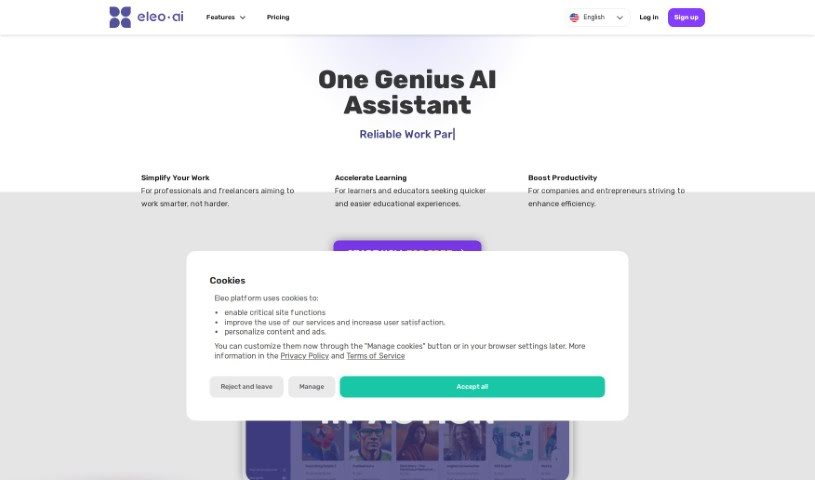
Screenshot of Eleo

Eleo

Discover Eleo in 2025: learn what this AI tool is, how to use its features effectively, and how it stacks up against other chatbots.

Screenshot

What is Eleo?

Eleo.ai is a really handy artificial intelligence tool packed with features designed to make all sorts of tasks much smoother. It is your all-in-one AI assistant. It offers an AI writer, a chat function, an advisor, a translator, a chatbot builder, and even an image creation tool. Basically, these features are there to help you whip up documents faster, get quick access to important information, get professional advice in areas like law or medicine, communicate easily across different languages, build smart chatbots, and quickly generate the images you need.

To make all this happen, Eleo.ai uses some of the latest AI technologies. We’re talking about powerful engines like OpenAI’s ChatGPT, Falcon from the Technology Innovation Institute, Stability.ai for images, and LLama from Meta. These work together behind the scenes to boost everything from chatting and creating content to translating and building those custom chatbots on the platform.

So, to sum it up, Eleo.ai is a super versatile AI tool. It’s built to help you out with a wide range of tasks across many different fields. It gives you a whole suite of features that are meant to make your work more productive and efficient, all while being easy to use.

Who created Eleo?

Eleo was actually created by a comprehensive artificial intelligence tool itself, and it first launched on December 14, 2023. The team behind it brought together a variety of advanced AI technologies. This includes OpenAI’s ChatGPT, the Falcon model from the Technology Innovation Institute, Stability.ai for image generation, and Meta’s LLama. Eleo offers a great mix of features like an AI writer, a chat interface, an advisor, a translator, a chatbot builder, and an image creation tool. These are all designed to help you create documents more quickly, communicate effectively in multiple languages, and get professional advice across different fields.

Who is Eleo for?

  • Lawyers
  • Doctors
  • IT specialists

How to use Eleo?

Eleo.ai is a really versatile artificial intelligence tool, and it comes with some fantastic features like an AI writer, a chat function, an advisor, a translator, a chatbot builder, and an image creation tool. Here’s a simple, step-by-step guide to get you started with Eleo.ai:

  1. AI Writer: You can use the AI Writer feature to speed up how you create documents and generate really engaging text. Just so you know, the word limit assistance you get will depend on the plan you choose.
  2. Chat Feature: Make the most of the chat feature to quickly find valuable information without any hassle.
  3. Advisor Tool: This is where you can get expert advice specifically tailored for professionals in fields like law, medicine, and IT.
  4. Translator: Need to translate text? This tool handles it effectively across multiple languages, making it super easy to communicate in different tongues.
  5. Image Creation: You can quickly create intelligent images or visuals. No more spending ages searching for the right picture!
  6. Browser Extension: For constant access, install the Eleo.ai browser extension. It lets you get to your information, documents, and images from pretty much any device.
  7. Subscription Plans: Take a look at the different plans available – Free, Basic, Standard, and Pro. Each one offers different limits and pricing options, so you can pick what best suits your needs.
  8. Personalization: You can customize things like the language settings, create personalized chatbots for customer support, and really benefit from Eleo.ai’s multi-language support to make your experience your own.
  9. Local Compliance: Eleo.ai is designed to consider local regulations when it provides responses. This means you get accurate and compliant information based on your specific country.
  10. Usage Scenarios: Think of Eleo.ai as your daily assistant. You can use it to simplify and speed up your work processes, whether that’s writing documents, getting important information fast, or many other tasks.

By following these steps, you can really make the most of Eleo.ai’s features. It’s a great way to boost your productivity, make your tasks smoother, and get professional advice across a variety of fields.

Related AI Tools

Discover more tools in similar categories that might interest you

Stay Updated with AI Tools

Get weekly updates on the latest AI tools, trends, and insights delivered to your inbox

Join 25,000+ AI enthusiasts. No spam, unsubscribe anytime.